dsh-conversation-minimap
Run the following command in DeepSeek Harness:
dsh plugin install Braidy-Wu/dsh-conversation-minimap
Paste the following prompt into your AI chat to install this plugin:
To install this plugin in DeepSeek Harness, run dsh plugin install Braidy-Wu/dsh-conversation-minimap or visit the source code repository at https://github.com/Braidy-Wu/dsh-conversation-minimap.
About this plugin
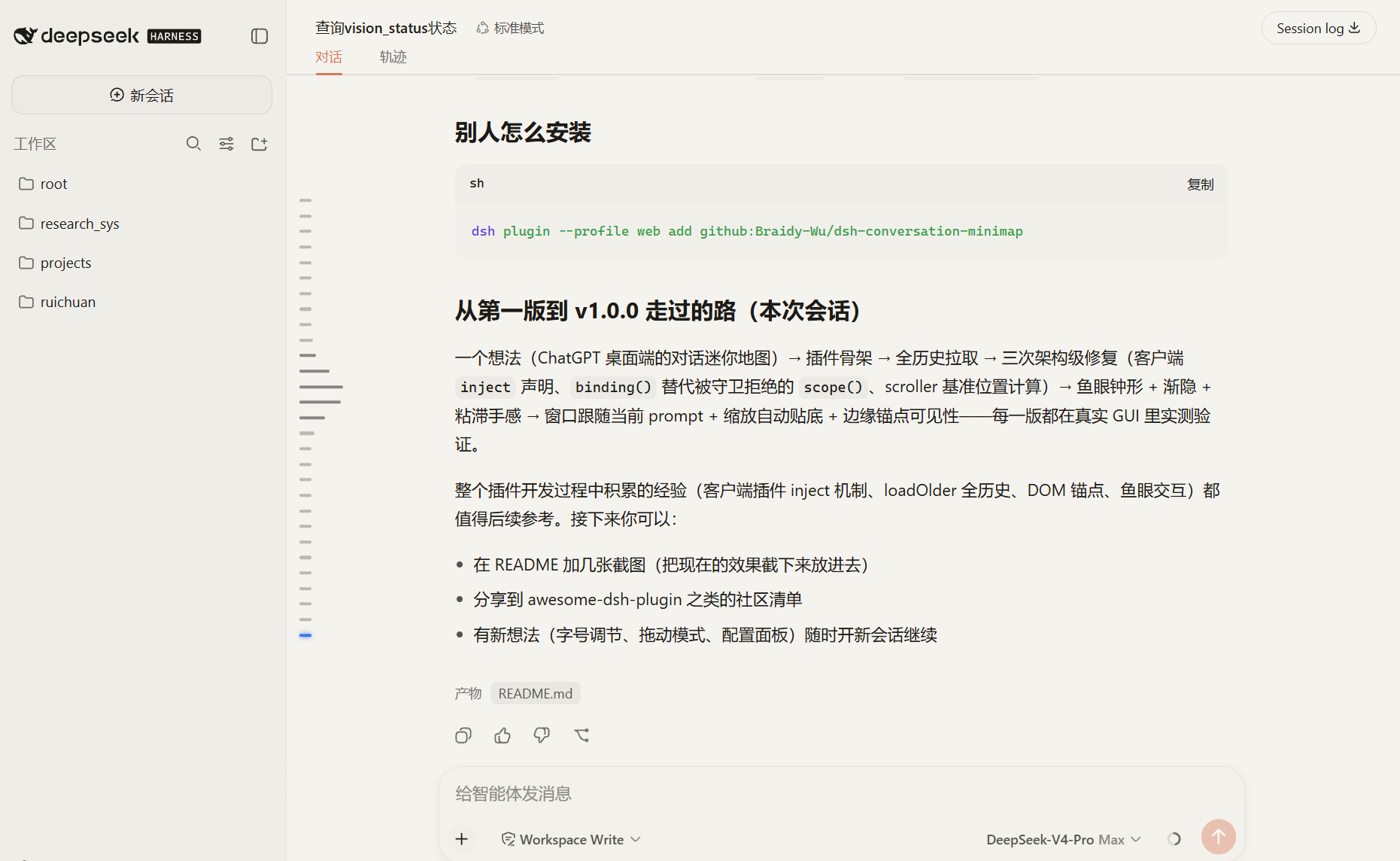
When working with long conversations in DeepSeek Harness, users often get lost in the information stream, struggling to quickly locate previous prompts or key nodes. This plugin solves that problem by providing a ChatGPT-desktop-style side navigation rail for long conversations. It features a smart fisheye zoom effect that smoothly magnifies key anchors near the cursor, making important sections stand out. With precise position tracking and a blue highlighter, the view follows your reading progress, and clicking any anchor smoothly scrolls to that message, significantly improving long-document navigation efficiency.
Screenshots
Use Cases
- Quickly locate key nodes while reading ultra-long conversation logs
- Find specific historical information amidst massive chat content
- Review detailed records of multi-round AI interactions
Best For
- Long-term users who deeply use DeepSeek Harness
- Developers who need to frequently browse and jump in long conversations
- AI enthusiasts who value interaction experience and reading efficiency
Related Plugins
A service-oriented sidebar framework for DSH, offering a full workbench with file explorer, embedded browser, real terminal, Git panel, and extensible plugin services.

A beautiful, practical Claude Code-style TUI plugin with pixel whale top bar, flowing glow title, real-time status line, streaming thought expansion, time rewind, context progress bar and TPS gauge — zero core changes.

The plugin market for DeepSeek Harness: browse/search/one-click install community plugins and themes, with updates, backup/restore, hot disable, diagnostics, and AI fix.

A persistent whale widget on the DSH web UI that shows DeepSeek balance, today's usage, and per-turn cost, with drag-and-snap and sound effects.