dsh-message-minimap
Run the following command in DeepSeek Harness:
dsh plugin install AFAP/dsh-message-minimap
Paste the following prompt into your AI chat to install this plugin:
Run the install command in DeepSeek Harness to add a message minimap; the plugin source code is at https://github.com/AFAP/dsh-message-minimap.
About this plugin
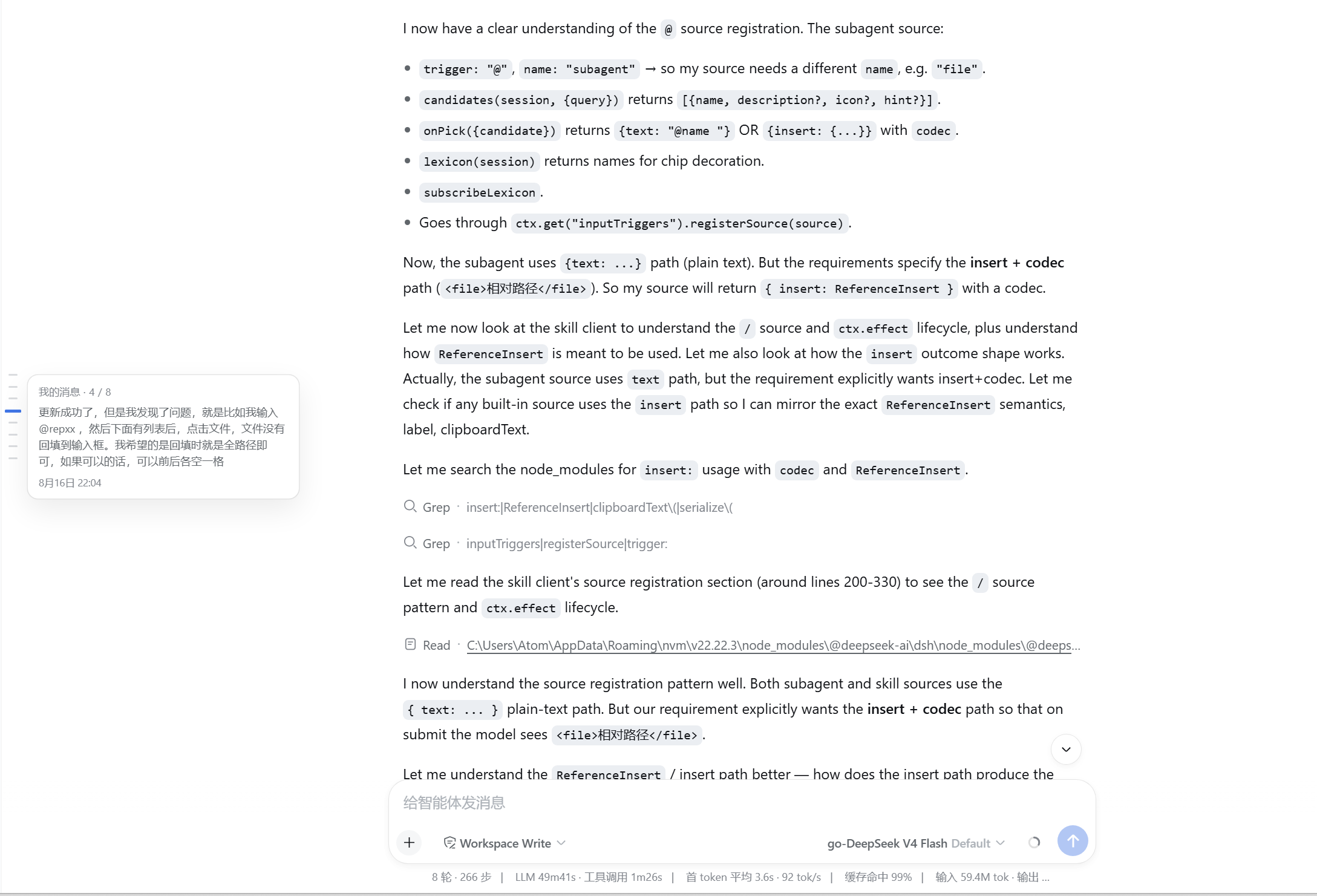
In long conversations, AI responses are often lengthy and dense, causing your own messages to get buried. Trying to scroll through endless text to find "what I said earlier" is tedious and inefficient. dsh-message-minimap solves this by adding a VS Code-style minimap to the left edge of the chat window. Every user message is marked as a precise scale point. Users can hover for a summary preview, click to jump to the exact message (automatically loading history if needed), or drag the background to scan through the conversation quickly. This tool is ideal for anyone conducting complex code reviews, deep technical discussions, or long-form chats, significantly improving navigation efficiency while intelligently adapting to the interface theme.
Screenshots
Use Cases
- Quickly locate historical messages in long code review sessions.
- When needing to backtrack through multi-round conversation context.
- Managing content-heavy chat windows that overflow.
Best For
- Engineers needing efficient navigation in long sessions.
- Users who deeply utilize DeepSeek Harness.
- Users who prefer visual aids to manage information flow.
Related Plugins
A service-oriented sidebar framework for DSH, offering a full workbench with file explorer, embedded browser, real terminal, Git panel, and extensible plugin services.

A beautiful, practical Claude Code-style TUI plugin with pixel whale top bar, flowing glow title, real-time status line, streaming thought expansion, time rewind, context progress bar and TPS gauge — zero core changes.

The plugin market for DeepSeek Harness: browse/search/one-click install community plugins and themes, with updates, backup/restore, hot disable, diagnostics, and AI fix.

A persistent whale widget on the DSH web UI that shows DeepSeek balance, today's usage, and per-turn cost, with drag-and-snap and sound effects.