dsh-service-console
Run the following command in DeepSeek Harness:
dsh plugin install Jiyr0119/dsh-service-console
Paste the following prompt into your AI chat to install this plugin:
To install this plugin in DeepSeek Harness, run `dsh plugin install Jiyr0119/dsh-service-console`, with the source code available at https://github.com/Jiyr0119/dsh-service-console.
About this plugin
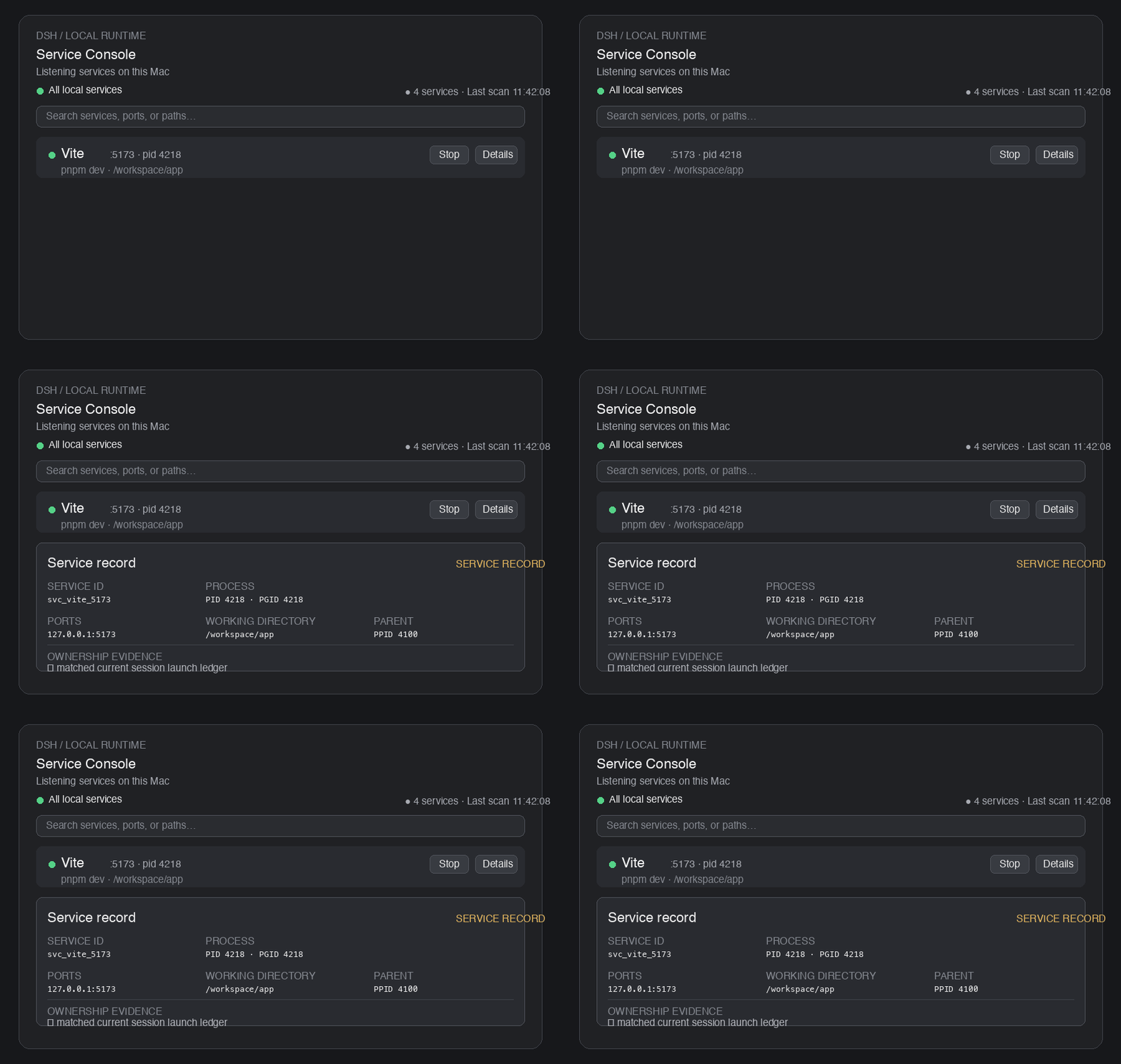
In local development environments, when the model or a user starts dev servers like Vite, Next.js, or Uvicorn, these processes are often buried in terminal logs, making them hard to track and manage. DSH Service Console addresses this pain point by providing a centralized console that automatically scans and displays all listening local services and their details, giving you a clear overview of your current environment.
Regarding core capabilities, the plugin not only supports port discovery and correlating process information but also introduces an "ownership" mechanism. Through a five-level attribution system (Chat, Workspace, Other Local, Unknown, Protected), it precisely identifies which services belong to the current context and which are system-critical processes. This visual safety signal ensures you act with precision when stopping or restarting services, preventing accidental disruptions.
On safety control, DSH Service Console strictly adheres to security principles. It performs PID validation and fingerprint checks on target processes to prevent accidental termination. Sensitive command outputs are automatically redacted, and graceful termination is prioritized over force-kill by default, significantly reducing the risk of damaging your current development environment. It operates without background polling, refreshing only when necessary to keep the system lightweight.
This plugin is designed for developers using DeepSeek Harness, especially those who need to manage local dev services directly within the Web UI and prioritize process safety and environmental cleanliness. It integrates scattered local service management into DSH's native interface, greatly enhancing development efficiency and operational security.
Screenshots
Use Cases
- Quickly discover and manage locally listening port services.
- Safely stop or restart dev servers in the Web UI.
- Solve the problem of npm or Vite processes being hard to track.
Best For
- Developers needing centralized management of local dev processes.
- Engineers using DeepSeek Harness for code assistance.
- Terminal users concerned with process safety over blind operations.
Related Plugins
A service-oriented sidebar framework for DSH, offering a full workbench with file explorer, embedded browser, real terminal, Git panel, and extensible plugin services.

A beautiful, practical Claude Code-style TUI plugin with pixel whale top bar, flowing glow title, real-time status line, streaming thought expansion, time rewind, context progress bar and TPS gauge — zero core changes.

The plugin market for DeepSeek Harness: browse/search/one-click install community plugins and themes, with updates, backup/restore, hot disable, diagnostics, and AI fix.

A persistent whale widget on the DSH web UI that shows DeepSeek balance, today's usage, and per-turn cost, with drag-and-snap and sound effects.