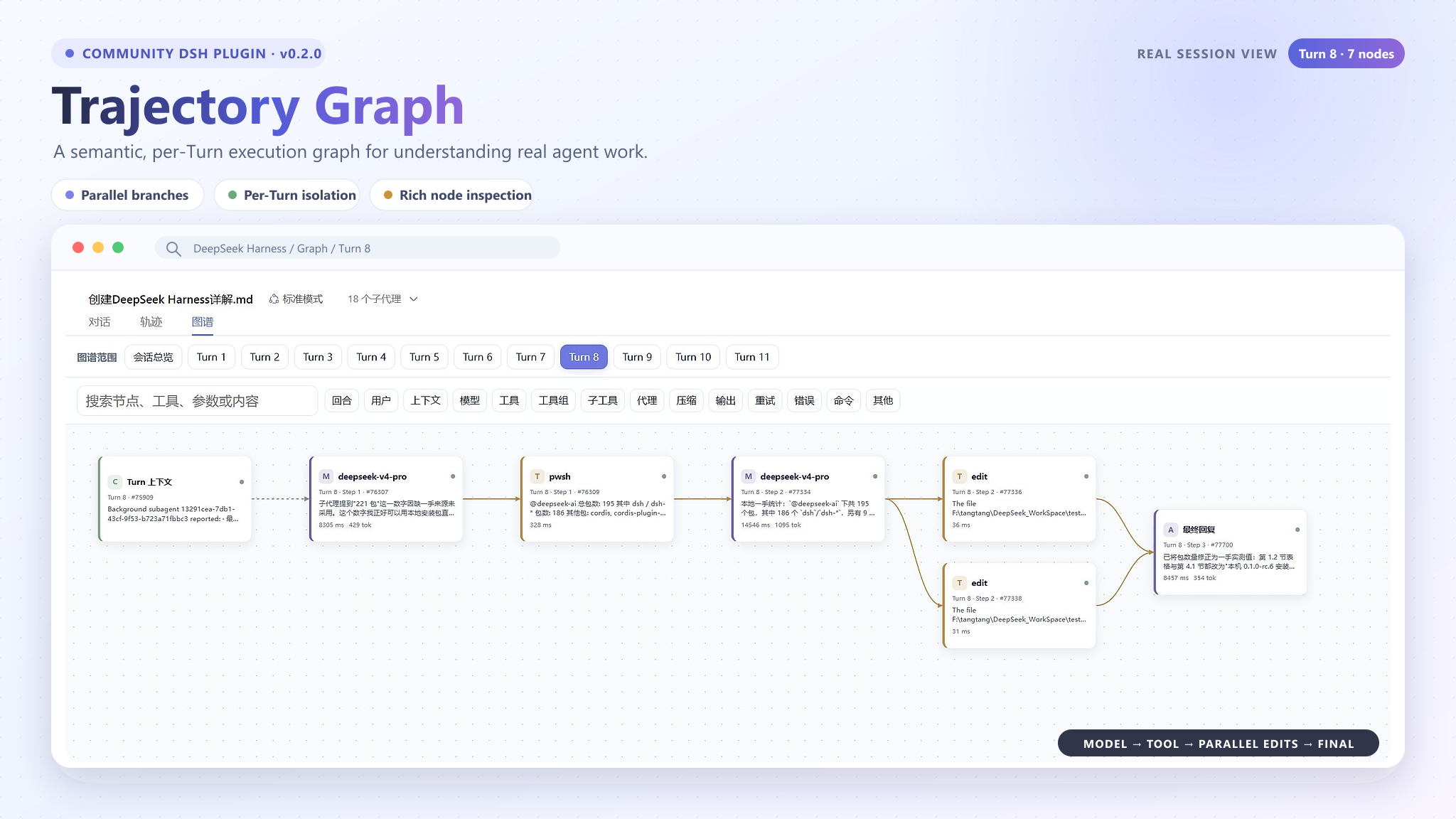
trajectory-graph
Run the following command in DeepSeek Harness:
dsh plugin install TangRj-Git/trajectory-graph
Paste the following prompt into your AI chat to install this plugin:
Please install the trajectory-graph plugin in DeepSeek Harness using the open-source repository at https://github.com/TangRj-Git/trajectory-graph。
About this plugin
Raw trajectory data in DeepSeek Harness can be difficult to digest at a glance. The trajectory-graph plugin solves this by projecting complex execution flows into an intuitive, interactive graph. It visualizes semantic nodes like Users, Models, Tools, and Errors, showcasing parallel branches and convergence points clearly, making it easier to trace decision paths and pinpoint issues.
Screenshots
Use Cases
- Visualize how LLM processes complex task flows step-by-step.
- Pinpoint the root cause of tool call failures or logical errors.
- Analyze execution efficiency and convergence points of parallel tool calls.
Best For
- DeepSeek Harness developers and debugging personnel.
- System architects needing deep analysis of Agent execution logic.
- Researchers studying model behavior and trajectory data.
Related Plugins
A service-oriented sidebar framework for DSH, offering a full workbench with file explorer, embedded browser, real terminal, Git panel, and extensible plugin services.

A beautiful, practical Claude Code-style TUI plugin with pixel whale top bar, flowing glow title, real-time status line, streaming thought expansion, time rewind, context progress bar and TPS gauge — zero core changes.

The plugin market for DeepSeek Harness: browse/search/one-click install community plugins and themes, with updates, backup/restore, hot disable, diagnostics, and AI fix.

A persistent whale widget on the DSH web UI that shows DeepSeek balance, today's usage, and per-turn cost, with drag-and-snap and sound effects.