dsh-conversation-anchors
Run the following command in DeepSeek Harness:
dsh plugin install biggerboy/dsh-conversation-anchors
Paste the following prompt into your AI chat to install this plugin:
To install this plugin in DeepSeek Harness, please visit the full source code address https://github.com/biggerboy/dsh-conversation-anchors and use the install command.
About this plugin
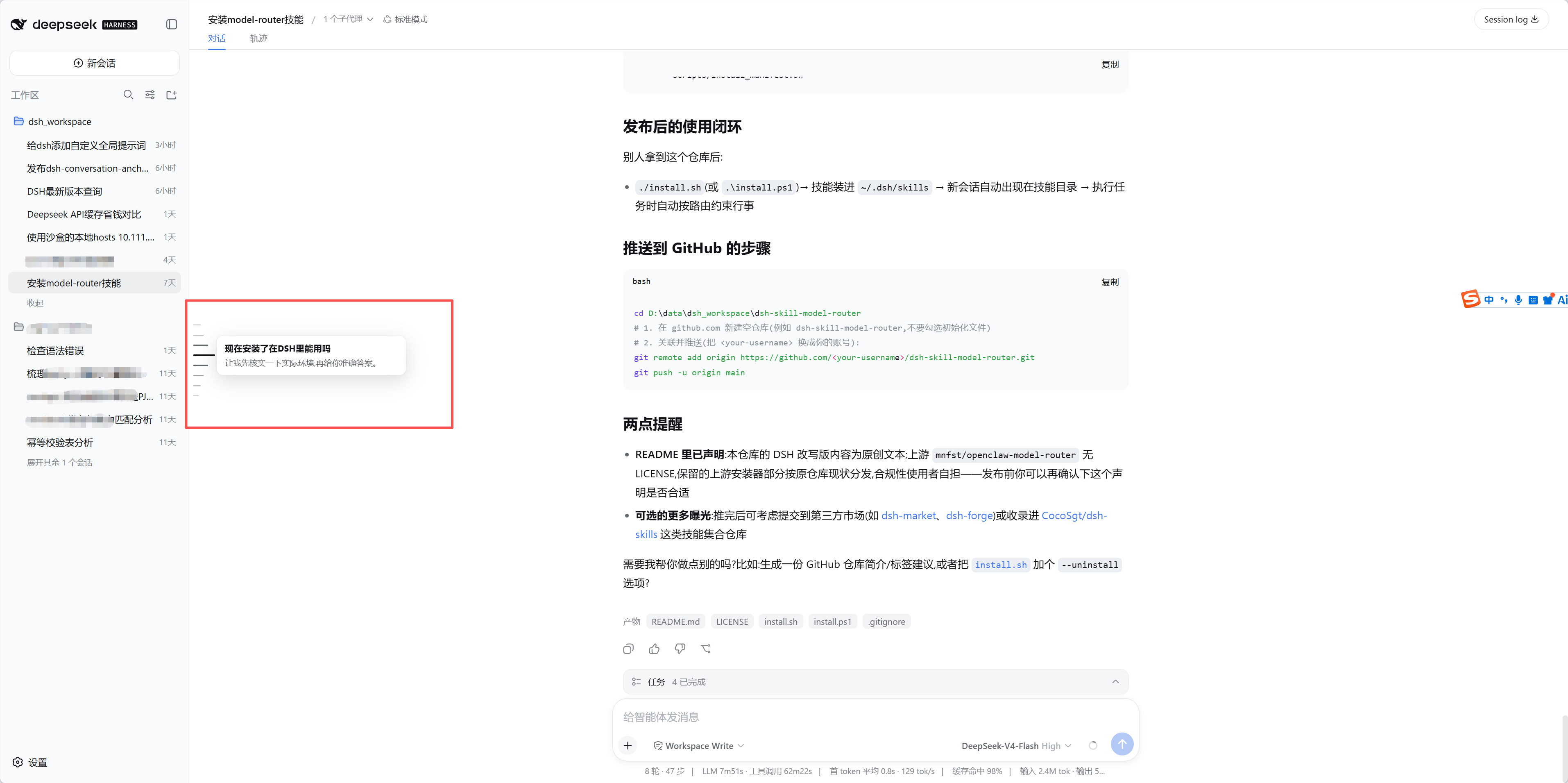
When conversations become lengthy and complex, quickly locating specific turns in the DeepSeek Harness Web interface can be difficult. dsh-conversation-anchors solves this by introducing intuitive visual anchors that transform long text streams into navigable tracks. It offers Codex-style left rails and DeepSeek-style right rails, allowing users to customize the interface to their preference. Core features include smooth scrolling to specific turns, hover preview cards, and keyboard shortcuts (like j/k), making browsing and reviewing conversation history effortless.
Screenshots

Use Cases
- Quickly locate key information in long conversations
- Track conversation flow during deep code reviews
- Quickly review historical summaries before switching context
Best For
- Developers needing to manage long-context conversations
- Researchers using DeepSeek for deep code assistance
- DSH users seeking a better Web UI experience
Related Plugins
A service-oriented sidebar framework for DSH, offering a full workbench with file explorer, embedded browser, real terminal, Git panel, and extensible plugin services.

A beautiful, practical Claude Code-style TUI plugin with pixel whale top bar, flowing glow title, real-time status line, streaming thought expansion, time rewind, context progress bar and TPS gauge — zero core changes.

The plugin market for DeepSeek Harness: browse/search/one-click install community plugins and themes, with updates, backup/restore, hot disable, diagnostics, and AI fix.

A persistent whale widget on the DSH web UI that shows DeepSeek balance, today's usage, and per-turn cost, with drag-and-snap and sound effects.