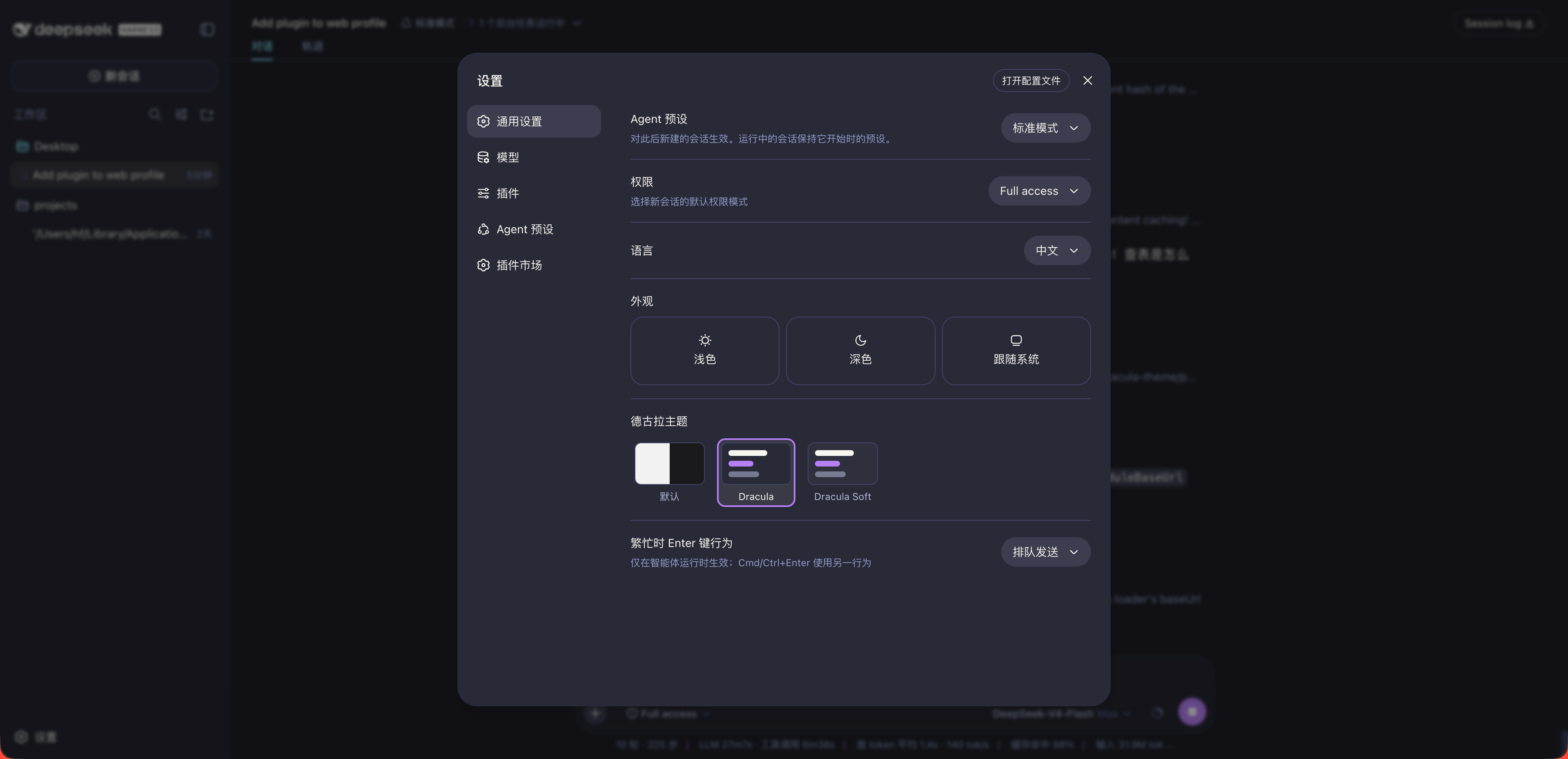
dsh-dracula-theme
Run the following command in DeepSeek Harness:
dsh plugin install ossFrankFrank/dsh-dracula-theme
Paste the following prompt into your AI chat to install this plugin:
In DeepSeek Harness, please go to the Settings page, search for 'dsh-dracula-theme' in the plugin market to install, or visit the open-source repository at https://github.com/ossFrankFrank/dsh-dracula-theme to get the source code.
About this plugin
For those seeking a visually immersive experience, the Dracula theme for DeepSeek Harness brings the iconic dark palette directly to your fingertips. By seamlessly integrating this classic design into the DSH runtime, the plugin transforms your workspace into a cohesive environment that prioritizes both aesthetics and functionality. Whether you prefer the high-contrast classic look or the gentler, more relaxed Dracula Soft variant, this theme ensures that your interface remains consistent from the sidebar to the conversation bubbles, allowing you to focus entirely on your work without visual fatigue.
The core capability of this plugin lies in its meticulous adherence to the official Dracula specification. It does not merely apply a skin; it translates the entire color theory into a full token coverage for the DSH runtime. This includes precise mappings for brand accents, state colors, and code syntax highlighting, ensuring that the purple and cyan tones pop exactly as intended. The theme carefully distinguishes between surfaces like current lines and selections, providing a polished and professional look that matches the official DeepSeek port while maintaining high readability.
This theme is perfectly suited for developers, power users, and anyone who spends hours in an AI-driven interface. If you value a consistent, high-contrast dark mode that reduces eye strain and enhances focus, this is the ideal choice. It simplifies the customization process by offering a one-click switch in the general settings, persisting your preference across sessions. Experience the perfect blend of style and utility, and elevate your DeepSeek Harness interaction to a new level of elegance.
Screenshots
Use Cases
- Long coding sessions
- Night work
- Geek aesthetics
Best For
- DSH developers
- High contrast lovers
- Dracula fans
Related Plugins

whale-girl is a desktop pet in the DSH Web GUI (bottom-right for instant companionship) — draggable, feedable, playable; completed tasks, sessions and companionship time accrue into seniority levels, titles, and memories.

A WebGPU ocean skin for DeepSeek Harness with five-wave Gerstner waves, translucent theme, day/night cycle, and quick controls, installable as plugin or extension.

A Galgame-style conversation view and visual scene editor for DSH web sessions, with a real-time editing mode.

A native skinning plugin for DeepSeek Harness: 8 designer themes, wallpapers, accent colors, and shareable theme packs, built purely on design tokens.