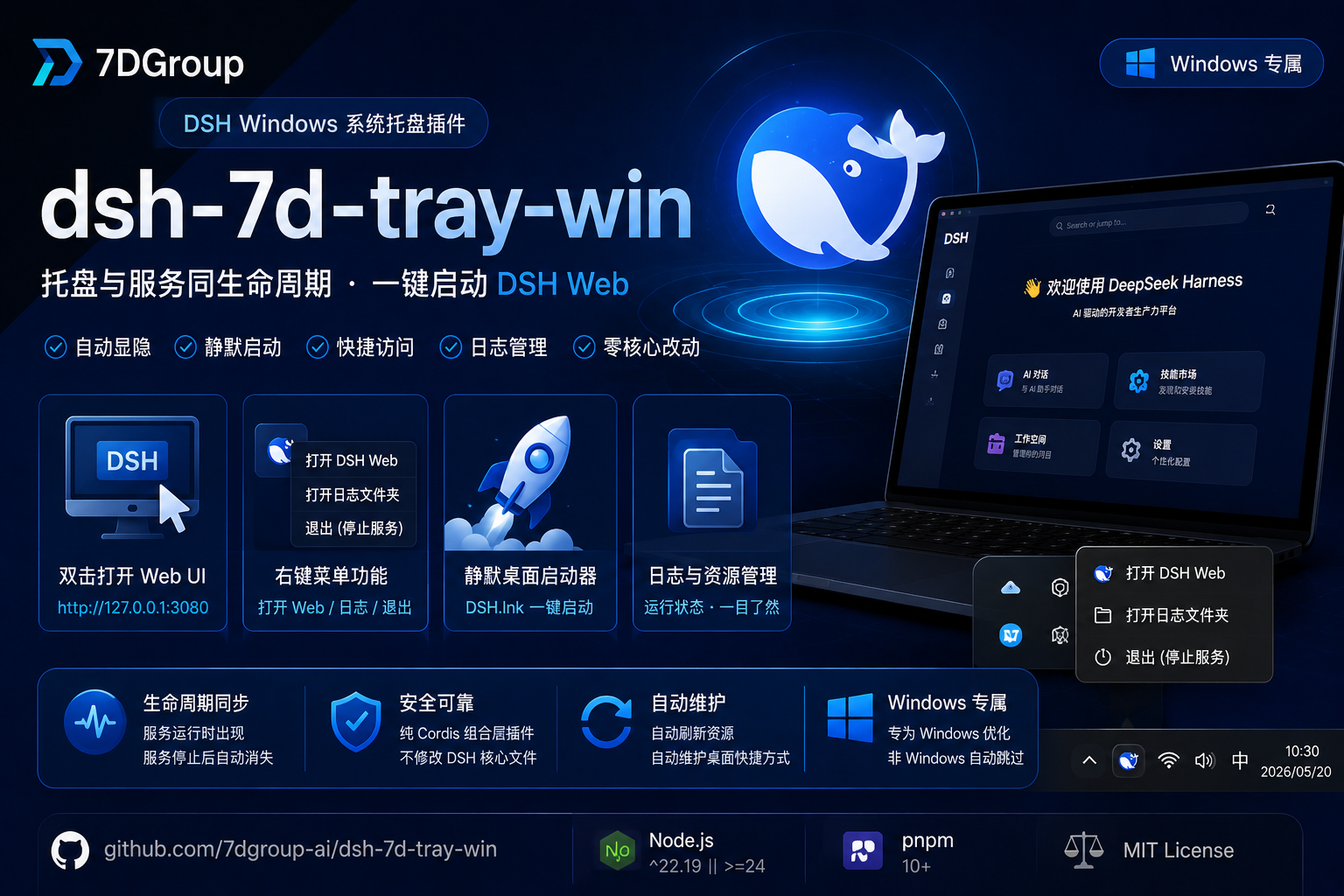
dsh-7d-tray-win
Run the following command in DeepSeek Harness:
dsh plugin install 7dgroup-ai/dsh-7d-tray-win
Paste the following prompt into your AI chat to install this plugin:
To install this plugin, run `dsh plugin install 7dgroup-ai/dsh-7d-tray-win` in DeepSeek Harness, which points to the GitHub repository https://github.com/7dgroup-ai/dsh-7d-tray-win.
About this plugin
Running DeepSeek Harness (dsh) on Windows typically requires keeping a terminal window open, which can disrupt your workflow. dsh-7d-tray-win solves this by seamlessly integrating the service into the Windows system tray. It automatically displays a DeepSeek whale icon when the service starts and disappears when it stops, ensuring perfect lifecycle synchronization.
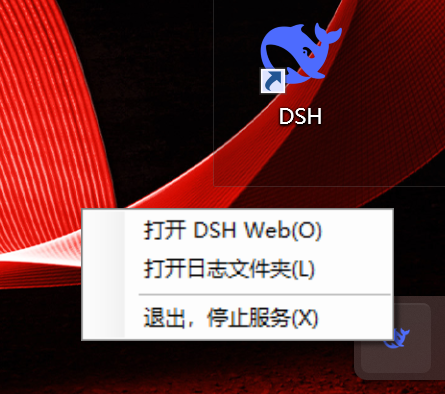
As a core feature, it allows for quick access via double-clicking the tray icon to open the Web UI and offers a convenient right-click menu for restarting the service, viewing logs, or exiting safely. Additionally, the plugin automatically maintains a desktop shortcut, DSH.lnk, enabling silent background startup without a console window and automatic browser launch.
This plugin is ideal for Windows users seeking a desktop app-like experience, especially for scenarios requiring long-running background processes. It requires no complex configuration, offers a zero-overwrite installation to ensure official file safety, and is fully compatible with local networks, making it an essential tool for enhancing AI workflow efficiency on Windows.
Screenshots
Use Cases
- Run DeepSeek service silently in the background without cluttering the taskbar
- Quickly restart the service via right-click menu when it crashes
- Launch and access the Web UI quickly via a desktop shortcut
Best For
- Developers using DeepSeek Harness on Windows
- Users needing to run AI models in the background for long periods
- Windows users who prefer managing tools via the system tray
Related Plugins
A service-oriented sidebar framework for DSH, offering a full workbench with file explorer, embedded browser, real terminal, Git panel, and extensible plugin services.

A beautiful, practical Claude Code-style TUI plugin with pixel whale top bar, flowing glow title, real-time status line, streaming thought expansion, time rewind, context progress bar and TPS gauge — zero core changes.

The plugin market for DeepSeek Harness: browse/search/one-click install community plugins and themes, with updates, backup/restore, hot disable, diagnostics, and AI fix.

A persistent whale widget on the DSH web UI that shows DeepSeek balance, today's usage, and per-turn cost, with drag-and-snap and sound effects.