dsh_hud_plugin
Run the following command in DeepSeek Harness:
dsh plugin install lauytgary/dsh_hud_plugin
Paste the following prompt into your AI chat to install this plugin:
To install this plugin in DeepSeek Harness, visit the source code URL https://github.com/lauytgary/dsh_hud_plugin and follow the documentation.
About this plugin
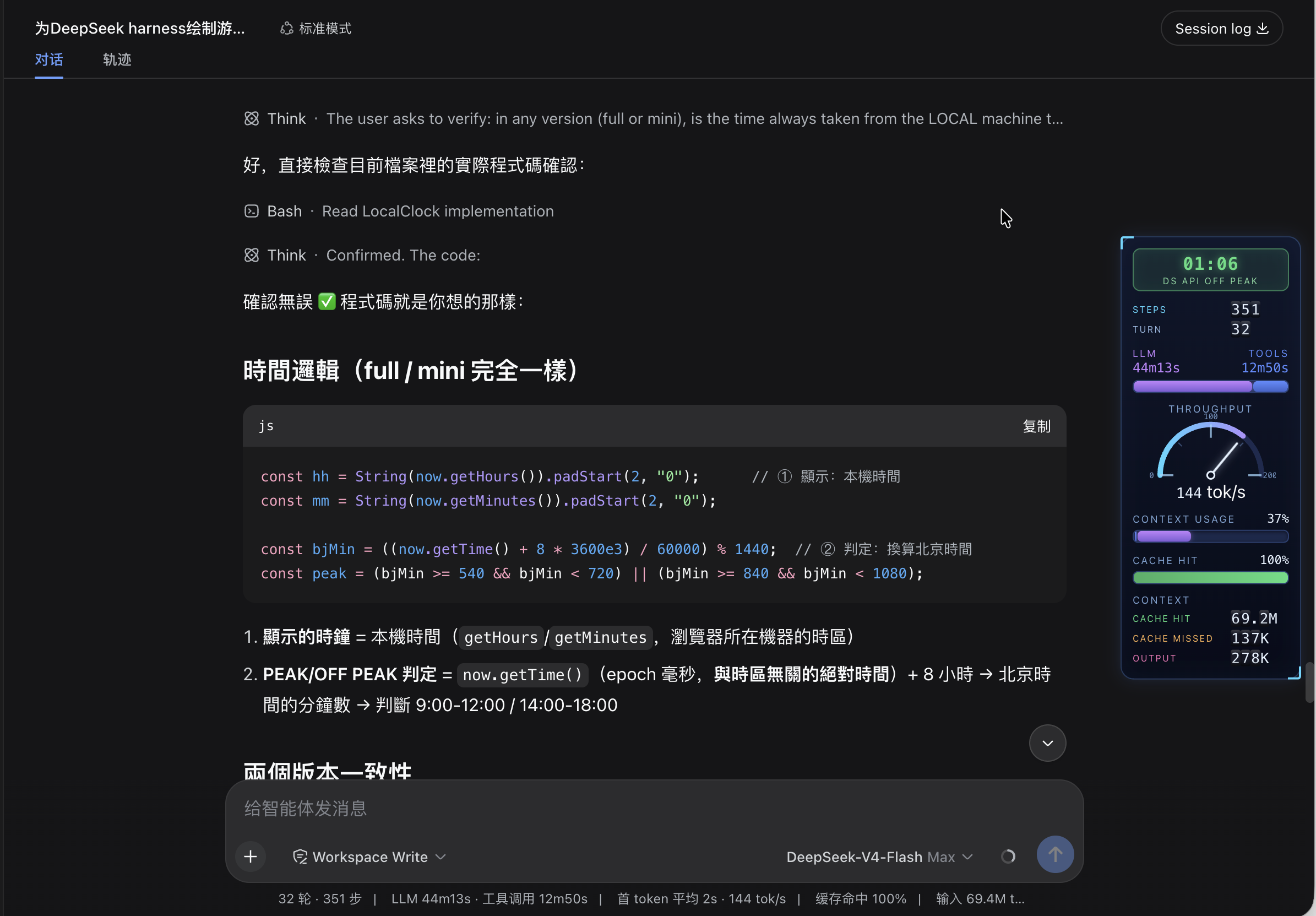
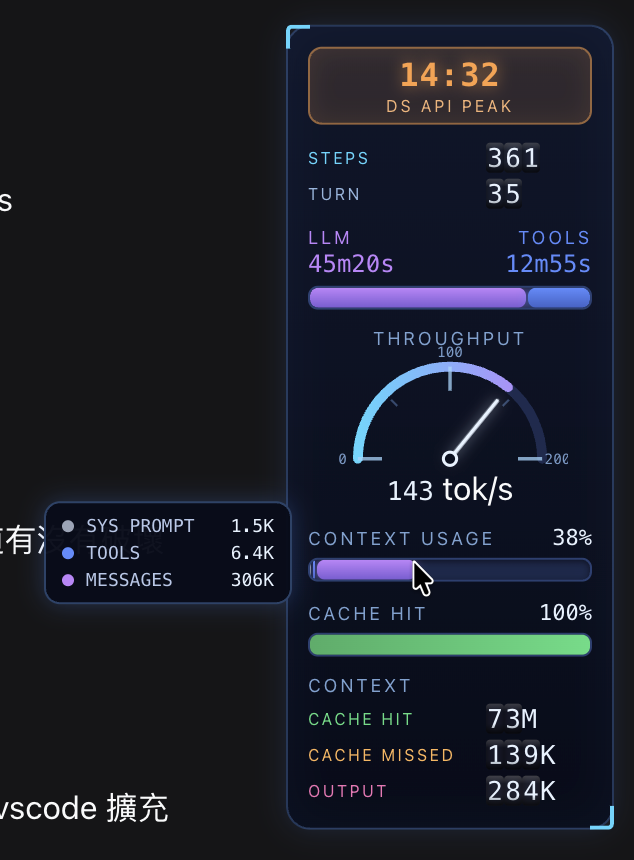
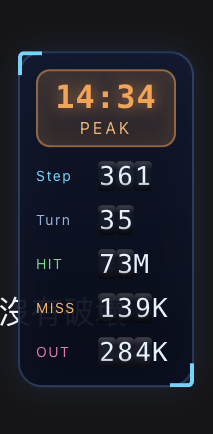
DeepSeek Harness users often need a more intuitive and immersive interface to monitor session status in real-time. dsh-stats-hud is designed exactly for this purpose, transforming dry statistics into a game-like dynamic dashboard by building a vertical sci-fi style HUD (Heads-Up Display) on the right edge of the web interface. The plugin not only preserves the original statistics line but also presents a rich variety of data dimensions through visual means.
The core capability of this plugin lies in its fine-grained data visualization and real-time interaction. It integrates a clock badge and automatically indicates peak/off-peak pricing logic aligned with the DeepSeek API, helping users precisely control costs. At the same time, it offers a variety of visualization components, including step/turn odometer drums, dual bars for LLM vs. Tools time ratio, a throughput gauge, and context window usage rate. All data is presented with animations, such as rolling odometers and pulse effects, making performance monitoring lively and interesting.
This plugin is ideal for developers and debuggers who need to monitor DeepSeek API call status and performance at high frequency. Whether tracking token consumption, analyzing context load, or optimizing costs using peak/off-peak pricing windows, it provides clear visual feedback. For users who seek a geeky style and real-time data control, this is an excellent tool to enhance the DeepSeek Harness experience.
Screenshots
Use Cases
- Need an intuitive way to monitor DeepSeek API call status.
- Want to optimize API costs using peak/off-peak pricing windows.
- Seeking a more immersive and gamified interface experience.
Best For
- DeepSeek API developers and debuggers.
- Developers concerned with token consumption and context load.
- Users seeking a geeky style data presentation.
Related Plugins
A service-oriented sidebar framework for DSH, offering a full workbench with file explorer, embedded browser, real terminal, Git panel, and extensible plugin services.

A beautiful, practical Claude Code-style TUI plugin with pixel whale top bar, flowing glow title, real-time status line, streaming thought expansion, time rewind, context progress bar and TPS gauge — zero core changes.

The plugin market for DeepSeek Harness: browse/search/one-click install community plugins and themes, with updates, backup/restore, hot disable, diagnostics, and AI fix.

A persistent whale widget on the DSH web UI that shows DeepSeek balance, today's usage, and per-turn cost, with drag-and-snap and sound effects.