dsh-office-plugin
Run the following command in DeepSeek Harness:
dsh plugin install geguanming/dsh-office-plugin
Paste the following prompt into your AI chat to install this plugin:
To install this plugin in DeepSeek Harness, please run `dsh plugin install geguanming/dsh-office-plugin` using the source code at https://github.com/geguanming/dsh-office-plugin.
About this plugin
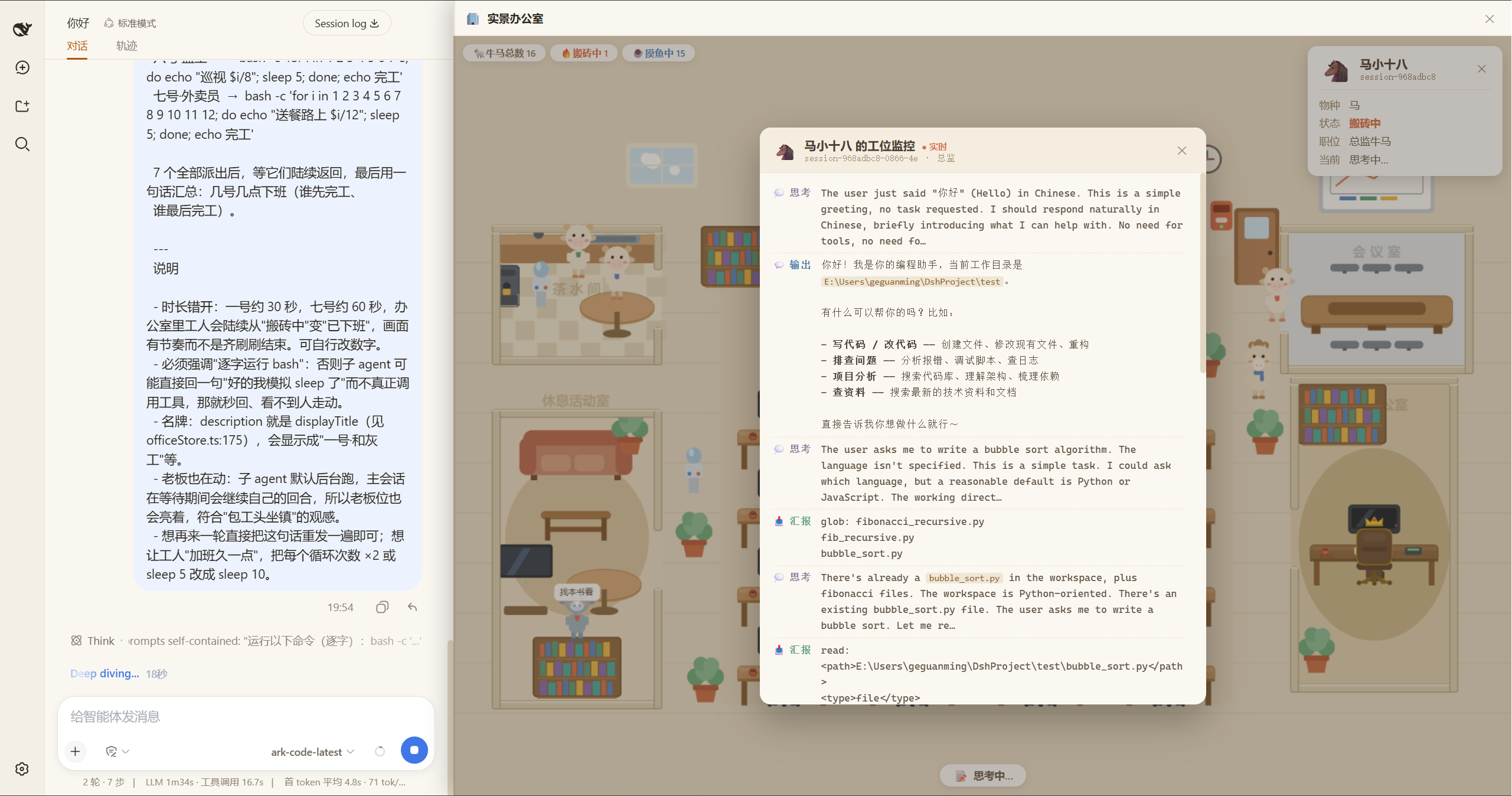
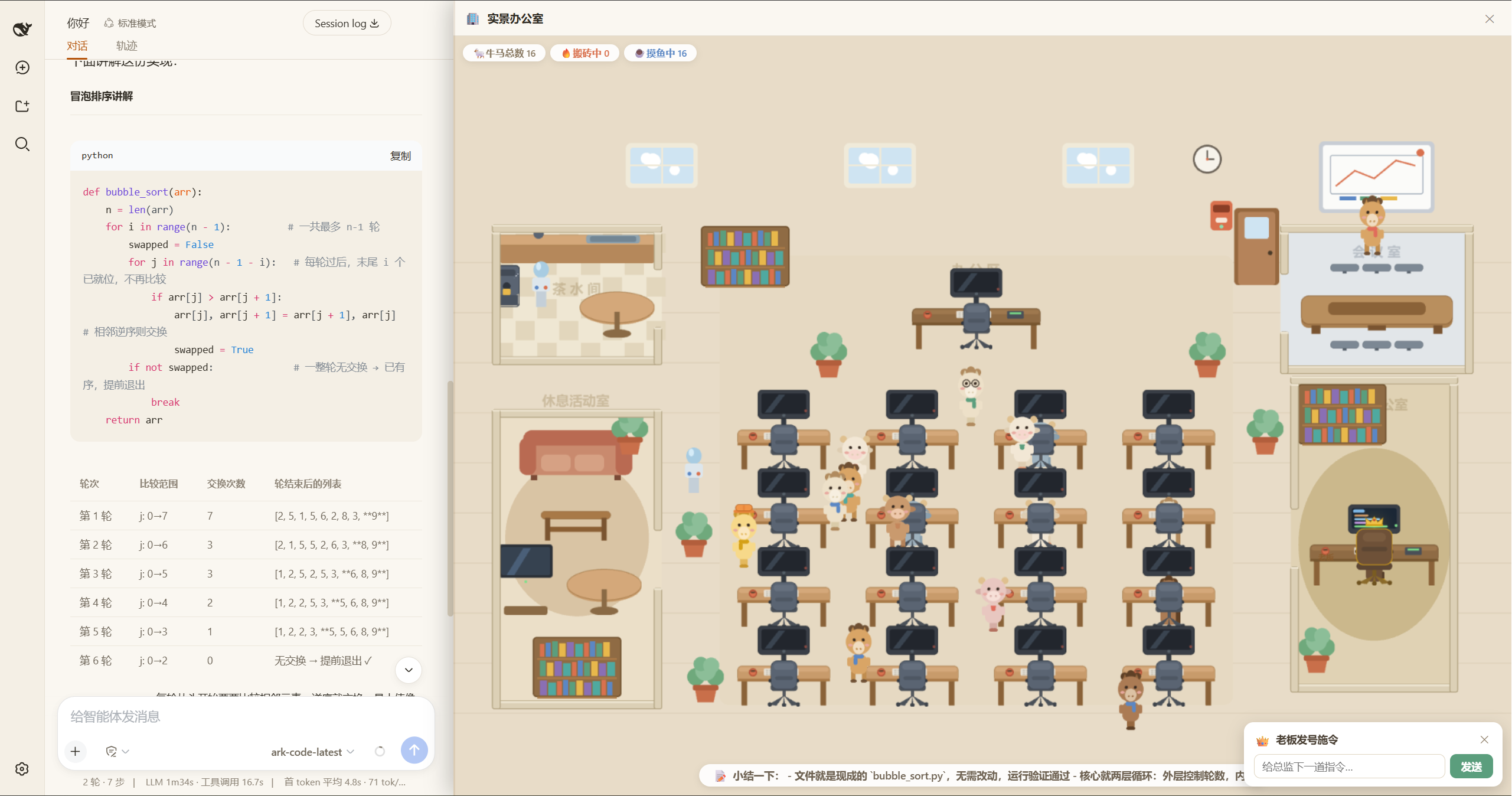
Imagine running a multi-agent system where tasks are being processed in the background, but you can only wait for the results. DSH Ox-Horse Office transforms this abstract collaboration into your very own pixel-art office. Here, each agent session becomes a 'cow' or 'horse' worker with its own desk, gear, and unique identity.
The core capability lies in turning AI real-time activities into vivid visual feedback. A working agent types furiously with a glowing screen, while an idle one wanders to the pantry, whiteboard, or sofa for a break. Through an intuitive dashboard and rich bubble notifications, you can easily grasp the global workflow without staring at a cold console.
Whether you are a developer or a tech enthusiast managing complex sessions with DeepSeek Harness, this plugin is your perfect companion. It solves the 'black box' nature of multi-agent systems, offering click interactions, a work monitoring panel, and direct command features. Sit on the Boss's throne and efficiently manage your AI team within a fun, visualized pixel-art setting.
Screenshots
Use Cases
- Real-time monitoring of multi-agent system status.
- Transforming abstract AI collaboration into a visual scene.
- Intuitively understanding global workflow in complex session management.
Best For
- Developers managing complex AI sessions with DeepSeek Harness.
- Tech enthusiasts who like to understand AI processes visually.
- Users needing intuitive monitoring and quick agent interaction.
Related Plugins
A service-oriented sidebar framework for DSH, offering a full workbench with file explorer, embedded browser, real terminal, Git panel, and extensible plugin services.

A beautiful, practical Claude Code-style TUI plugin with pixel whale top bar, flowing glow title, real-time status line, streaming thought expansion, time rewind, context progress bar and TPS gauge — zero core changes.

The plugin market for DeepSeek Harness: browse/search/one-click install community plugins and themes, with updates, backup/restore, hot disable, diagnostics, and AI fix.

A persistent whale widget on the DSH web UI that shows DeepSeek balance, today's usage, and per-turn cost, with drag-and-snap and sound effects.