dsh-annotation
Run the following command in DeepSeek Harness:
dsh plugin install ruisenbai/dsh-annotation
Paste the following prompt into your AI chat to install this plugin:
To install the dsh-annotation plugin in DeepSeek Harness, please use the command dsh plugin install ruisenbai/dsh-annotation, or refer to the source code at https://github.com/ruisenbai/dsh-annotation for building and installation.
About this plugin
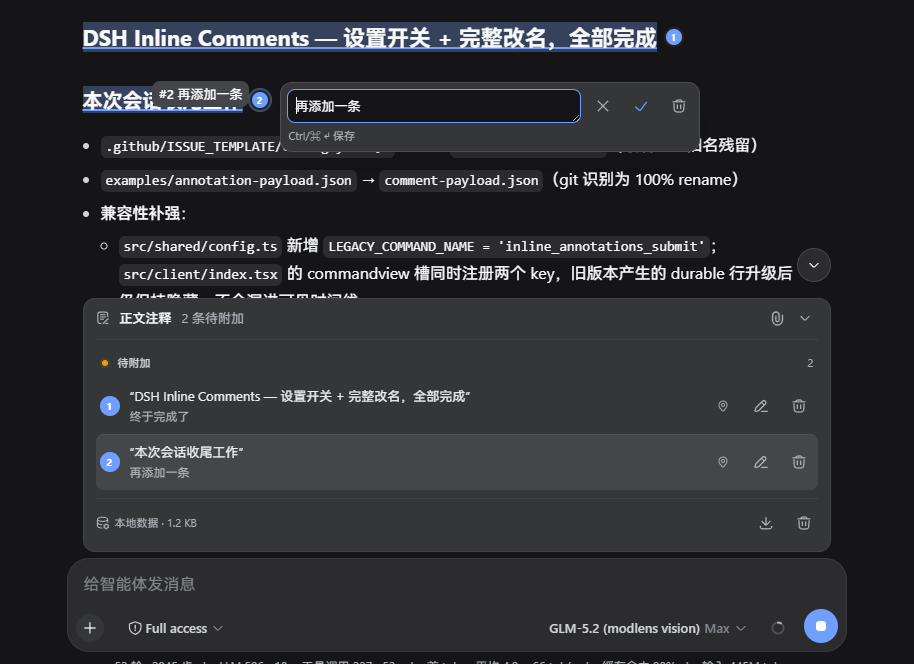
Reviewing long AI responses is often tedious, involving repetitive copying and pasting to annotate specific points, which disrupts workflow. The dsh-annotation plugin addresses this pain point by allowing users to select text directly within DeepSeek Harness's assistant replies and add annotations in place. This approach preserves full context, making it instantly clear exactly which part you are referring to, and eliminates the hassle of manual copy-pasting.
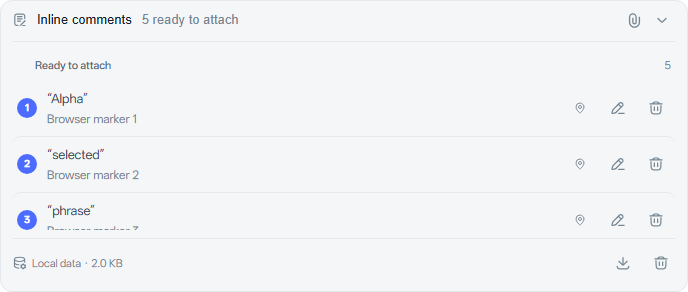
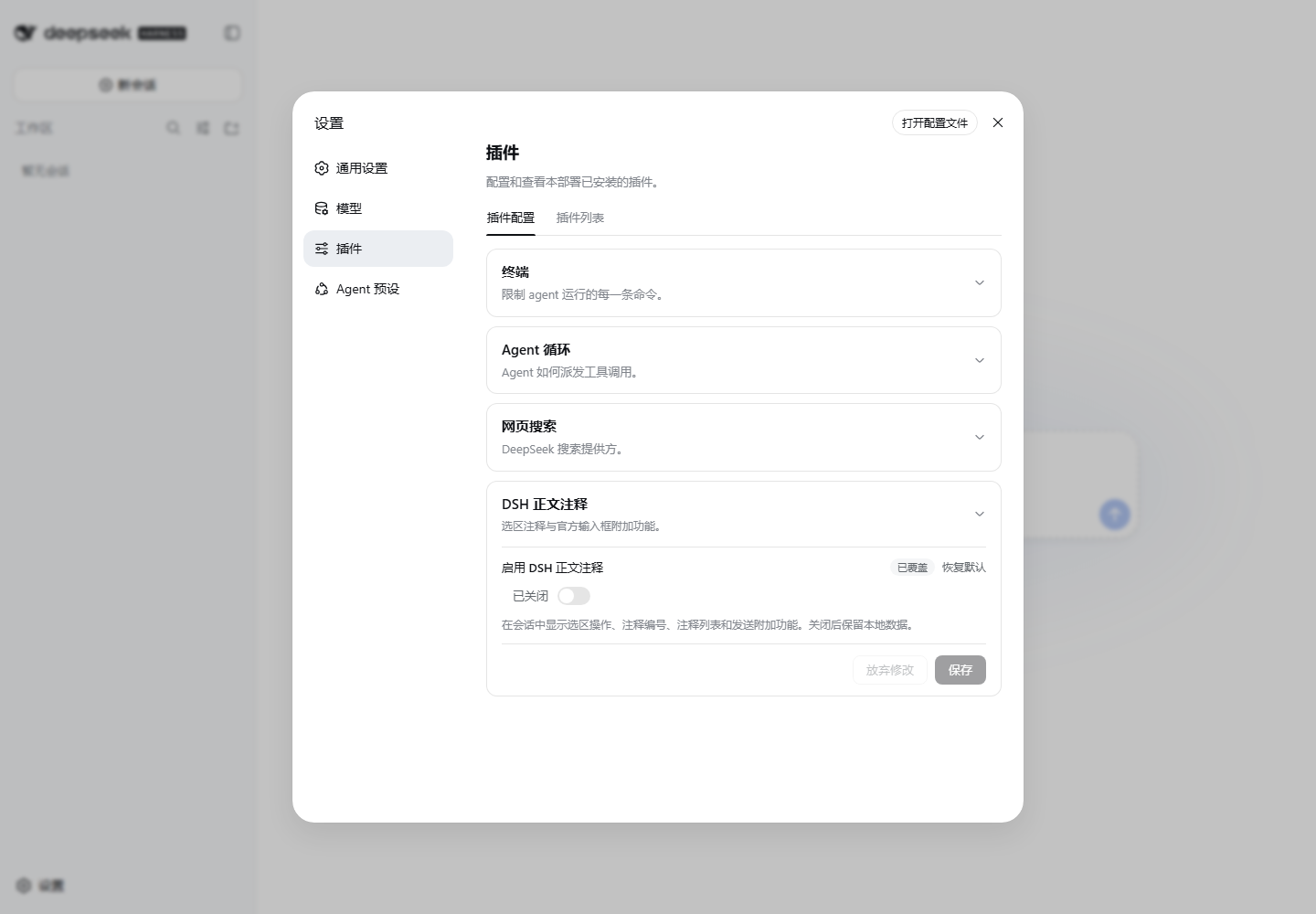
The plugin offers a comprehensive annotation workflow. You can select text, draft comments locally, and then consolidate them to send in a single action. It integrates seamlessly with the official input box, enabling the merging of text, images, and annotations into a single task for the model. Upon receiving instructions, the model responds to each annotation individually, rendering floating annotation chips directly next to the original text for a smooth and intuitive interaction.
Whether you are performing code reviews, refining documents, or engaging in complex multi-turn dialogues with AI, this plugin is a powerful tool for boosting productivity. It supports local draft management, undo operations, and a reliable retry mechanism while perfectly adapting to the DeepSeek Harness interface. If you frequently engage in detailed, multi-step interactions with AI, dsh-annotation will significantly streamline your feedback process, making every communication more precise and efficient.
Screenshots


Use Cases
- Reviewing long code snippets generated by AI
- Refining details in AI-generated articles
- Quickly marking key information in model replies
Best For
- Developers who frequently engage in deep interactions with AI
- Researchers collaborating with DeepSeek on complex tasks
- Creators looking to improve efficiency in code and text feedback
Related Plugins
A service-oriented sidebar framework for DSH, offering a full workbench with file explorer, embedded browser, real terminal, Git panel, and extensible plugin services.

A beautiful, practical Claude Code-style TUI plugin with pixel whale top bar, flowing glow title, real-time status line, streaming thought expansion, time rewind, context progress bar and TPS gauge — zero core changes.

The plugin market for DeepSeek Harness: browse/search/one-click install community plugins and themes, with updates, backup/restore, hot disable, diagnostics, and AI fix.

A persistent whale widget on the DSH web UI that shows DeepSeek balance, today's usage, and per-turn cost, with drag-and-snap and sound effects.