dsh-nav-pointer
Run the following command in DeepSeek Harness:
dsh plugin install kongdexu/dsh-nav-pointer
Paste the following prompt into your AI chat to install this plugin:
In DeepSeek Harness, you can install it via `dsh plugin install kongdexu/dsh-nav-pointer`, or visit https://github.com/kongdexu/dsh-nav-pointer to search and install from the market.
About this plugin
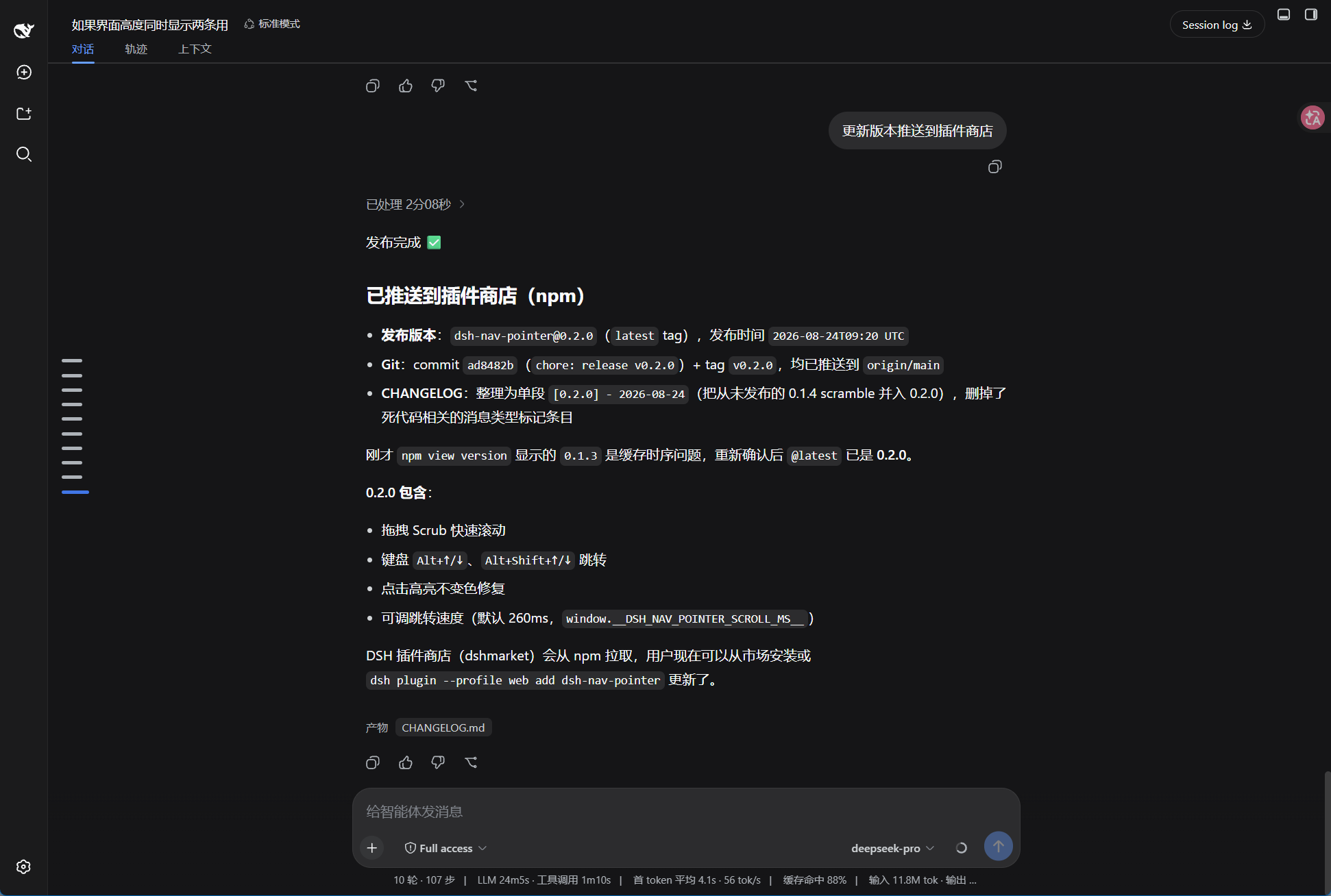
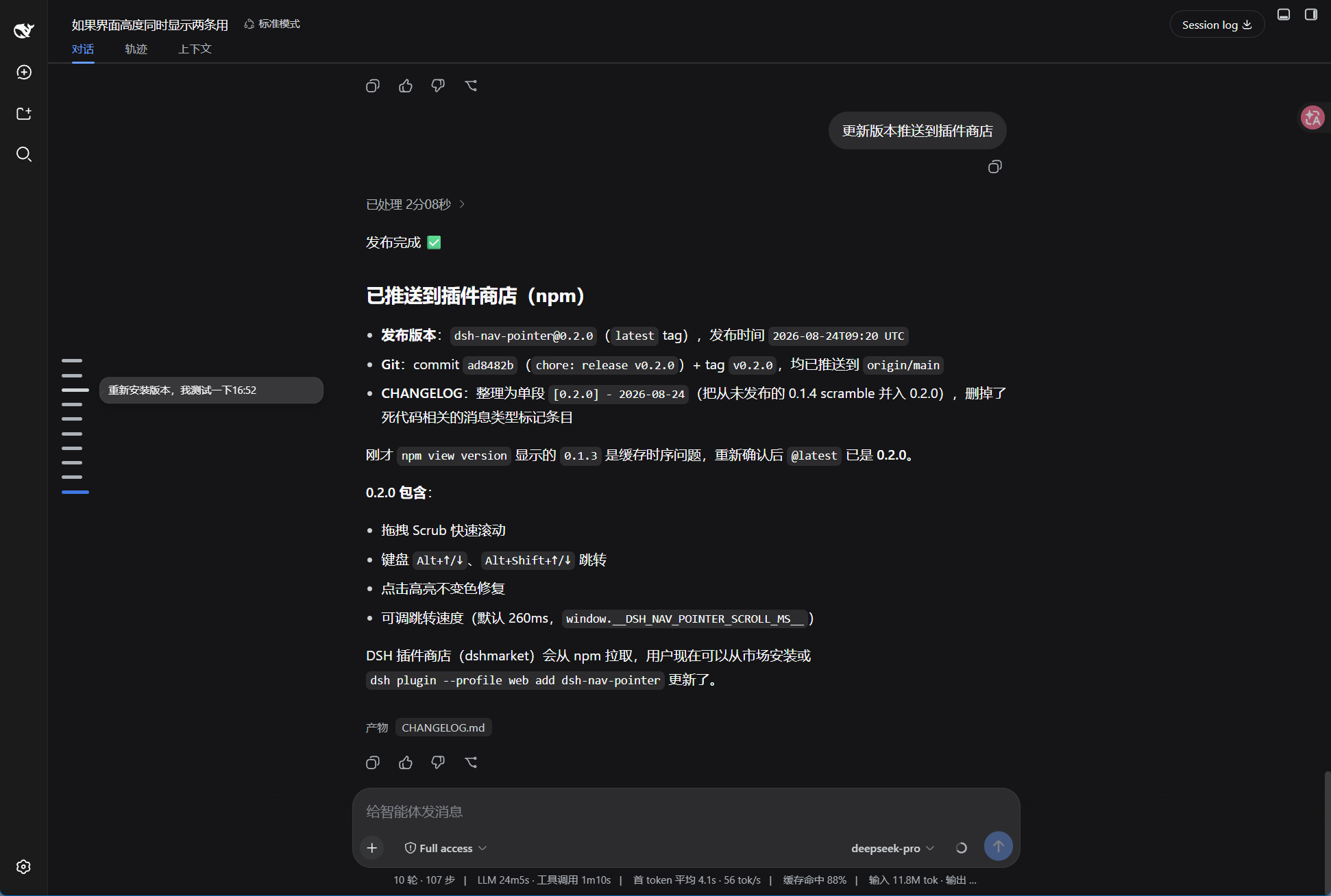
In long or complex conversations, users often struggle to quickly locate specific context positions, making manual scrolling inefficient and prone to breaking focus. dsh-nav-pointer solves this navigation pain point by introducing an intuitive vertical message rail to the left of the chat interface. It adds clickable markers for every user message, supporting smooth scroll-to-jump, keyboard shortcuts, and hover preview bubbles with a frosted glass effect, making conversation browsing effortless.
Screenshots
Use Cases
- Quickly locate specific replies in long conversations
- Quickly review historical context without endless scrolling
- Jump between messages instantly using keyboard shortcuts
Best For
- Users who frequently engage in deep conversations via DSH Web client
- Developers who require efficient navigation through code or logic discussions
- Users who need to navigate quickly through a large volume of information
Related Plugins
A service-oriented sidebar framework for DSH, offering a full workbench with file explorer, embedded browser, real terminal, Git panel, and extensible plugin services.

A beautiful, practical Claude Code-style TUI plugin with pixel whale top bar, flowing glow title, real-time status line, streaming thought expansion, time rewind, context progress bar and TPS gauge — zero core changes.

The plugin market for DeepSeek Harness: browse/search/one-click install community plugins and themes, with updates, backup/restore, hot disable, diagnostics, and AI fix.

A persistent whale widget on the DSH web UI that shows DeepSeek balance, today's usage, and per-turn cost, with drag-and-snap and sound effects.