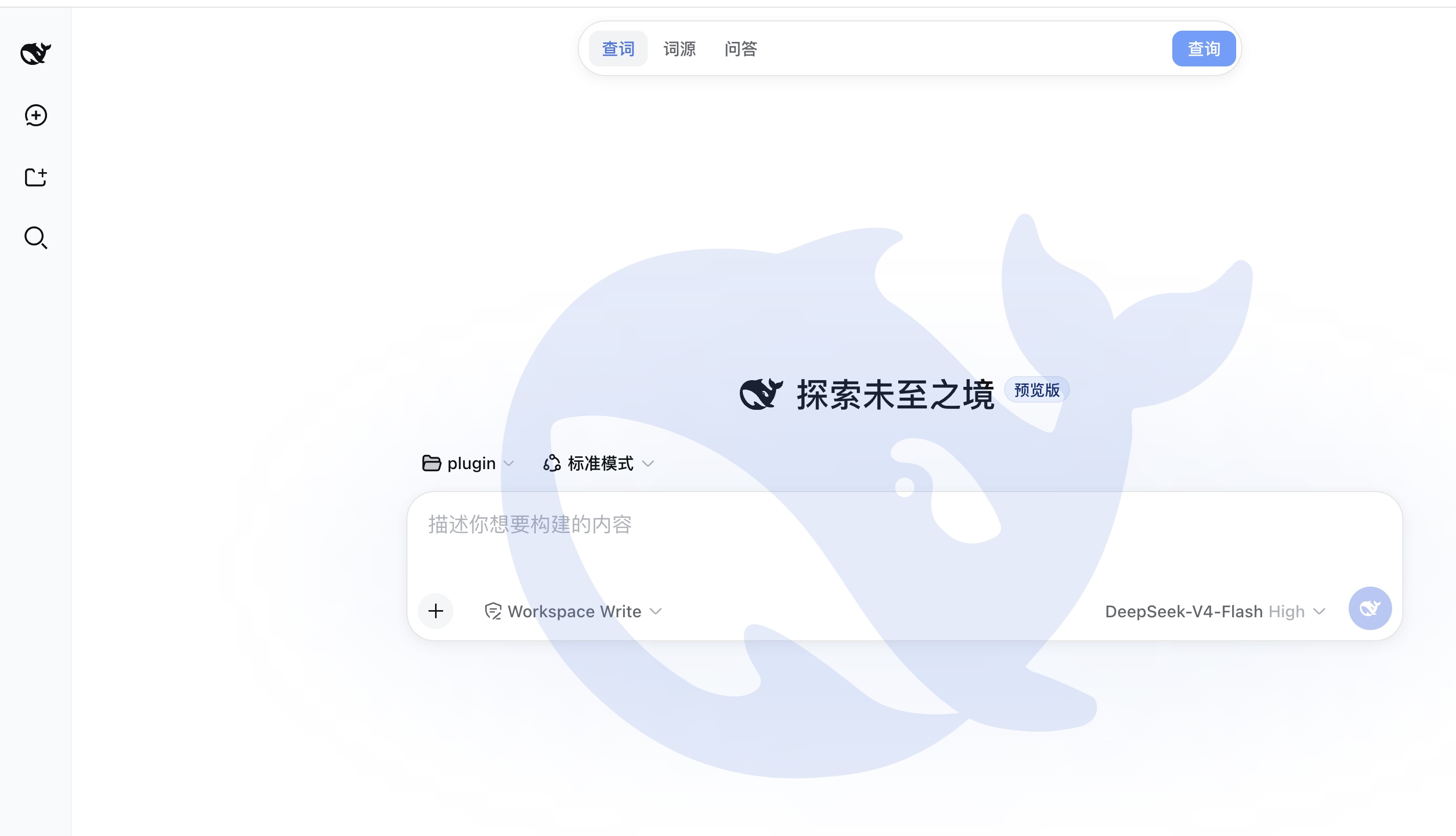
dsh-logo-silhouette
Run the following command in DeepSeek Harness:
dsh plugin install kami-mura/dsh-logo-silhouette
Paste the following prompt into your AI chat to install this plugin:
Please use the command `dsh plugin install kami-mura/dsh-logo-silhouette` in DeepSeek Harness to install this plugin, with source code located at https://github.com/kami-mura/dsh-logo-silhouette.
About this plugin
In deep learning workspaces, brand presentation is often overlooked, resulting in a monotonous interface. The dsh-logo-silhouette plugin solves this by adding an elegant full-screen whale silhouette background to the DeepSeek Harness Web GUI. It is not a jarring overlay; instead, it employs pointer-events: none technology to ensure it does not interfere with user clicks or scrolling. Designed for modern workflows, it automatically adjusts colors and opacity based on the current theme, providing a seamless visual experience between light and dark modes. Whether you are a developer or a data scientist, this lightweight plugin enhances your workspace aesthetics subtly without introducing clutter.
Screenshots
Use Cases
- Customizing the DeepSeek Harness interface style
- Displaying brand attribution during remote presentations or collaboration
- Providing a subtle brand watermark for full-screen work environments
Best For
- Personal users or administrators of DeepSeek Harness
- Developers who want to beautify their workspace without disrupting interaction
- Remote collaboration teams needing consistent branding
Related Plugins
A service-oriented sidebar framework for DSH, offering a full workbench with file explorer, embedded browser, real terminal, Git panel, and extensible plugin services.

A beautiful, practical Claude Code-style TUI plugin with pixel whale top bar, flowing glow title, real-time status line, streaming thought expansion, time rewind, context progress bar and TPS gauge — zero core changes.

The plugin market for DeepSeek Harness: browse/search/one-click install community plugins and themes, with updates, backup/restore, hot disable, diagnostics, and AI fix.

A persistent whale widget on the DSH web UI that shows DeepSeek balance, today's usage, and per-turn cost, with drag-and-snap and sound effects.