dsh-rich-editor
Run the following command in DeepSeek Harness:
dsh plugin install MarchLiu/dsh-rich-editor
Paste the following prompt into your AI chat to install this plugin:
To install this plugin in DeepSeek Harness, run the command: dsh plugin install MarchLiu/dsh-rich-editor. Source: https://github.com/MarchLiu/dsh-rich-editor
About this plugin
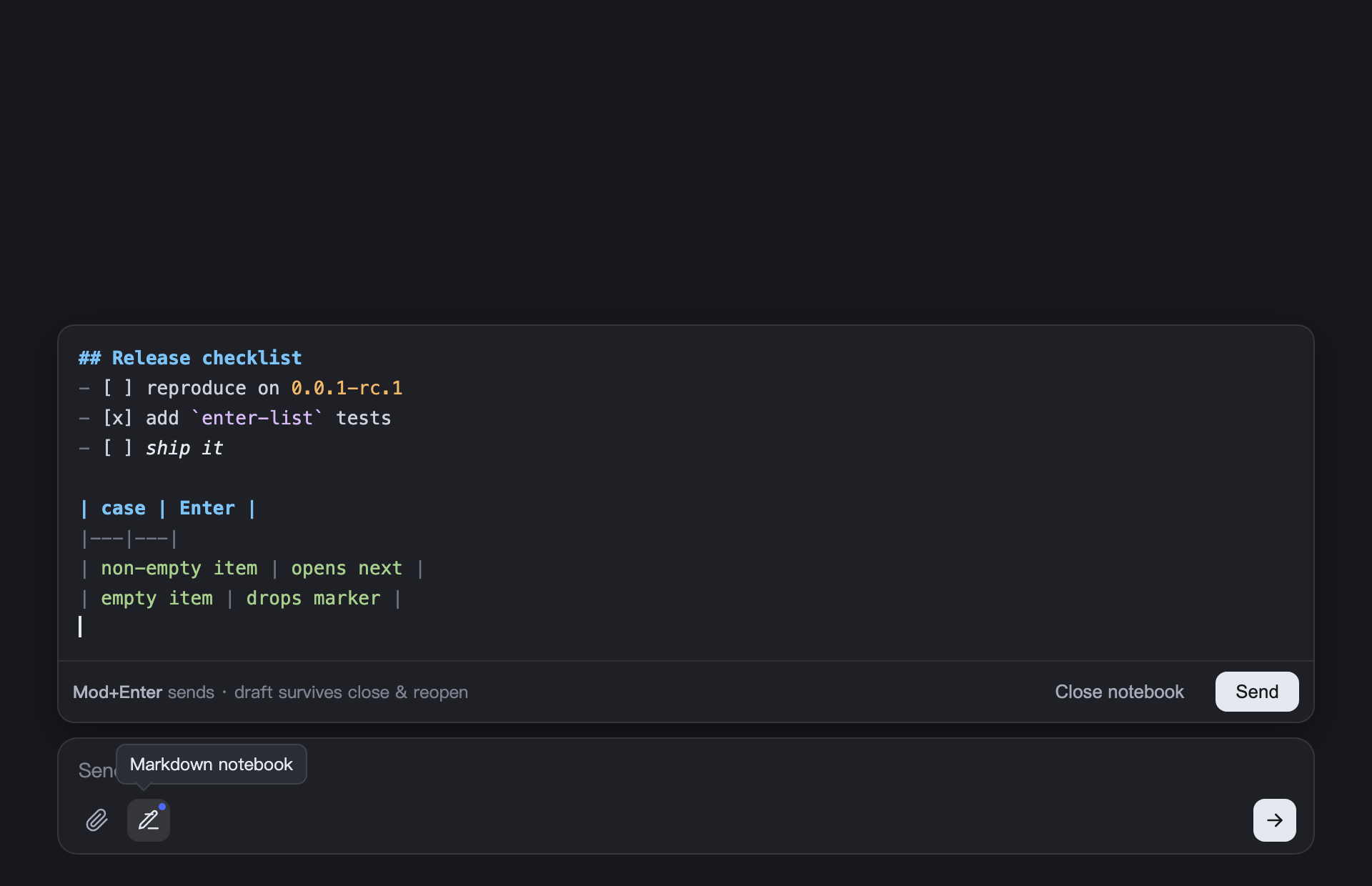
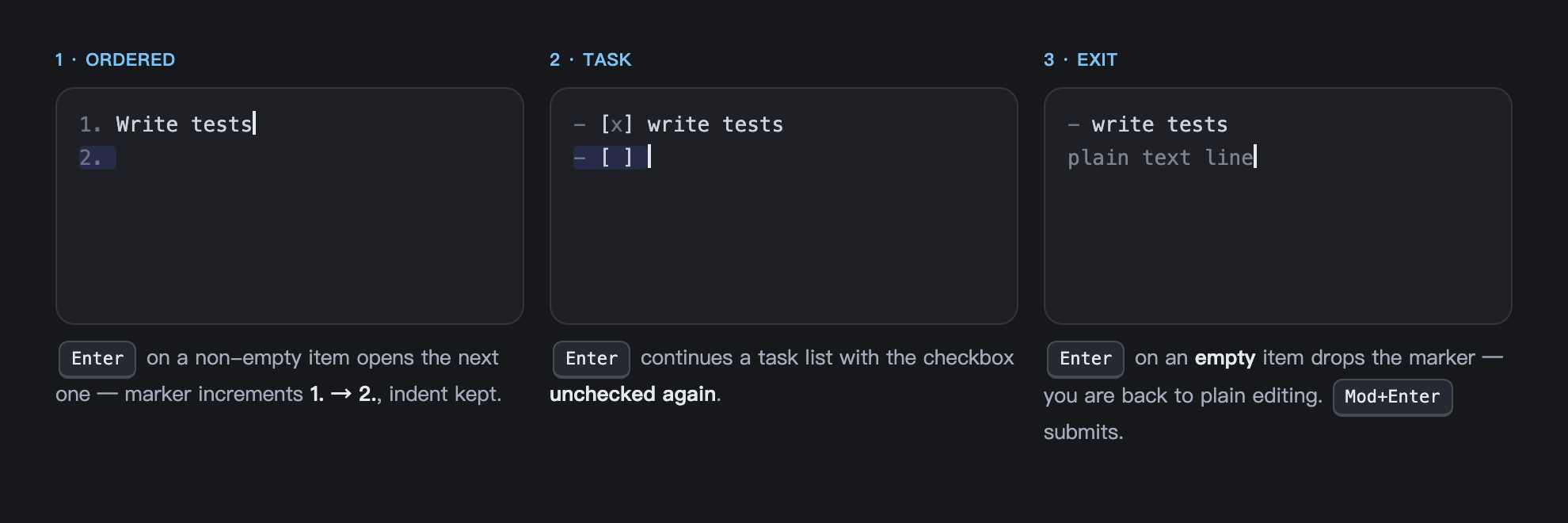
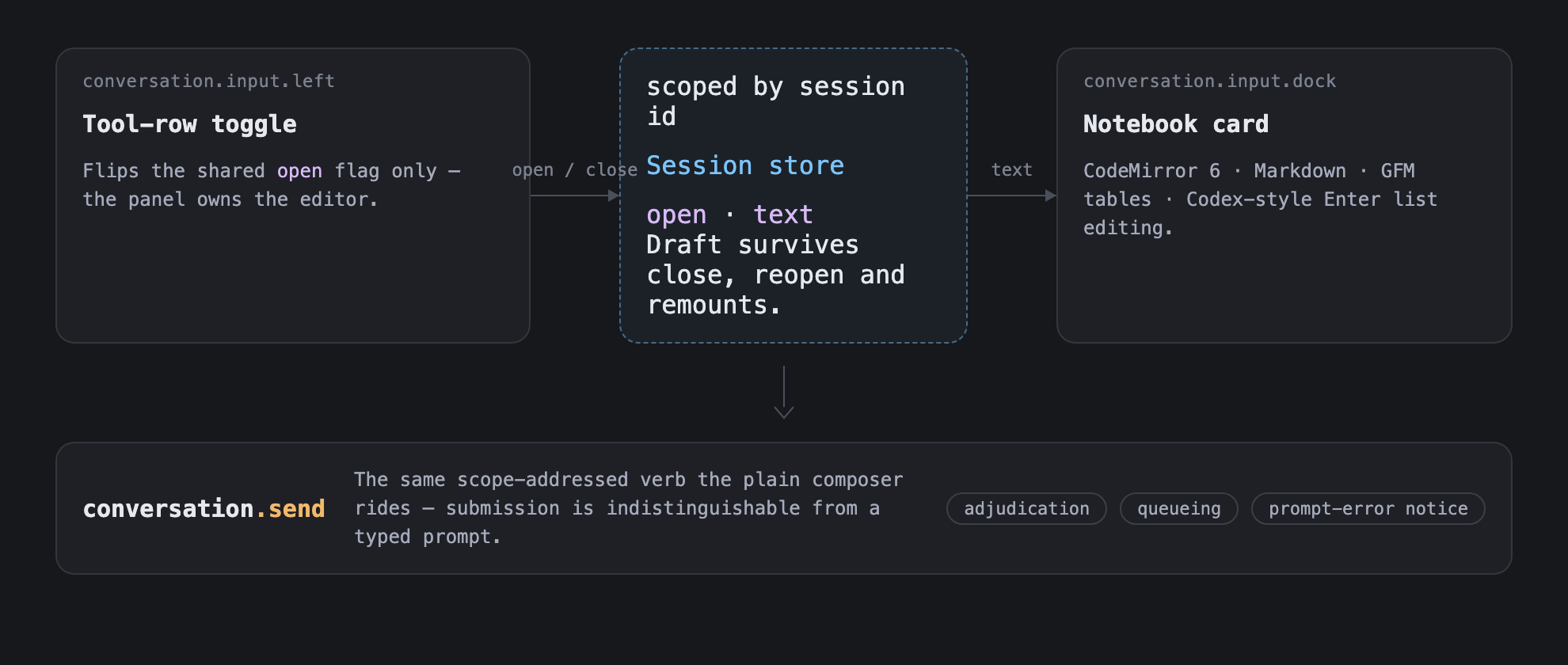
When interacting with DeepSeek, simple text boxes often struggle to handle the structured needs of complex prompts. dsh-rich-editor is designed to address this by providing a feature-rich Markdown notebook for the DeepSeek Harness conversation component, enabling users to organize their thoughts more professionally. Built on CodeMirror 6, the plugin supports syntax highlighting and GFM table rendering, along with smart list editing. Users can manage list items directly via the Enter key, with the system automatically handling numbering, checkboxes, and indentation, significantly improving efficiency when writing long, complex prompts. What makes it stand out is its seamless integration. The rich text editor shares the same draft data as the native input box, ensuring real-time synchronization between the two. Whether you write in the notebook or switch back to the native mode, your content remains consistent, and the draft state is automatically saved to prevent accidental loss.
Screenshots
Use Cases
- Writing complex long-form prompts
- Seamlessly switching between notebook and native input
- Optimizing technical documentation writing with code highlighting
Best For
- DeepSeek Harness developers needing structured prompts
- Researchers or analysts working on complex tasks
- Frontend engineers seeking a better editing experience
Related Plugins
A service-oriented sidebar framework for DSH, offering a full workbench with file explorer, embedded browser, real terminal, Git panel, and extensible plugin services.

A beautiful, practical Claude Code-style TUI plugin with pixel whale top bar, flowing glow title, real-time status line, streaming thought expansion, time rewind, context progress bar and TPS gauge — zero core changes.

The plugin market for DeepSeek Harness: browse/search/one-click install community plugins and themes, with updates, backup/restore, hot disable, diagnostics, and AI fix.

A persistent whale widget on the DSH web UI that shows DeepSeek balance, today's usage, and per-turn cost, with drag-and-snap and sound effects.