dsh-sessions-manager
Run the following command in DeepSeek Harness:
dsh plugin install TOBYCAI/dsh-sessions-manager
Paste the following prompt into your AI chat to install this plugin:
To install this plugin in DeepSeek Harness, execute `dsh plugin install TOBYCAI/dsh-sessions-manager`. The source code is available at https://github.com/TOBYCAI/dsh-sessions-manager.
About this plugin
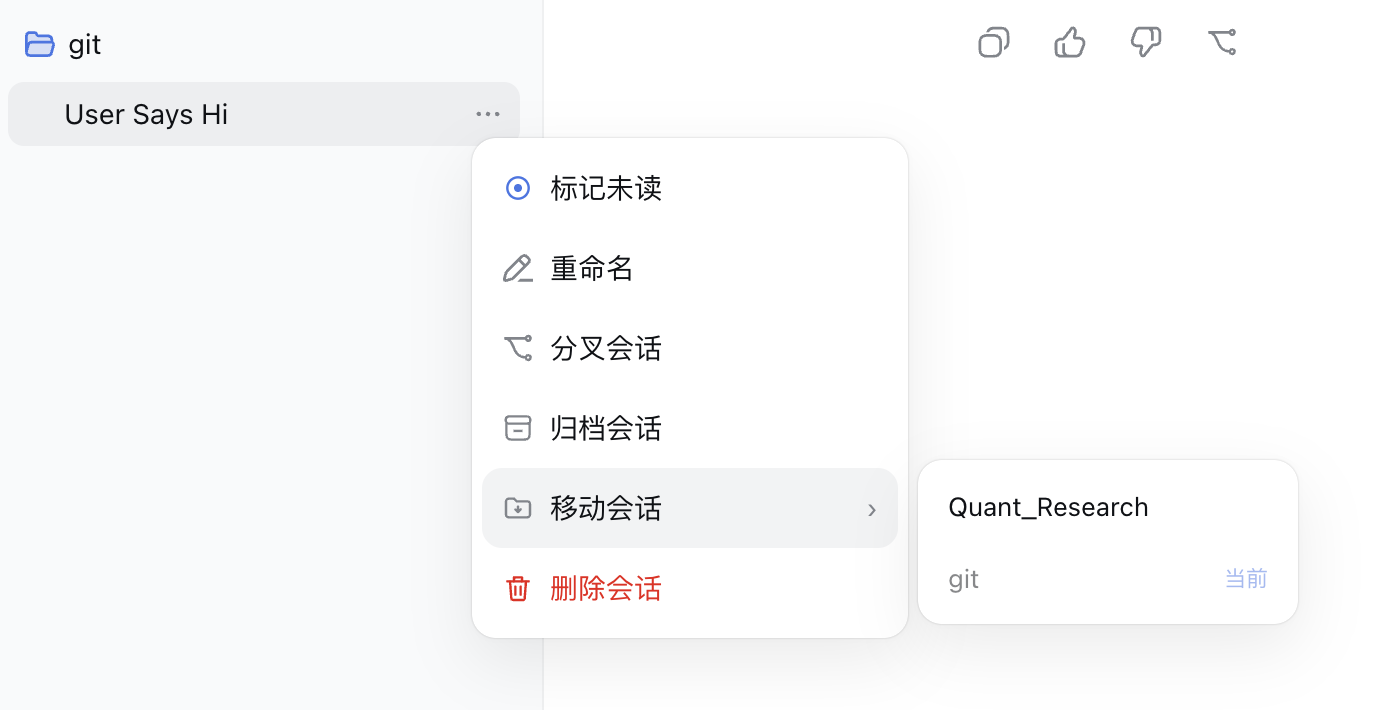
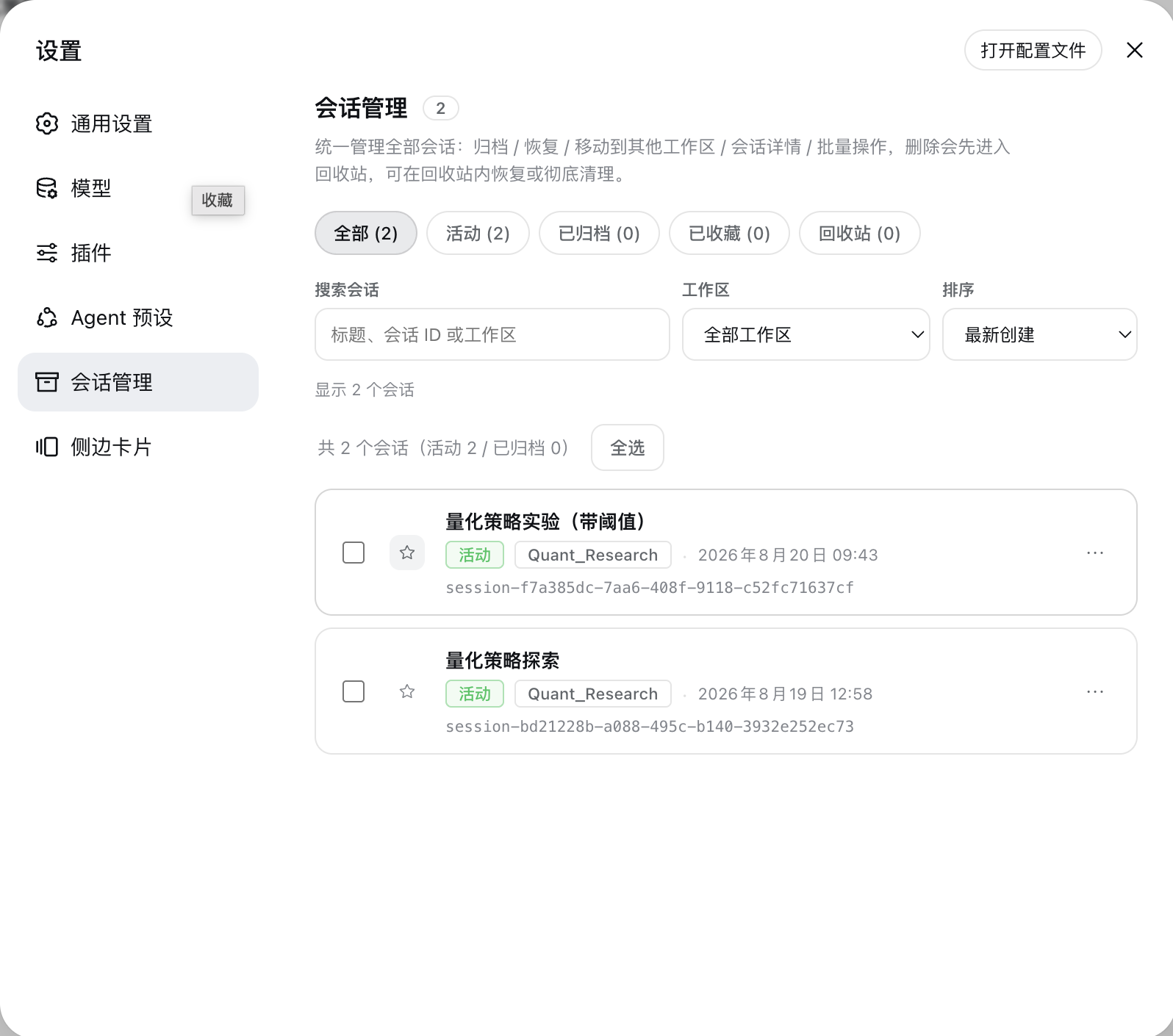
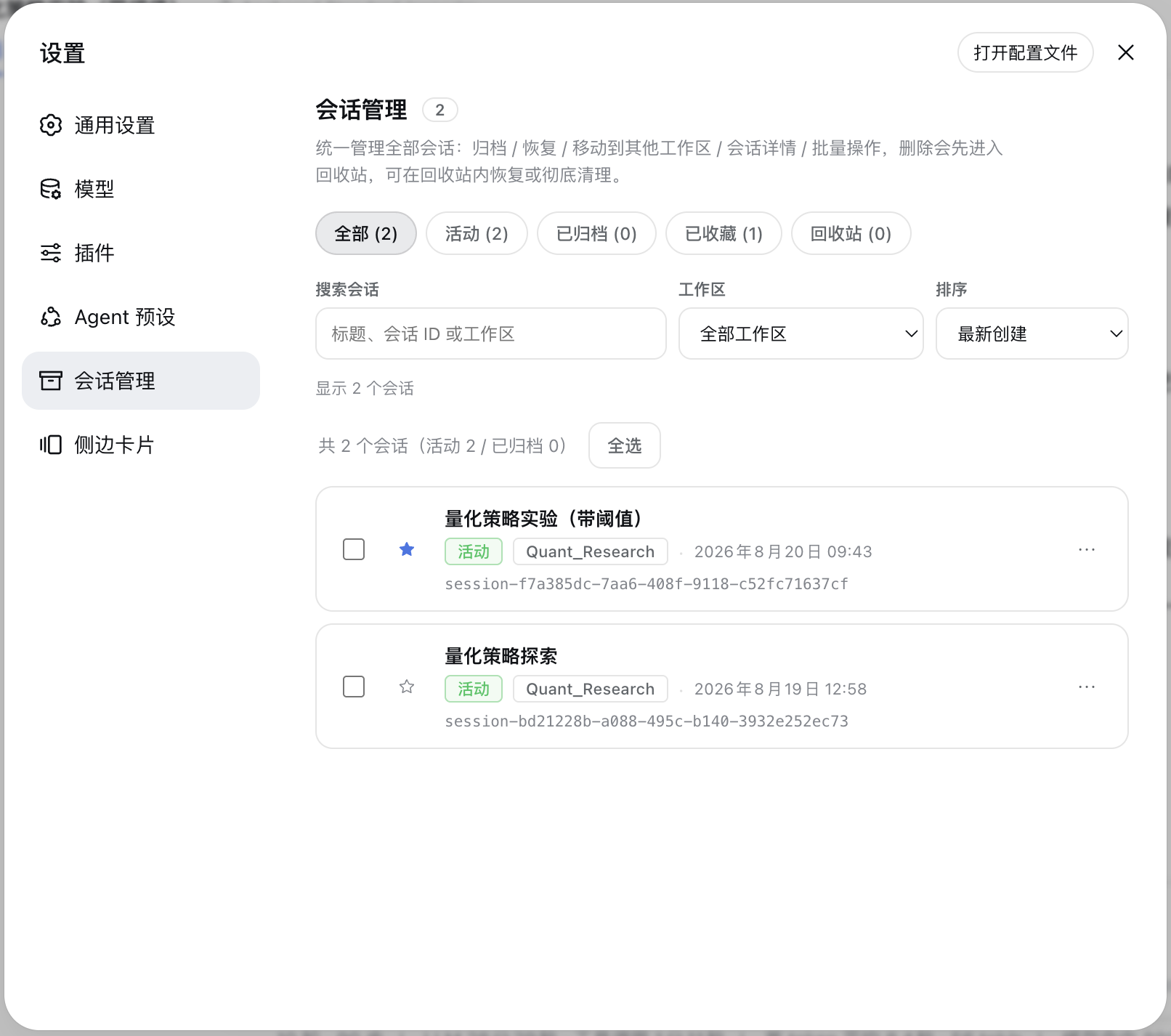
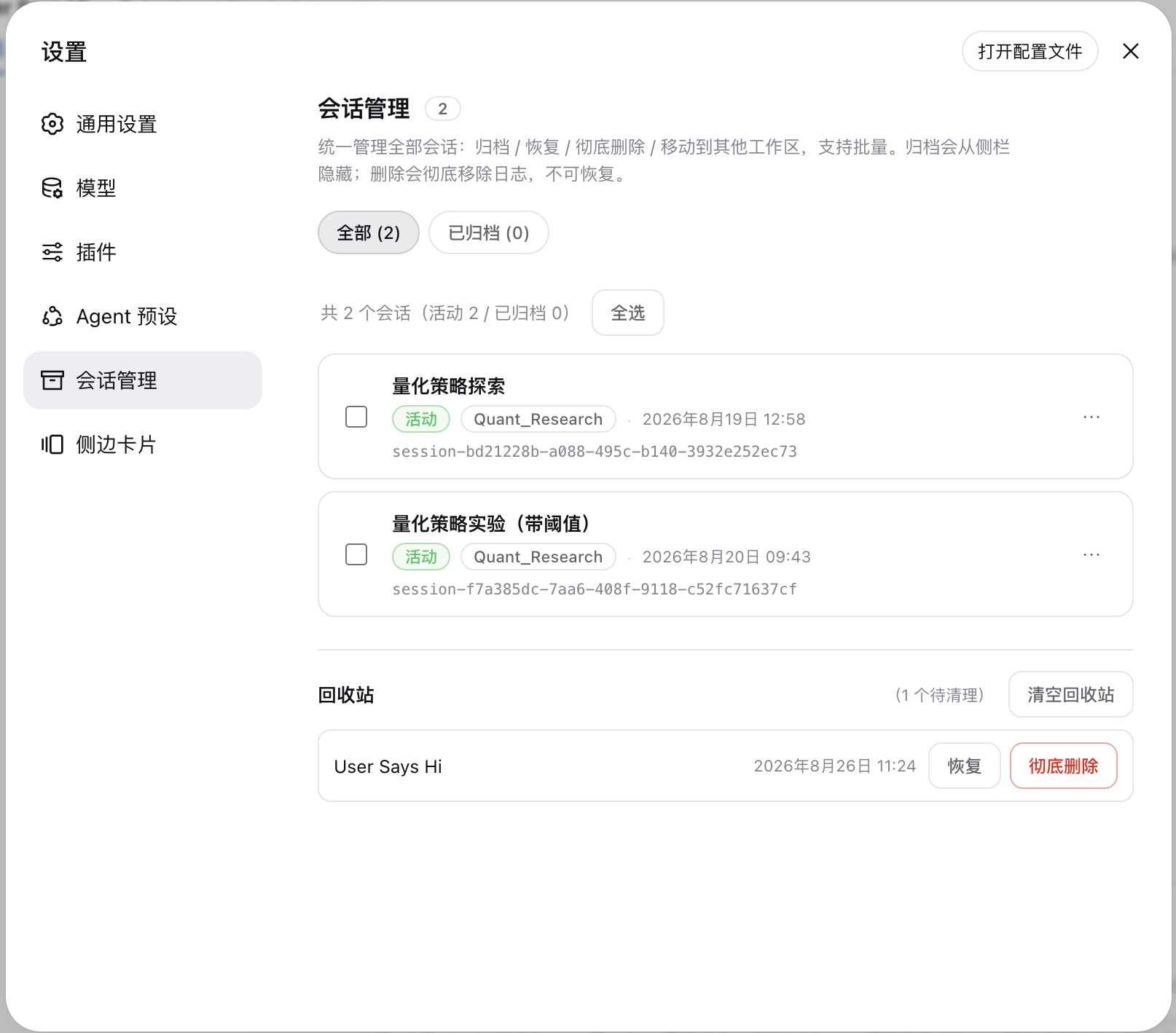
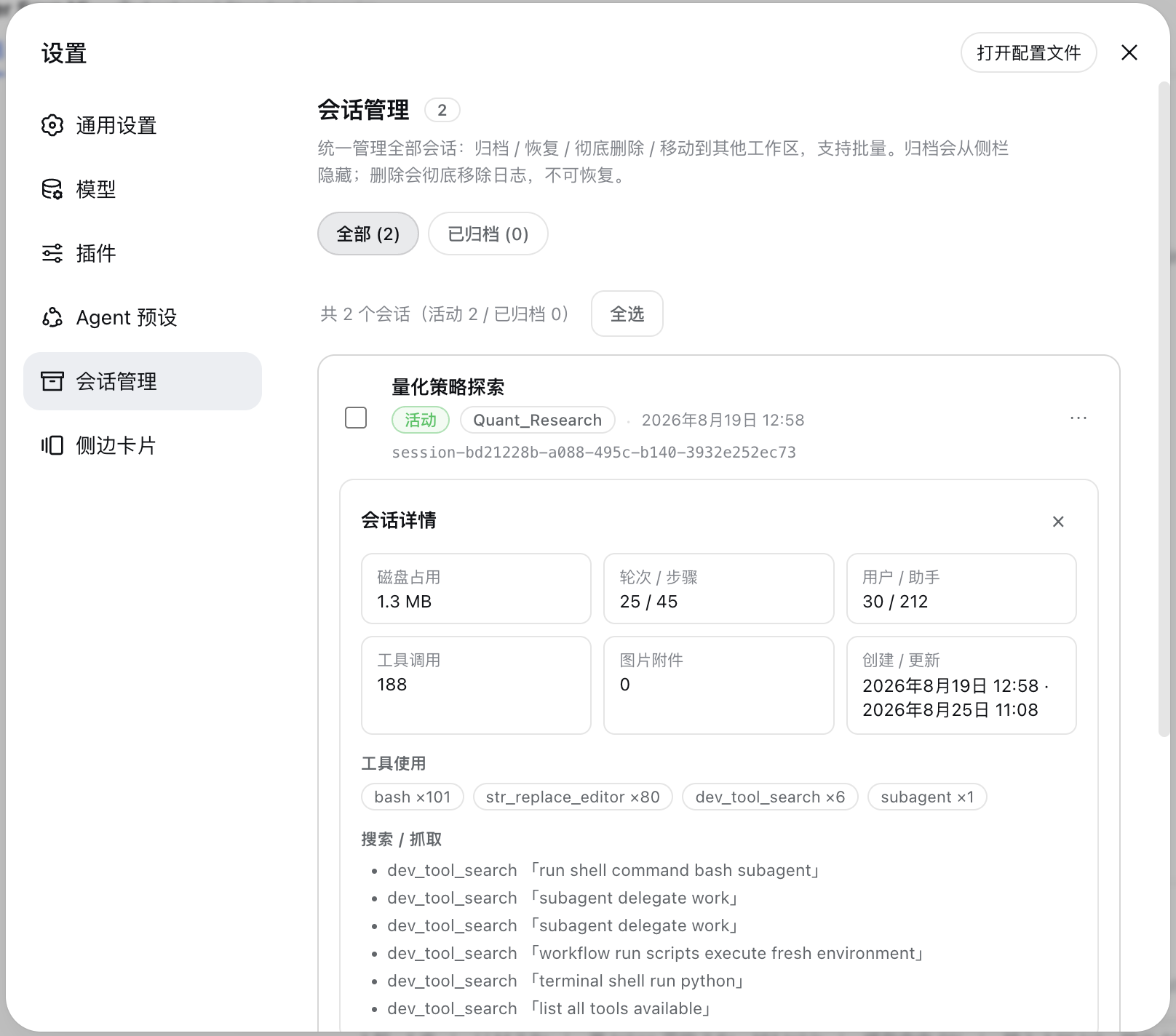
As you dive deeper into DeepSeek Harness (DSH), managing an ever-growing list of sessions can quickly become chaotic. dsh-sessions-manager is designed to address this pain point, offering the most stable and seamless session management experience available. By extending the native interface, it allows users to efficiently archive, move, restore, and inspect session details directly from the "Settings" panel or the "Sidebar."
Its core capabilities include a unified view management system (All, Active, Archived, etc.) and robust sidebar enhancements, featuring cross-workspace drag-and-drop, quick unread toggles, and a reliable Trash system. Whether performing bulk operations or fine-grained management, the plugin handles it with ease. It also supports deep session statistics (such as tool usage and lineage) and exports to Markdown or ZIP, significantly boosting data retrieval and review efficiency.
This plugin is ideal for users who maintain a large volume of sessions, prioritize data security, and wish to streamline their workflow. It not only resolves common operational bottlenecks but transforms complex session management into an organized, visual experience, making it an essential tool for elevating your DSH usage.
Screenshots
Use Cases
- Organize and manage a large volume of historical AI sessions
- Archive inactive sessions to optimize the interface
- Export session data for backup or sharing
Best For
- Users needing to maintain a large volume of DSH sessions long-term
- Teams focused on data security and session backup
- DSH power users seeking to quickly retrieve and categorize workflows
Related Plugins
A service-oriented sidebar framework for DSH, offering a full workbench with file explorer, embedded browser, real terminal, Git panel, and extensible plugin services.

A beautiful, practical Claude Code-style TUI plugin with pixel whale top bar, flowing glow title, real-time status line, streaming thought expansion, time rewind, context progress bar and TPS gauge — zero core changes.

The plugin market for DeepSeek Harness: browse/search/one-click install community plugins and themes, with updates, backup/restore, hot disable, diagnostics, and AI fix.

A persistent whale widget on the DSH web UI that shows DeepSeek balance, today's usage, and per-turn cost, with drag-and-snap and sound effects.