dock-files
Run the following command in DeepSeek Harness:
dsh plugin install AKS1st/dock-files
Paste the following prompt into your AI chat to install this plugin:
Run the command dsh plugin install AKS1st/dock-files in DeepSeek Harness to install the dock-files plugin, using the source code at https://github.com/AKS1st/dock-files.
About this plugin
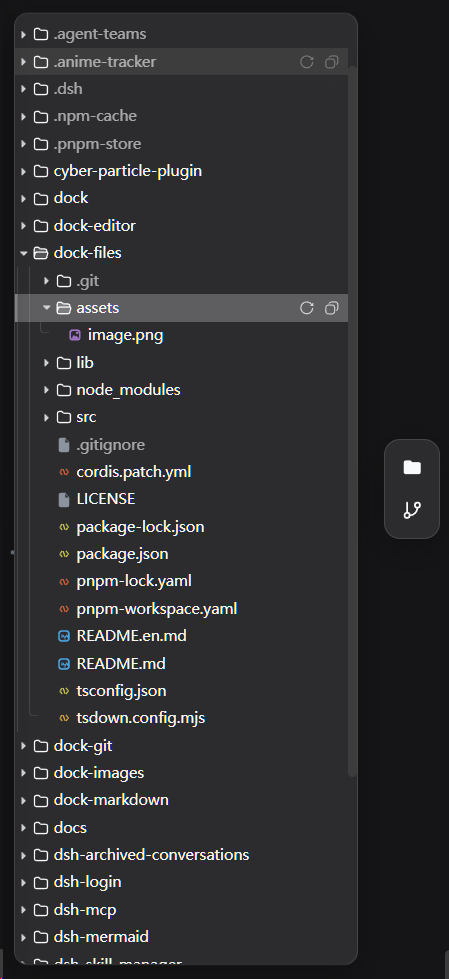
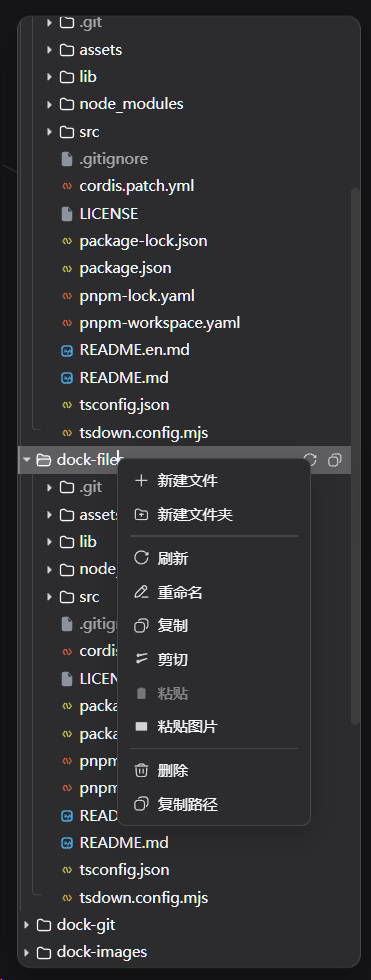
Managing files within a Web environment often suffers from limitations and a lack of intuitive interaction. dock-files aims to provide a VSCode-style file browsing experience for DSH workspaces, solving the problems of tedious operations, difficult large file transfers, and fragmentation with context. It is not merely a simple list, but a fully functional file management hub that supports drag-and-drop import, clipboard paste, and recursive directory tree management, enabling users to organize their workspace as efficiently as they would in a local IDE.
Beyond basic browsing, the plugin's core strength lies in its seamless context integration and robust transfer management. It connects directly with DSH's conversational context, allowing users to click file paths in model replies and open them using registered specialized viewers (such as dock-editor or dock-images) instead of relying on default system applications. Additionally, the built-in transfer task center supports chunked uploads and pause/resume functionality, addressing the pain points of large file transfers in Web environments.
This plugin is particularly suitable for users who require deep code development, data processing, or document editing in a Web interface. If you are utilizing the DSH ecosystem, such as dock-editor, dock-files is an essential productivity tool. By ensuring security through session isolation and supporting custom file viewers via a plugin architecture, it offers a flexible and secure solution for file management.
Screenshots
Use Cases
- Browse and edit project code in a web environment
- Upload and transfer large files to the workspace
- Quickly open relevant files from AI responses
Best For
- Developers needing file management in a web environment
- Data analysts using the DSH workspace
- Web users seeking an IDE-like experience
Related Plugins
A service-oriented sidebar framework for DSH, offering a full workbench with file explorer, embedded browser, real terminal, Git panel, and extensible plugin services.

A beautiful, practical Claude Code-style TUI plugin with pixel whale top bar, flowing glow title, real-time status line, streaming thought expansion, time rewind, context progress bar and TPS gauge — zero core changes.

The plugin market for DeepSeek Harness: browse/search/one-click install community plugins and themes, with updates, backup/restore, hot disable, diagnostics, and AI fix.

A persistent whale widget on the DSH web UI that shows DeepSeek balance, today's usage, and per-turn cost, with drag-and-snap and sound effects.