
dsh-web-app-launcher
Run the following command in DeepSeek Harness:
dsh plugin install sylkmpo/dsh-web-app-launcher
Paste the following prompt into your AI chat to install this plugin:
To install this plugin in DeepSeek Harness, please run the install command: dsh plugin install sylkmpo/dsh-web-app-launcher。. Source: https://github.com/sylkmpo/dsh-web-app-launcher
About this plugin
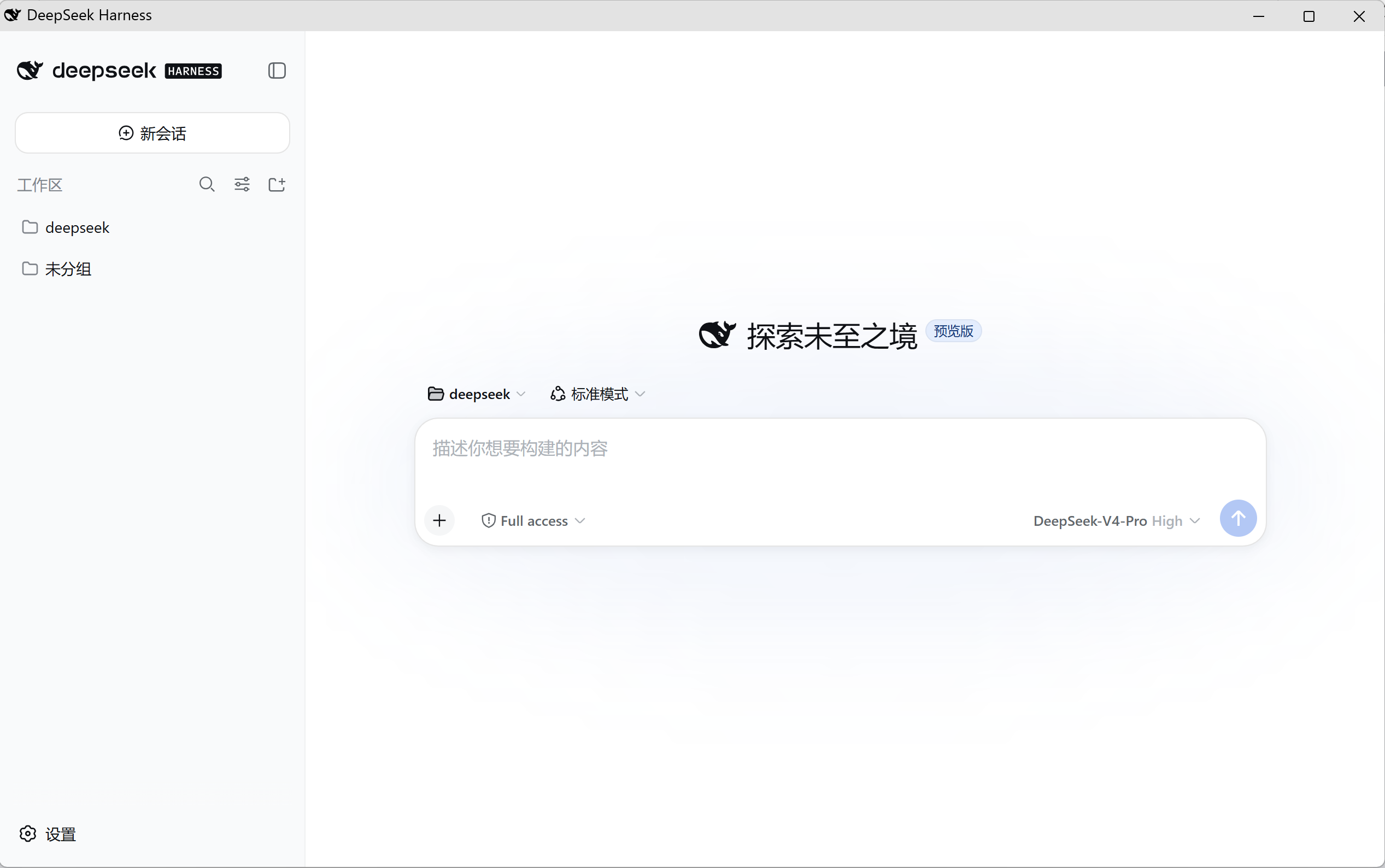
Often, web applications feel disconnected from the native software experience. While DSH Web is powerful, its default browser tab interface lacks the immersion of a desktop app. The dsh-web-app-launcher plugin is designed to bridge this gap, transforming a browser tab into a standard desktop application window.
At its core, this plugin utilizes Chromium's --app mode to render the web interface as a standalone desktop window. It offers the best of both worlds: preserving all official features of the service without the bloat of Electron packaging, while delivering a visual aesthetic that mimics a native desktop program. It automatically generates a desktop shortcut upon first run, launching a clean window without tabs or address bars, and exits seamlessly when closed.
This tool is ideal for Windows users who prefer the convenience of desktop software interactions but wish to avoid the complexity of Electron packaging or the loss of the official web experience. It perfectly balances the flexibility of the web with the familiar workflow of a desktop application.
Screenshots
Use Cases
- Need a persistent desktop application feel for daily work.
- Want to hide browser tabs and keep the desktop clean.
- Running dsh web on Windows with desktop shortcuts.
Best For
- Windows users who prefer native desktop software interaction.
- Users who want to eliminate browser tab distractions and focus on work.
- Users who don't want Electron bundling and seek native web experience.
Related Plugins
A service-oriented sidebar framework for DSH, offering a full workbench with file explorer, embedded browser, real terminal, Git panel, and extensible plugin services.

A beautiful, practical Claude Code-style TUI plugin with pixel whale top bar, flowing glow title, real-time status line, streaming thought expansion, time rewind, context progress bar and TPS gauge — zero core changes.

The plugin market for DeepSeek Harness: browse/search/one-click install community plugins and themes, with updates, backup/restore, hot disable, diagnostics, and AI fix.

A persistent whale widget on the DSH web UI that shows DeepSeek balance, today's usage, and per-turn cost, with drag-and-snap and sound effects.