dsh-self-update
Run the following command in DeepSeek Harness:
dsh plugin install Shane-Jay/dsh-self-update
Paste the following prompt into your AI chat to install this plugin:
To install this plugin in DeepSeek Harness, run the command: `dsh plugin install Shane-Jay/dsh-self-update` and visit the source code at: https://github.com/Shane-Jay/dsh-self-update.
About this plugin
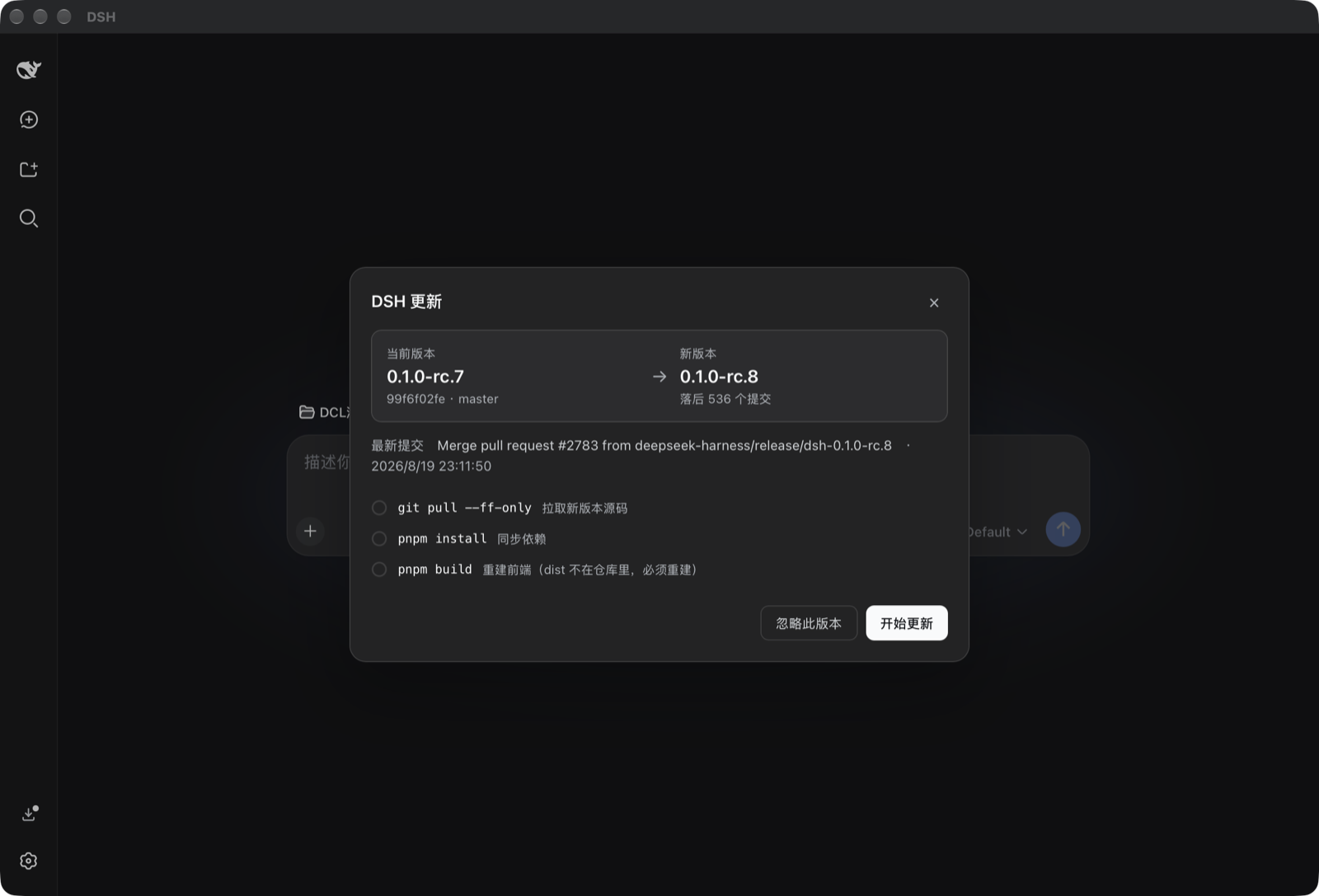
For developers self-hosting DeepSeek Harness via git clone and pnpm dsh web, the lack of a built-in update mechanism often leads to tedious manual tasks like running git pull, installing dependencies, and rebuilding every release. The dsh-self-update plugin automates this entire workflow into a seamless experience. It not only checks for updates in the background but also ensures safety by refusing to overwrite local changes and offering a guided "backup and realign" option if your branch has diverged. Designed for self-hosted environments, it utilizes a specific "exit code 75" contract to integrate with supervisors like systemd, PM2, or the bundled native macOS shell. With features like one-click rollback and a native menu bar app for macOS, it provides a robust solution for maintaining and updating your service effortlessly.
Screenshots
Use Cases
- Need to automatically update DeepSeek Harness from a git source to the latest version.
- Handling git working tree conflicts or diverged branches before applying updates.
- Managing the runtime and restart of DeepSeek Harness processes via systemd, PM2, or macOS shell.
Best For
- Developers and administrators self-hosting DeepSeek Harness.
- Users seeking automated update mechanisms to reduce manual maintenance.
- Operations personnel running service instances and wanting to ensure high availability.
Related Plugins
A service-oriented sidebar framework for DSH, offering a full workbench with file explorer, embedded browser, real terminal, Git panel, and extensible plugin services.

A beautiful, practical Claude Code-style TUI plugin with pixel whale top bar, flowing glow title, real-time status line, streaming thought expansion, time rewind, context progress bar and TPS gauge — zero core changes.

The plugin market for DeepSeek Harness: browse/search/one-click install community plugins and themes, with updates, backup/restore, hot disable, diagnostics, and AI fix.

A persistent whale widget on the DSH web UI that shows DeepSeek balance, today's usage, and per-turn cost, with drag-and-snap and sound effects.