
DSH-Skin-Studio
Run the following command in DeepSeek Harness:
dsh plugin install ToBeWin/DSH-Skin-Studio
Paste the following prompt into your AI chat to install this plugin:
In DeepSeek Harness, please use the install command `dsh plugin install ToBeWin/DSH-Skin-Studio`。. Source: https://github.com/ToBeWin/DSH-Skin-Studio
About this plugin
DeepSeek Harness is a powerful tool, but its default interface can sometimes feel mundane. DSH-Skin-Studio solves this by offering a suite of stunning, ready-to-use themes that instantly transform the tool's visual atmosphere, making it feel like a personalized digital workspace. The plugin includes ten meticulously designed themes, from "Aurora Flow" to "Neon Tokyo," each curated with perfect color palettes to match your aesthetic. For true personalization, it introduces the "Custom Canvas" editor, allowing you to upload local images, adjust atmosphere and contrast, and use professional framing tools to precisely crop visuals, seamlessly integrating your wallpapers into the interface while ensuring text readability. This is perfect for users who value aesthetics without compromising privacy, as all changes are securely stored in local browser storage with no data uploaded to the cloud. It is ideal for developers, designers, or anyone looking to customize their DeepSeek Harness experience while keeping the powerful AI conversation features intact.
Screenshots
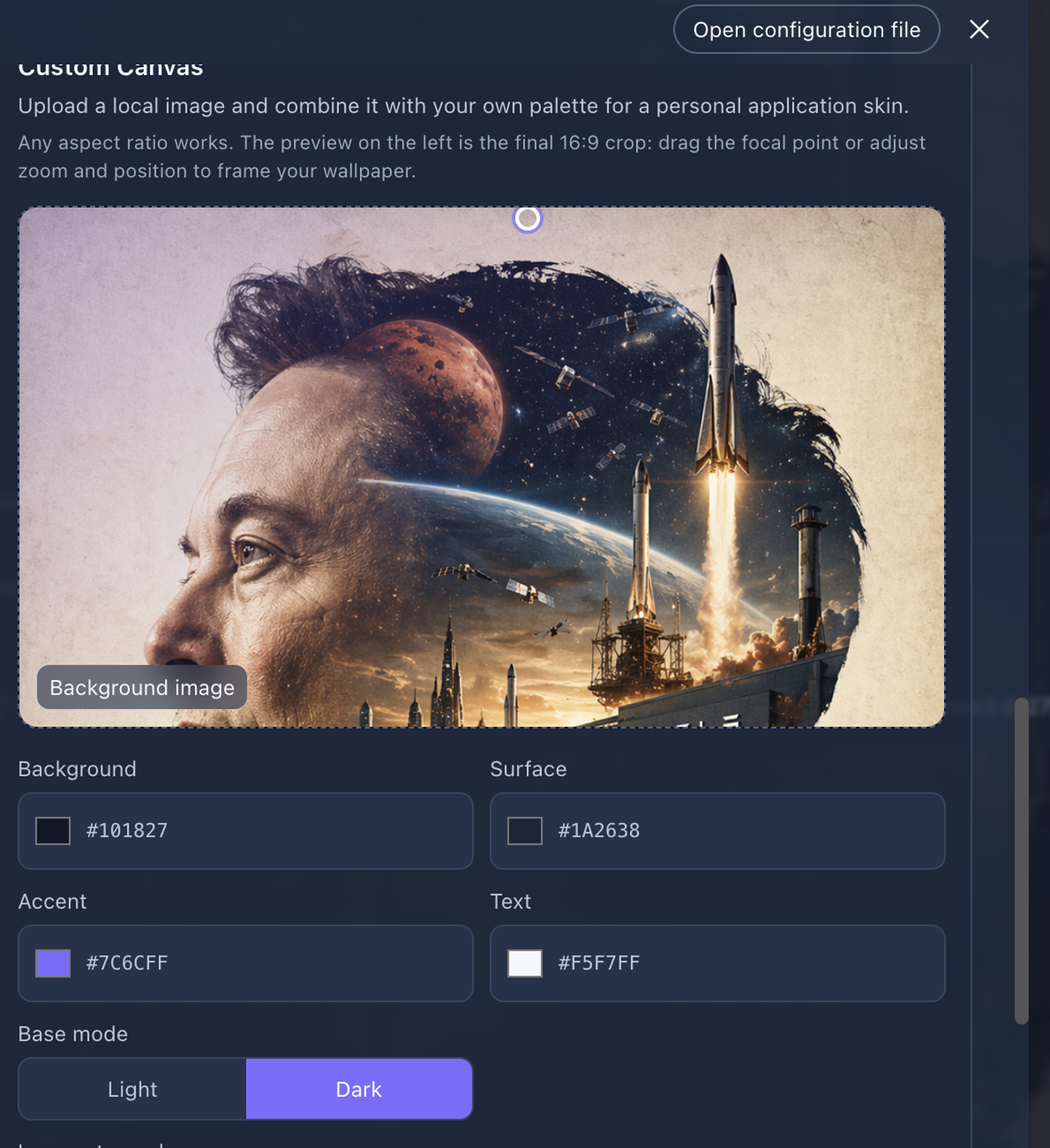
Use Cases
- Want to completely change the interface style of DeepSeek Harness.
- Hope to use local images to create a unique visual experience.
- Pursue both beauty and privacy, with data stored only locally.
Best For
- Interface design enthusiasts
- Users with deep customization needs
- Privacy-conscious users
Related Plugins

whale-girl is a desktop pet in the DSH Web GUI (bottom-right for instant companionship) — draggable, feedable, playable; completed tasks, sessions and companionship time accrue into seniority levels, titles, and memories.

A WebGPU ocean skin for DeepSeek Harness with five-wave Gerstner waves, translucent theme, day/night cycle, and quick controls, installable as plugin or extension.

A Galgame-style conversation view and visual scene editor for DSH web sessions, with a real-time editing mode.

A native skinning plugin for DeepSeek Harness: 8 designer themes, wallpapers, accent colors, and shareable theme packs, built purely on design tokens.