dsh-check-for-updates
Run the following command in DeepSeek Harness:
dsh plugin install ShanHaiFish/dsh-check-for-updates
Paste the following prompt into your AI chat to install this plugin:
To install this plugin in DeepSeek Harness, run dsh plugin install ShanHaiFish/dsh-check-for-updates or visit the GitHub repository at https://github.com/ShanHaiFish/dsh-check-for-updates.
About this plugin
Upgrading DeepSeek Harness (DSH) via npm on Windows is risky because native modules like koffi.node get locked, leading to a "Mismatched native Koffi modules" crash after an update, preventing the app from launching. Old update mechanisms failed to address this, causing system instability.
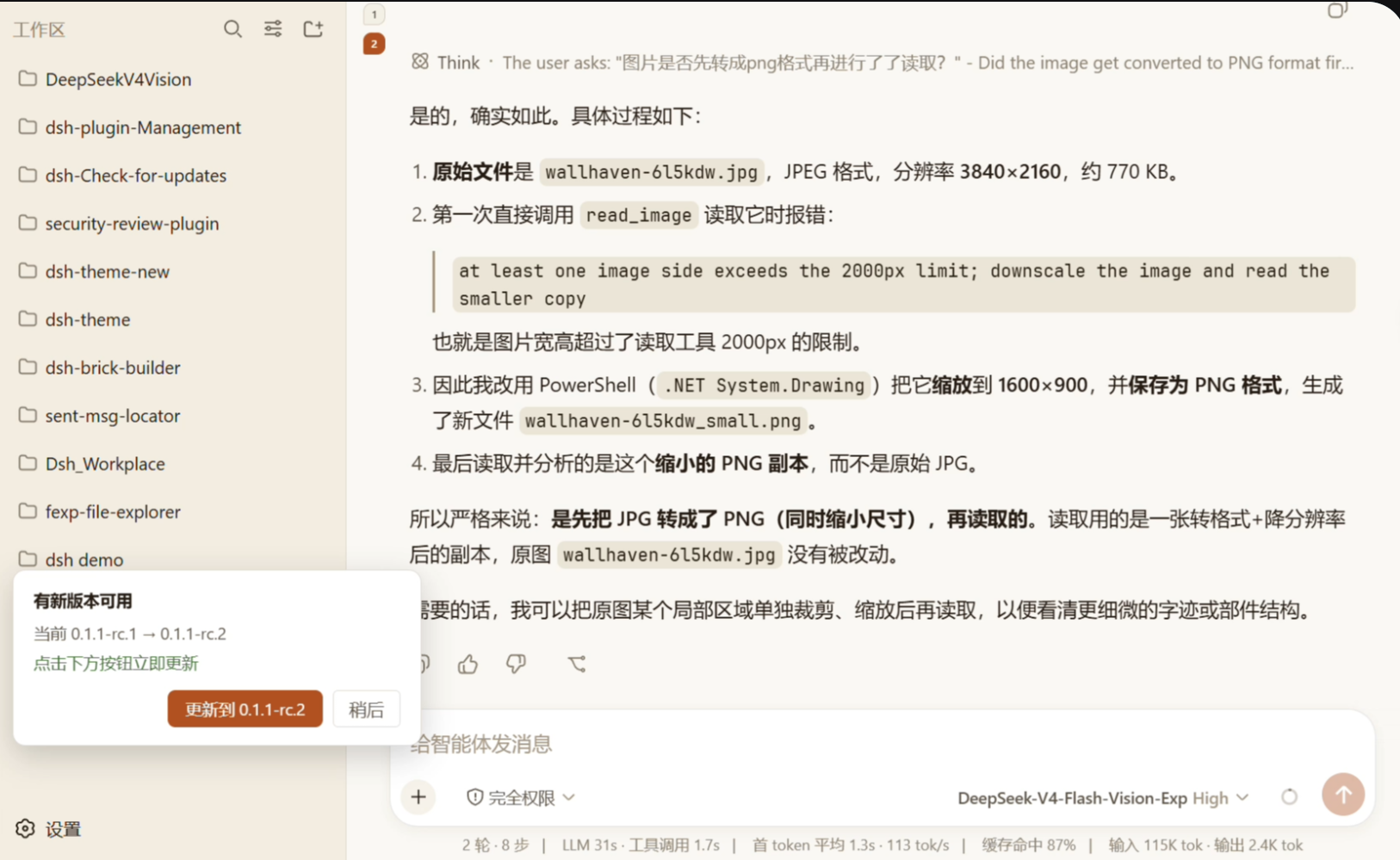
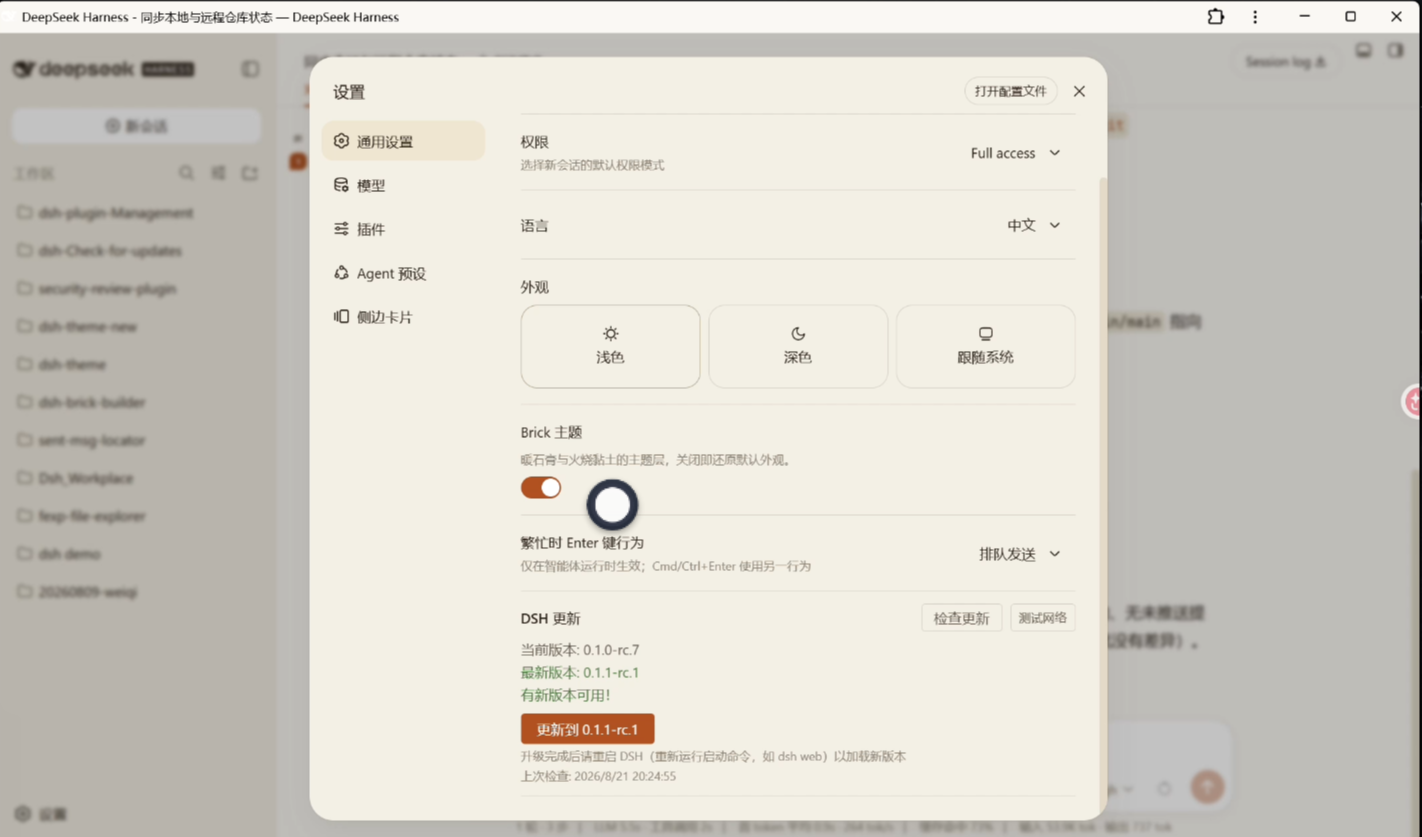
dsh-check-for-updates introduces an innovative, safe two-phase update strategy. It allows scheduling update tasks while DSH is running, with the actual installation performed by a detached process after the app exits. The plugin also integrates a triple-validation mechanism (npm exit code, on-disk version, native module consistency) and automatic healing for koffi link breaks, ensuring every update is secure.
For DSH users, this plugin offers a seamless update experience, supporting automatic detection on first load and manual checks in the settings panel. It displays intuitive floating popups near the settings button with clear update options. It is an essential stability tool for Windows users who want to keep DSH up-to-date and avoid crashes.
Screenshots
Use Cases
- Automatically detects new versions when opening DSH.
- Pops up a prompt and schedules an update upon finding a new version.
- Fixes corrupted koffi native modules.
Best For
- DSH users who want to keep the app up-to-date.
- Windows users needing a stable update mechanism to prevent crashes.
- Developers managing the DeepSeek Harness ecosystem.
Related Plugins
A service-oriented sidebar framework for DSH, offering a full workbench with file explorer, embedded browser, real terminal, Git panel, and extensible plugin services.

A beautiful, practical Claude Code-style TUI plugin with pixel whale top bar, flowing glow title, real-time status line, streaming thought expansion, time rewind, context progress bar and TPS gauge — zero core changes.

The plugin market for DeepSeek Harness: browse/search/one-click install community plugins and themes, with updates, backup/restore, hot disable, diagnostics, and AI fix.

A persistent whale widget on the DSH web UI that shows DeepSeek balance, today's usage, and per-turn cost, with drag-and-snap and sound effects.