dsh-cursor-theme
Run the following command in DeepSeek Harness:
dsh plugin install auki-zy/dsh-cursor-theme
Paste the following prompt into your AI chat to install this plugin:
To install this plugin in DeepSeek Harness, run the command dsh plugin install auki-zy/dsh-cursor-theme or visit https://github.com/auki-zy/dsh-cursor-theme.
About this plugin
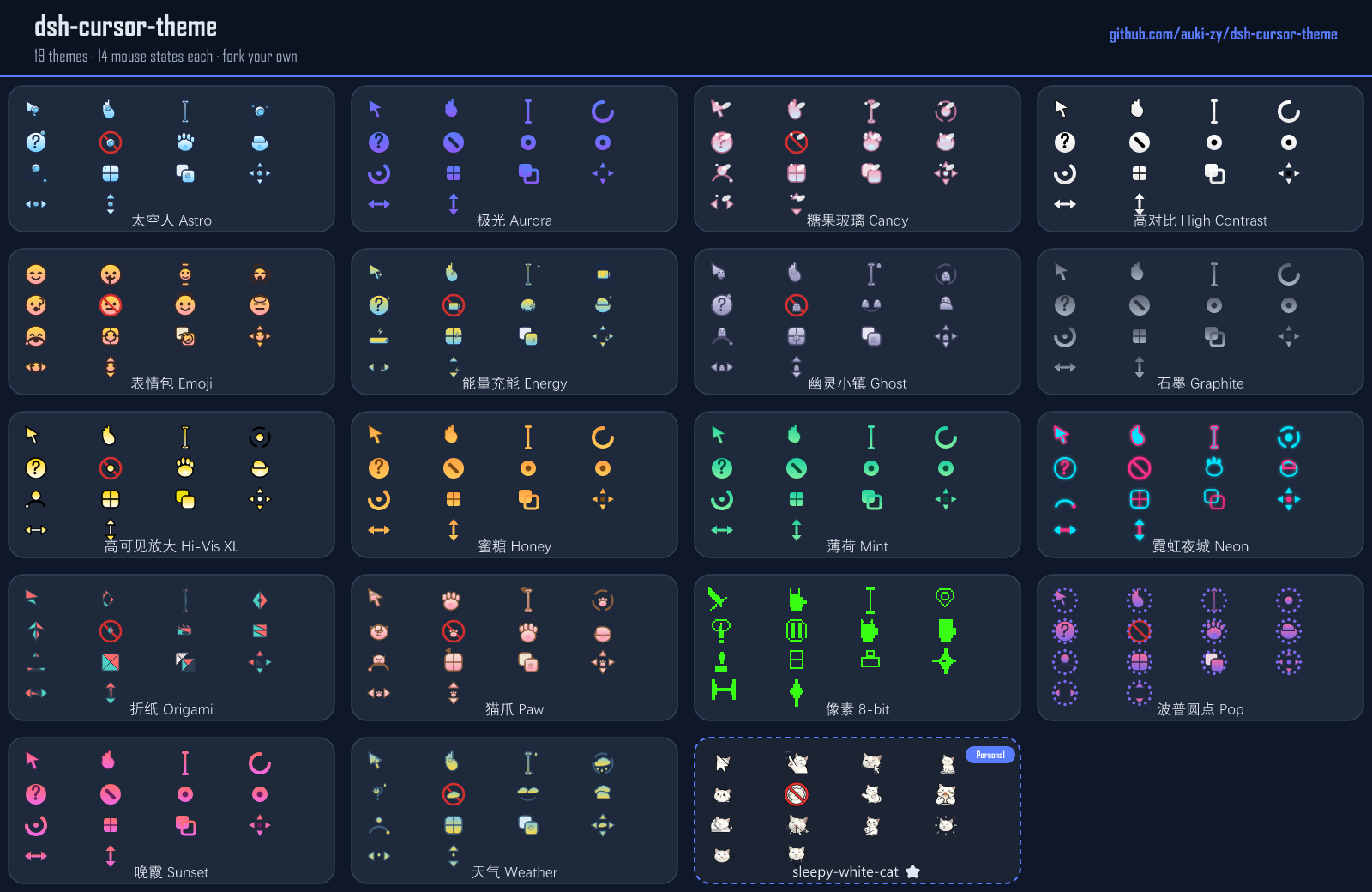
Want to elevate your DeepSeek Harness experience? Cursors are more than just pointers; they are the primary feedback mechanism for interaction. The default cursors might feel generic, failing to match your personal aesthetic or workflow requirements. This plugin shifts the focus to every micro-interaction. It offers powerful customization capabilities. You can choose from 18 meticulously crafted preset themes (ranging from color palettes to creative styles) or replace the PNG/CUR files for 14 distinct UI states (such as pointer, text, and not-allowed). With built-in hotspot editors and an SVG template library, even users without coding experience can fine-tune cursor details. Whether you are a developer seeking a polished look or a user wanting a unique workspace, this tool is for you. It allows for persistent theme storage and even features a one-click system-wide application on Windows. With ZIP import/export support, you can even transform AI-generated images directly into cursor schemes, making every click feel personal.
Screenshots
Use Cases
- Customize the unique visual style of DeepSeek Harness.
- Get intuitive interaction feedback across different UI states.
- Enhance overall work immersion with cursor details.
Best For
- UI/UX designers seeking perfect interface experiences.
- Developers who love tweaking software appearances.
- Minimalists aiming to optimize workflow details.
Related Plugins

whale-girl is a desktop pet in the DSH Web GUI (bottom-right for instant companionship) — draggable, feedable, playable; completed tasks, sessions and companionship time accrue into seniority levels, titles, and memories.

A WebGPU ocean skin for DeepSeek Harness with five-wave Gerstner waves, translucent theme, day/night cycle, and quick controls, installable as plugin or extension.

A Galgame-style conversation view and visual scene editor for DSH web sessions, with a real-time editing mode.

A native skinning plugin for DeepSeek Harness: 8 designer themes, wallpapers, accent colors, and shareable theme packs, built purely on design tokens.