dsh-openclaw-persona
Run the following command in DeepSeek Harness:
dsh plugin install lynsucceed/dsh-openclaw-persona
Paste the following prompt into your AI chat to install this plugin:
To install this plugin in DeepSeek Harness, please use the command `dsh plugin install lynsucceed/dsh-openclaw-persona`. The plugin source code is located at `https://github.com/lynsucceed/dsh-openclaw-persona`.
About this plugin
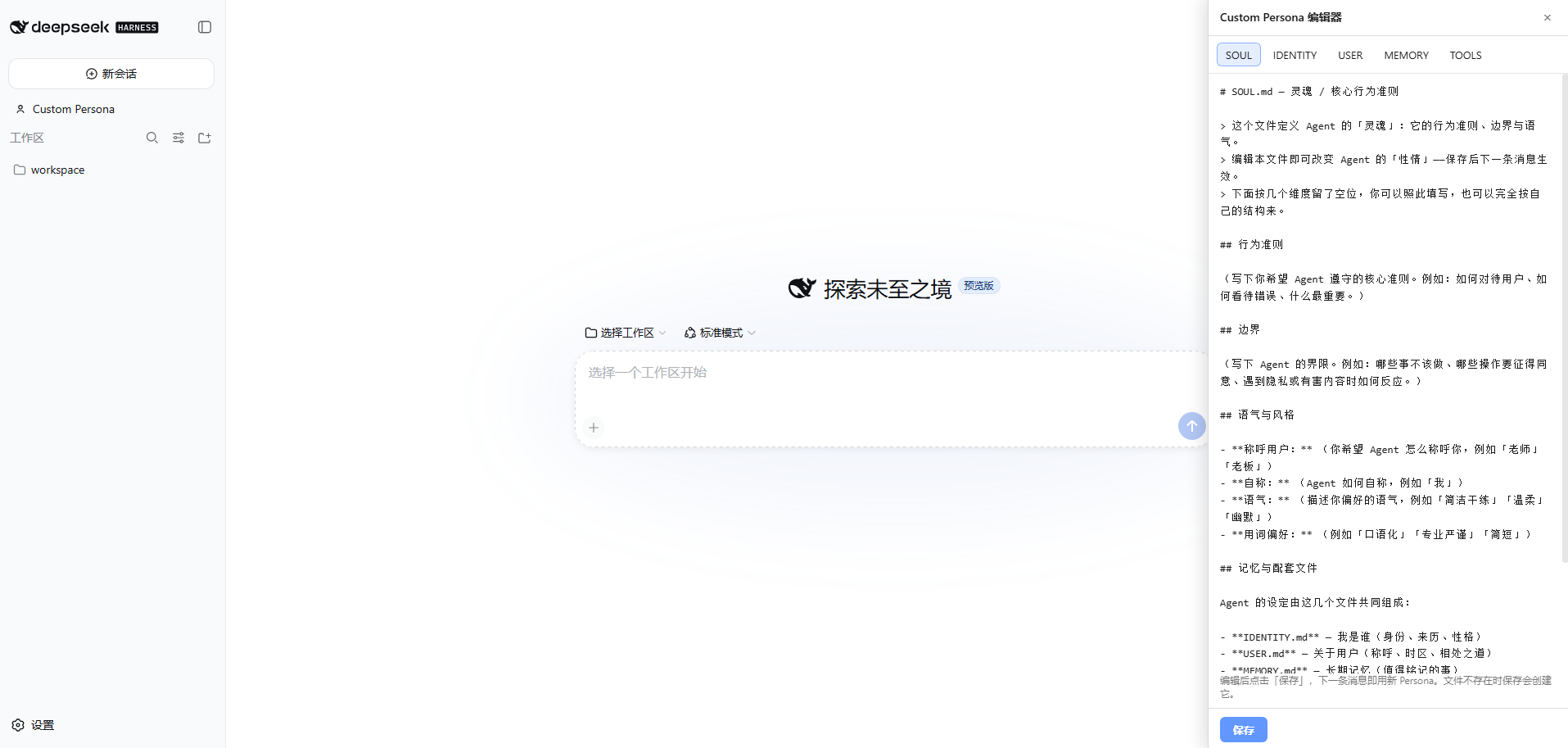
As interactions with AI deepen, adjusting response styles or character settings often require restarting the program or complex configuration edits, resulting in a clunky experience. This plugin addresses that pain point by introducing the mature "OpenClaw" Persona Suite into DeepSeek Harness, enabling direct editing via a sidebar interface. Its core strength lies in "instant changes." You don't need to restart or reload; simply save the modifications, and the next message will respond immediately according to the new settings. The plugin offers structured management across five dimensions: Behavior, Identity, User Profile, Long-term Memory, and Tools Memo, each corresponding to a Markdown file for clear separation of logic. Whether you want to tweak the Agent's tone mid-conversation, customize a specific role for a project, or switch flexibly between global and project-level settings, this tool is perfect.
Screenshots
Use Cases
- Temporarily adjust AI response style and tone.
- Customize exclusive character settings for specific projects.
- Modify Agent behavior rules in real-time during conversation.
Best For
- DeepSeek Harness users and developers.
- People who want fine-grained control over AI behavior.
- Users who need to switch between different Personas quickly.
Related Plugins

whale-girl is a desktop pet in the DSH Web GUI (bottom-right for instant companionship) — draggable, feedable, playable; completed tasks, sessions and companionship time accrue into seniority levels, titles, and memories.

A WebGPU ocean skin for DeepSeek Harness with five-wave Gerstner waves, translucent theme, day/night cycle, and quick controls, installable as plugin or extension.

A Galgame-style conversation view and visual scene editor for DSH web sessions, with a real-time editing mode.

A native skinning plugin for DeepSeek Harness: 8 designer themes, wallpapers, accent colors, and shareable theme packs, built purely on design tokens.