dsh-token-attention
Run the following command in DeepSeek Harness:
dsh plugin install Young4ever33/dsh-token-attention
Paste the following prompt into your AI chat to install this plugin:
To install this plugin in DeepSeek Harness, run the command dsh plugin install Young4ever33/dsh-token-attention; the full source code is available at https://github.com/Young4ever33/dsh-token-attention.
About this plugin
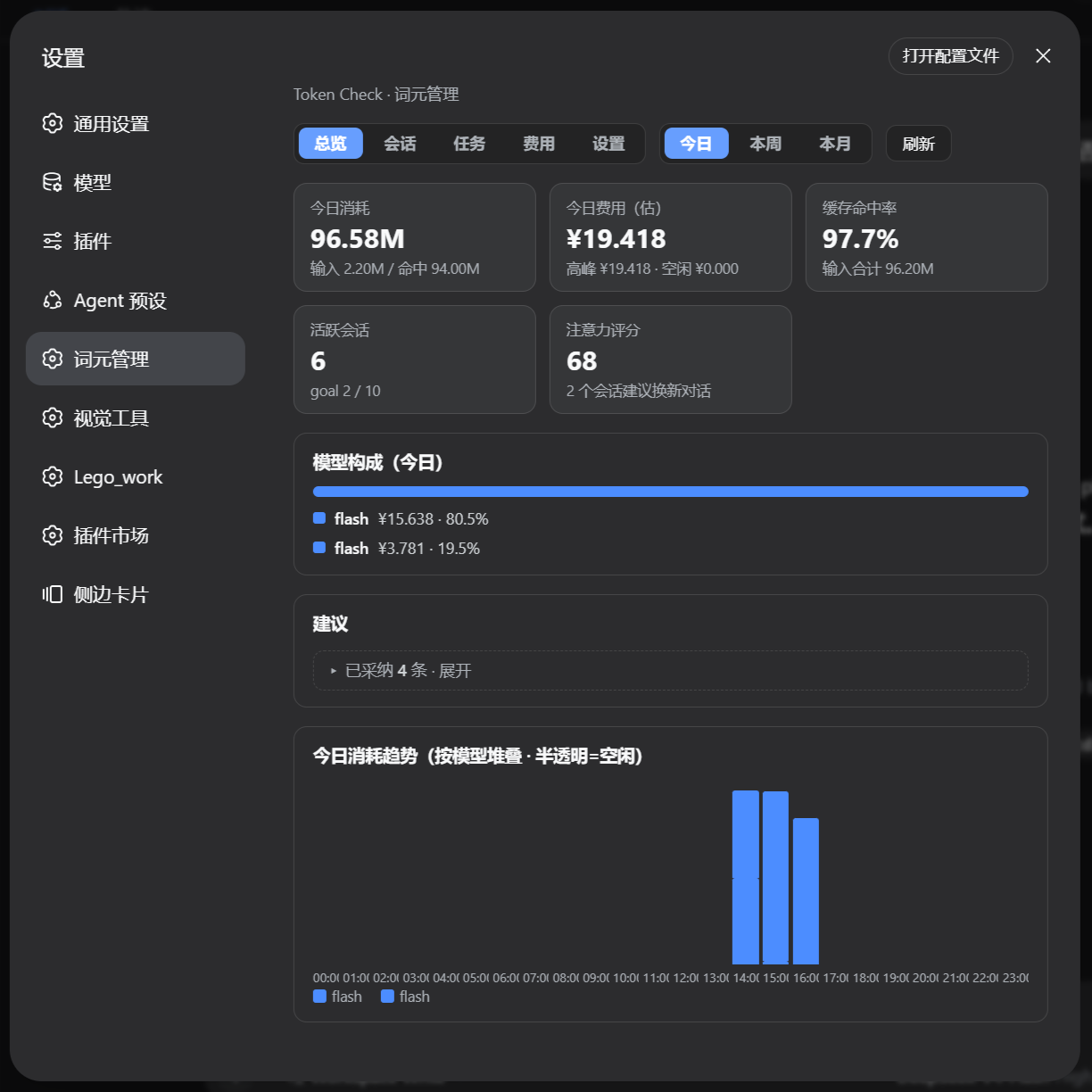
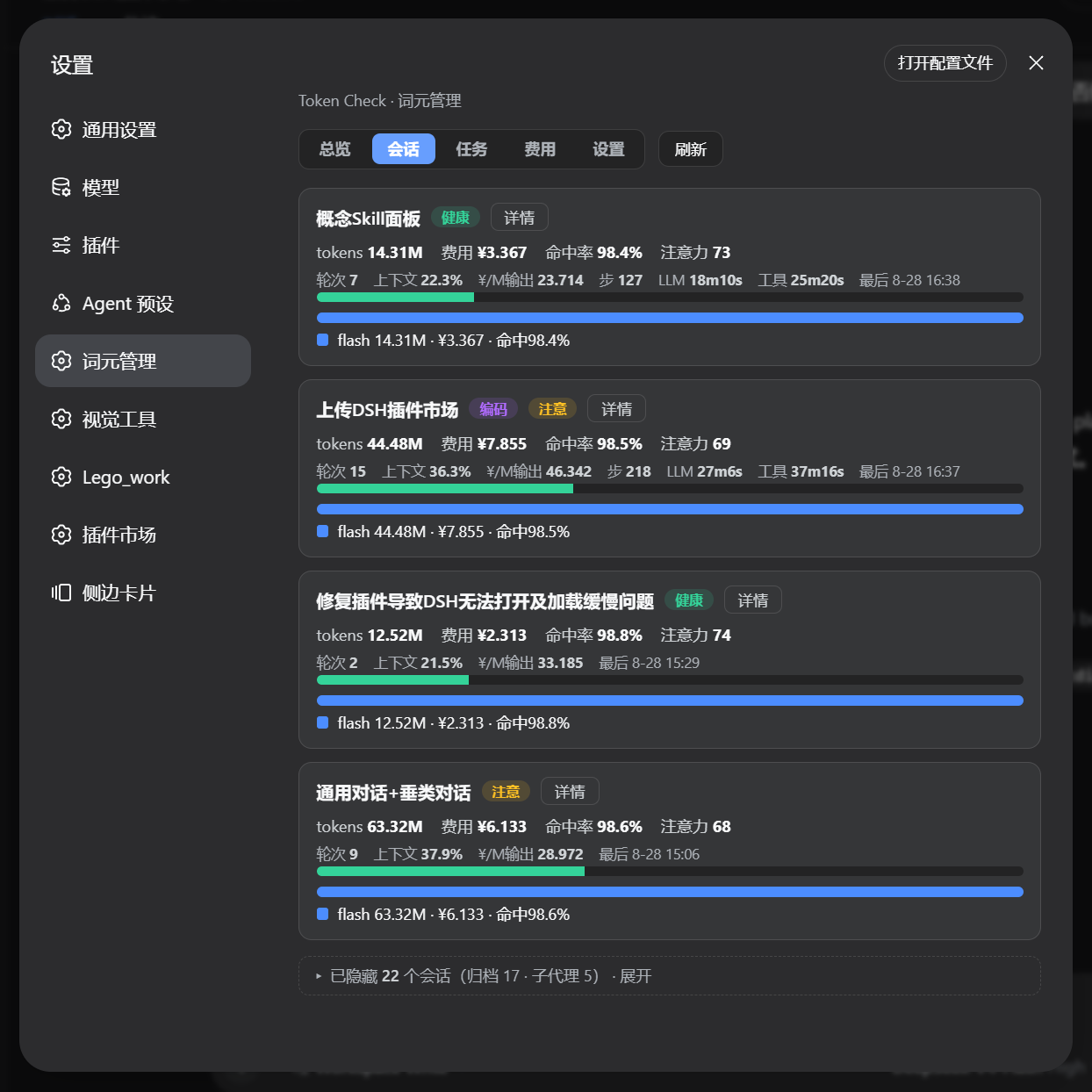
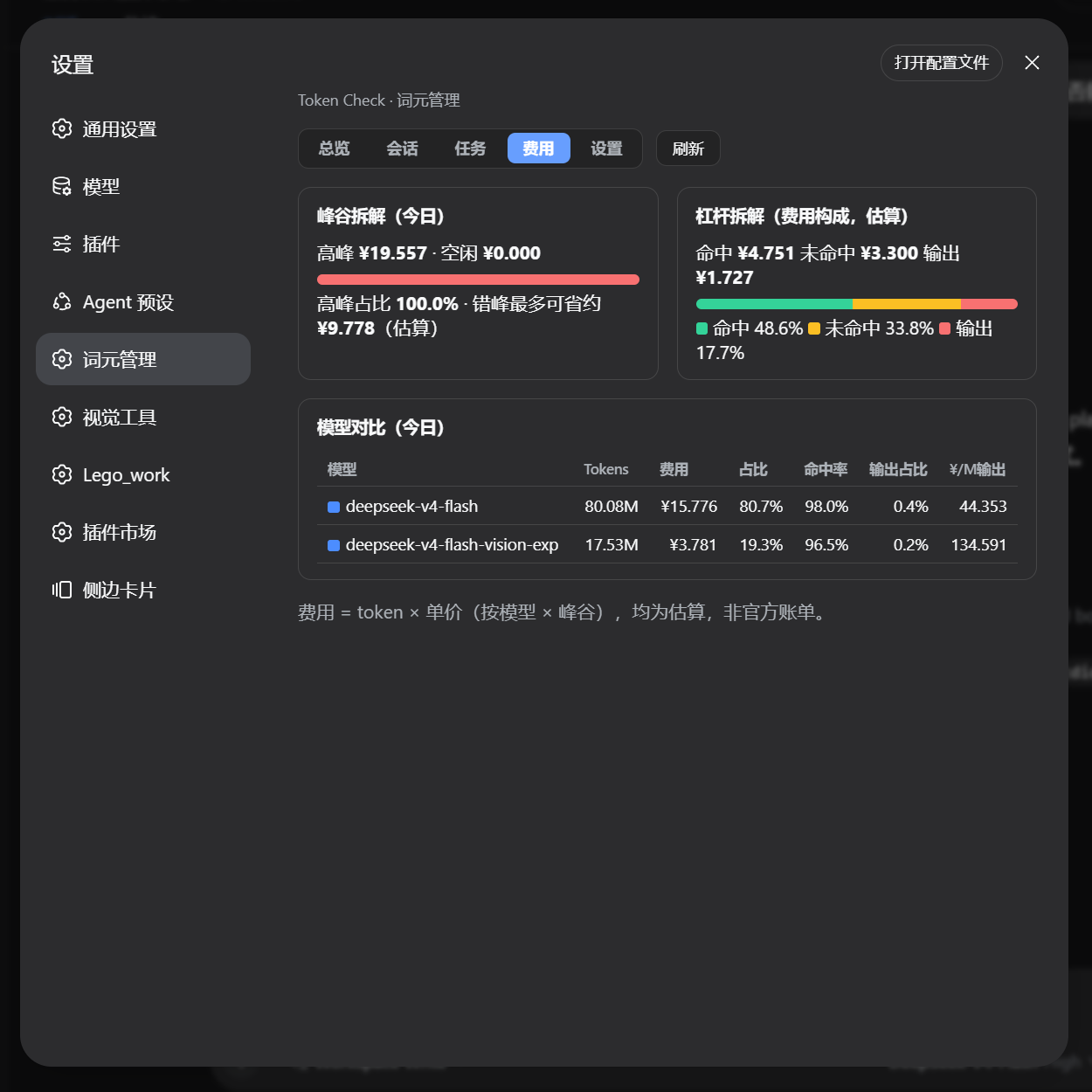
dsh-token-attention addresses the challenge that DeepSeek Harness users often face in tracking and optimizing token consumption and costs during daily tasks. By automatically logging token usage details for every conversation and integrating peak/off-peak pricing models, it provides clear insights into resource flows, helping avoid unexpected expenses.
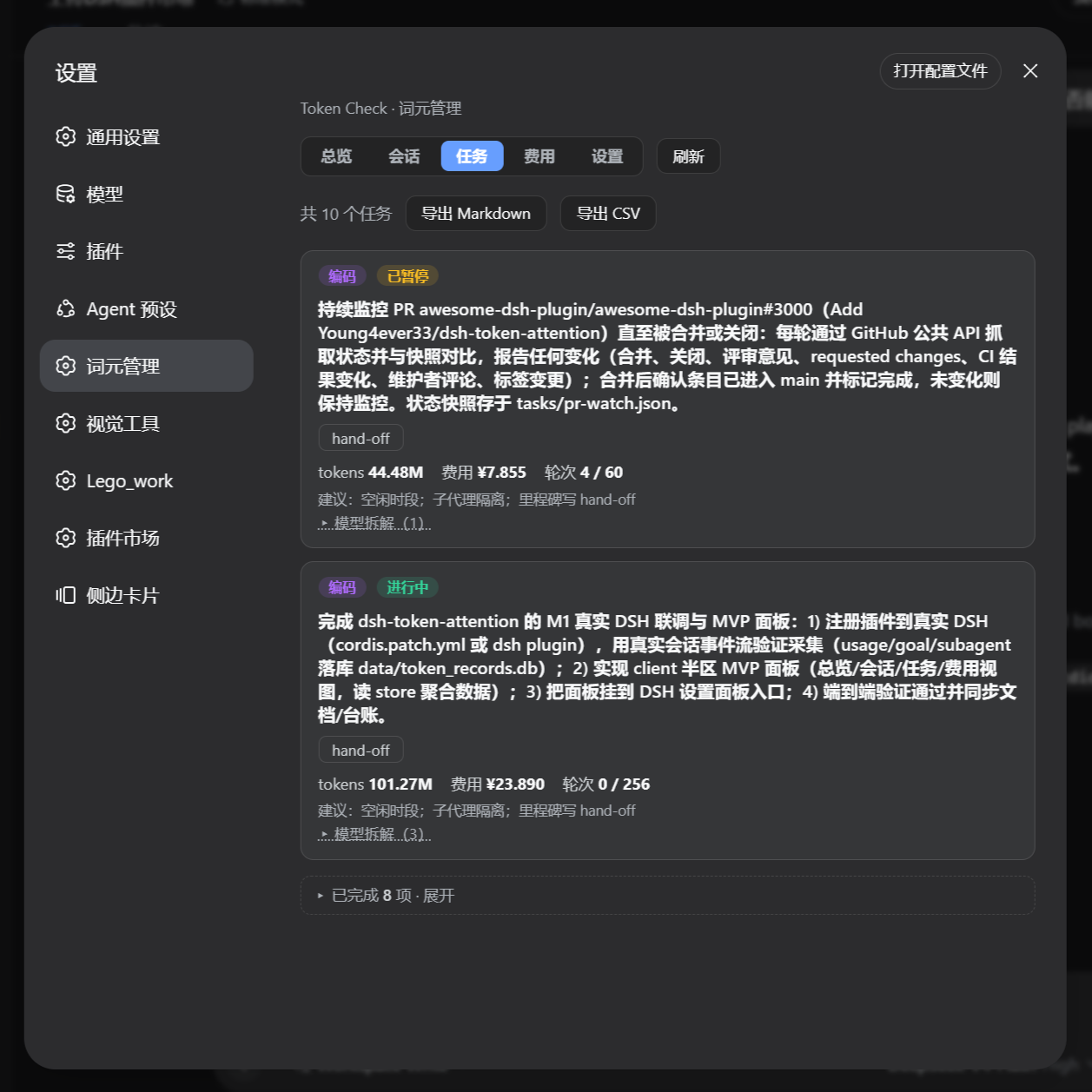
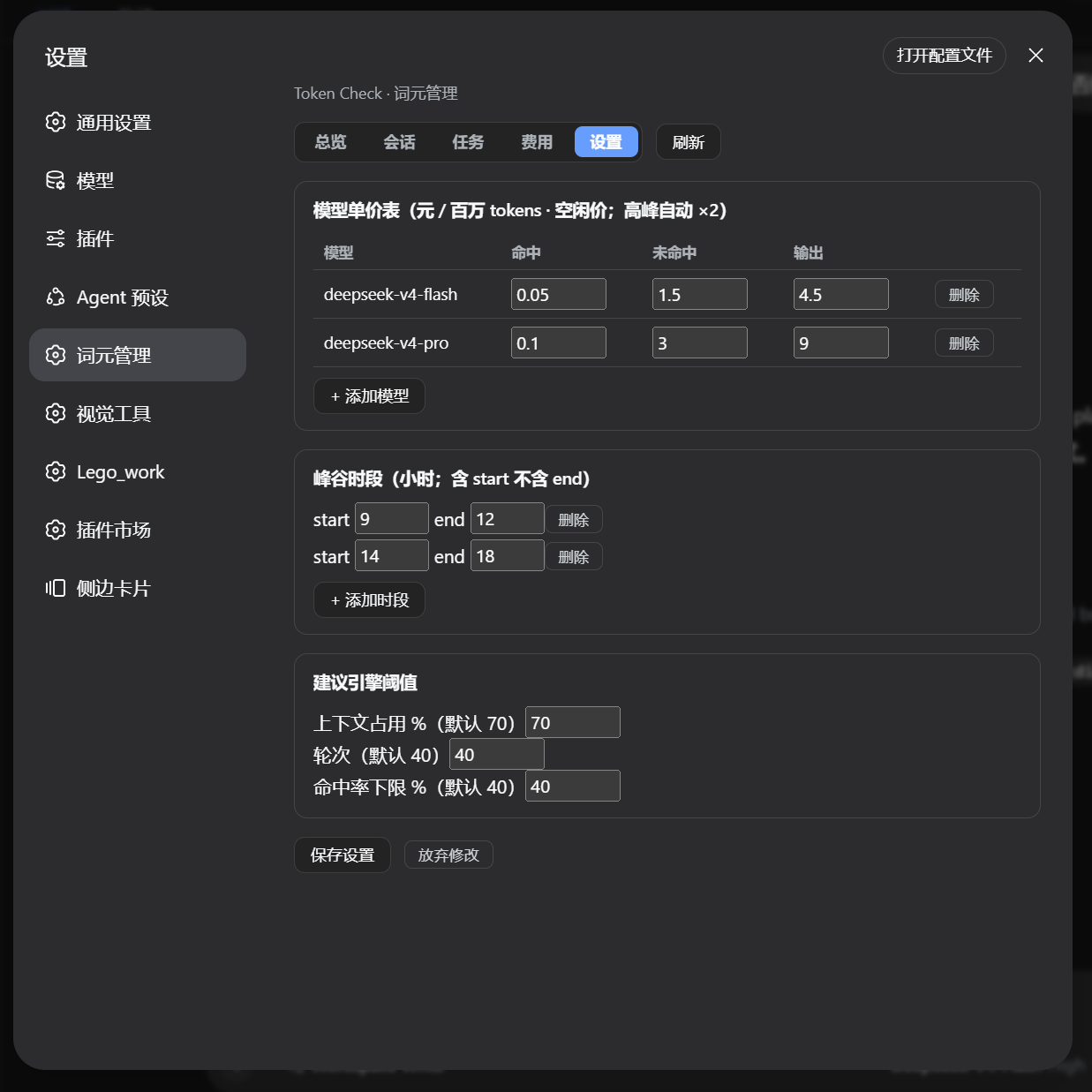
The plugin's core capability lies in its multi-faceted management panel: featuring five views (Overview, Sessions, Tasks, Cost, and Settings), it aggregates data by day, week, or month, and includes a task-type recognition and advice engine. This engine offers specific optimization suggestions—such as execution windows and session switching—based on factors like context occupancy, hit rate, and cost.
It is especially suited for DSH users who need fine-grained control over token resources, such as developers, AI researchers, or teams frequently using DeepSeek models, enabling them to make data-driven decisions while pursuing efficiency.
Screenshots
Use Cases
- Monitor token usage and cost in daily conversations.
- Suggest optimal task execution times based on peak/off-peak pricing.
- Export token records for analysis or reporting.
Best For
- Developers who frequently use DeepSeek Harness.
- Researchers needing to manage AI resource costs.
- Team leaders looking to optimize token consumption.
Related Plugins
A service-oriented sidebar framework for DSH, offering a full workbench with file explorer, embedded browser, real terminal, Git panel, and extensible plugin services.

A beautiful, practical Claude Code-style TUI plugin with pixel whale top bar, flowing glow title, real-time status line, streaming thought expansion, time rewind, context progress bar and TPS gauge — zero core changes.

The plugin market for DeepSeek Harness: browse/search/one-click install community plugins and themes, with updates, backup/restore, hot disable, diagnostics, and AI fix.

A persistent whale widget on the DSH web UI that shows DeepSeek balance, today's usage, and per-turn cost, with drag-and-snap and sound effects.