deepseek-harness-automations
Run the following command in DeepSeek Harness:
dsh plugin install syncended/deepseek-harness-automations
Paste the following prompt into your AI chat to install this plugin:
In DeepSeek Harness, run the command dsh plugin install syncended/deepseek-harness-automations to install this plugin, with the full source address at https://github.com/syncended/deepseek-harness-automations.
About this plugin
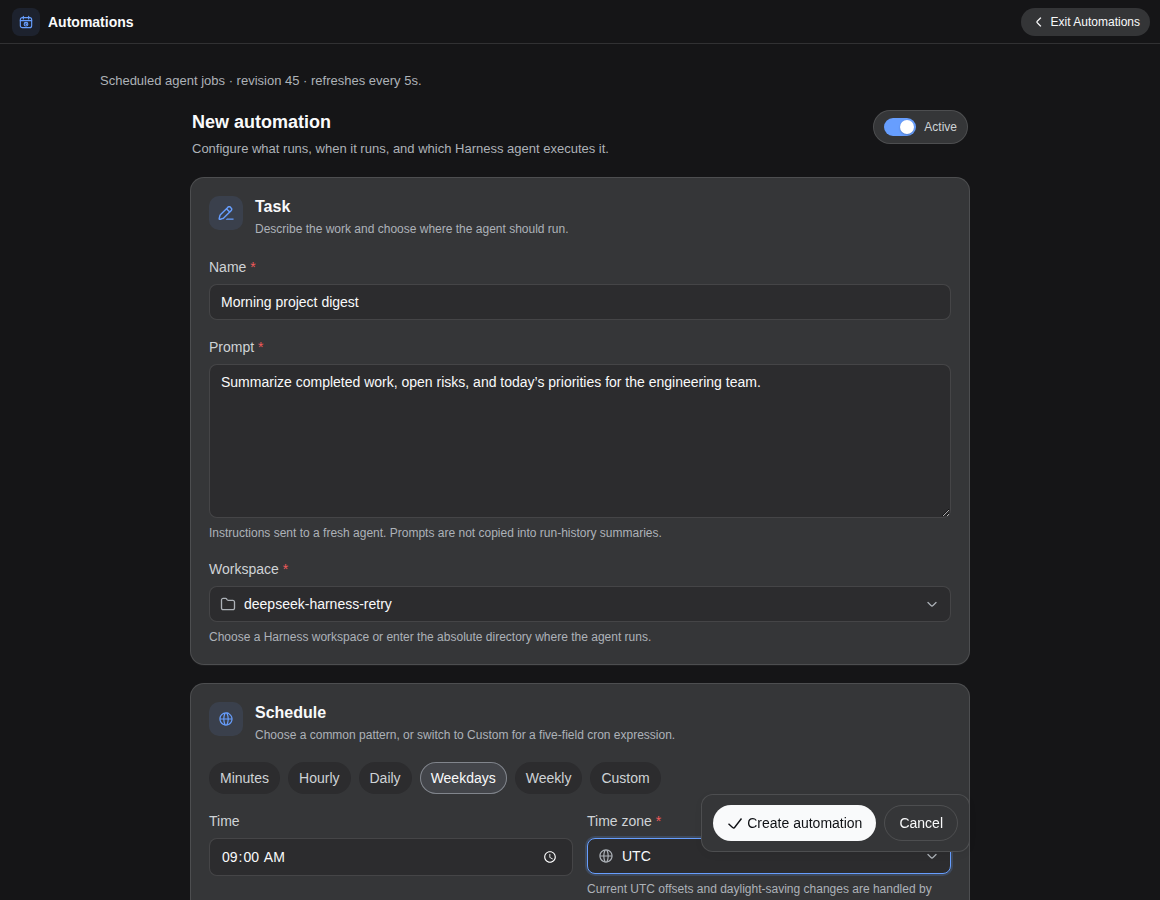
In AI workflows, the demand for scheduled tasks is growing, but traditional cron jobs often lack deep integration with AI frameworks. The DeepSeek Harness Automations plugin solves this by enabling users to configure durable automated jobs within the DeepSeek Harness environment, allowing scheduled tasks to run in the background without keeping chat sessions active. This provides a seamless automation experience for developers, ensuring AI agents execute reliably on schedule.
The plugin's core capabilities include support for standard cron expressions and timezone settings, giving users flexibility in defining scheduling rules. Each job can be independently configured with workspace, model route, reasoning effort, agent presets, and permission presets, ensuring tasks run in isolated environments. Additionally, it offers overlap and misfire policy management (such as skip, queue, or allow concurrency) along with persistent state storage, guaranteeing atomic and recoverable task execution. These features let users finely control automation workflows, preventing duplicate task conflicts or data loss.
DeepSeek Harness Automations is suited for a wide range of users, including data scientists, AI researchers, and software developers who need to automate repetitive AI tasks like regular model training, data processing, or analytics jobs. It is particularly valuable for teams using DeepSeek Harness for AI development seeking to reduce manual intervention, significantly boosting productivity. Ideal for deployment-level jobs, it continues running even when the main interface is closed, making automation a reliable component of their workflow.
Screenshots
Use Cases
- Regularly run AI models for data analysis and report generation.
- Automate data preprocessing or post-processing tasks.
- Deploy scheduled jobs in the background for model training or evaluation.
Best For
- Data scientists who need to automate AI experiments and repetitive tasks.
- Developers managing scheduled workflows in AI frameworks.
- Researchers running regular model updates or benchmarks.
Related Plugins
A service-oriented sidebar framework for DSH, offering a full workbench with file explorer, embedded browser, real terminal, Git panel, and extensible plugin services.

A beautiful, practical Claude Code-style TUI plugin with pixel whale top bar, flowing glow title, real-time status line, streaming thought expansion, time rewind, context progress bar and TPS gauge — zero core changes.

The plugin market for DeepSeek Harness: browse/search/one-click install community plugins and themes, with updates, backup/restore, hot disable, diagnostics, and AI fix.

A persistent whale widget on the DSH web UI that shows DeepSeek balance, today's usage, and per-turn cost, with drag-and-snap and sound effects.