dsh-sidebar-buttons
Run the following command in DeepSeek Harness:
dsh plugin install lywusichen/dsh-sidebar-buttons
Paste the following prompt into your AI chat to install this plugin:
Get the plugin from https://github.com/lywusichen/dsh-sidebar-buttons, then run the command `dsh plugin install lywusichen/dsh-sidebar-buttons` in DeepSeek Harness to install.
About this plugin
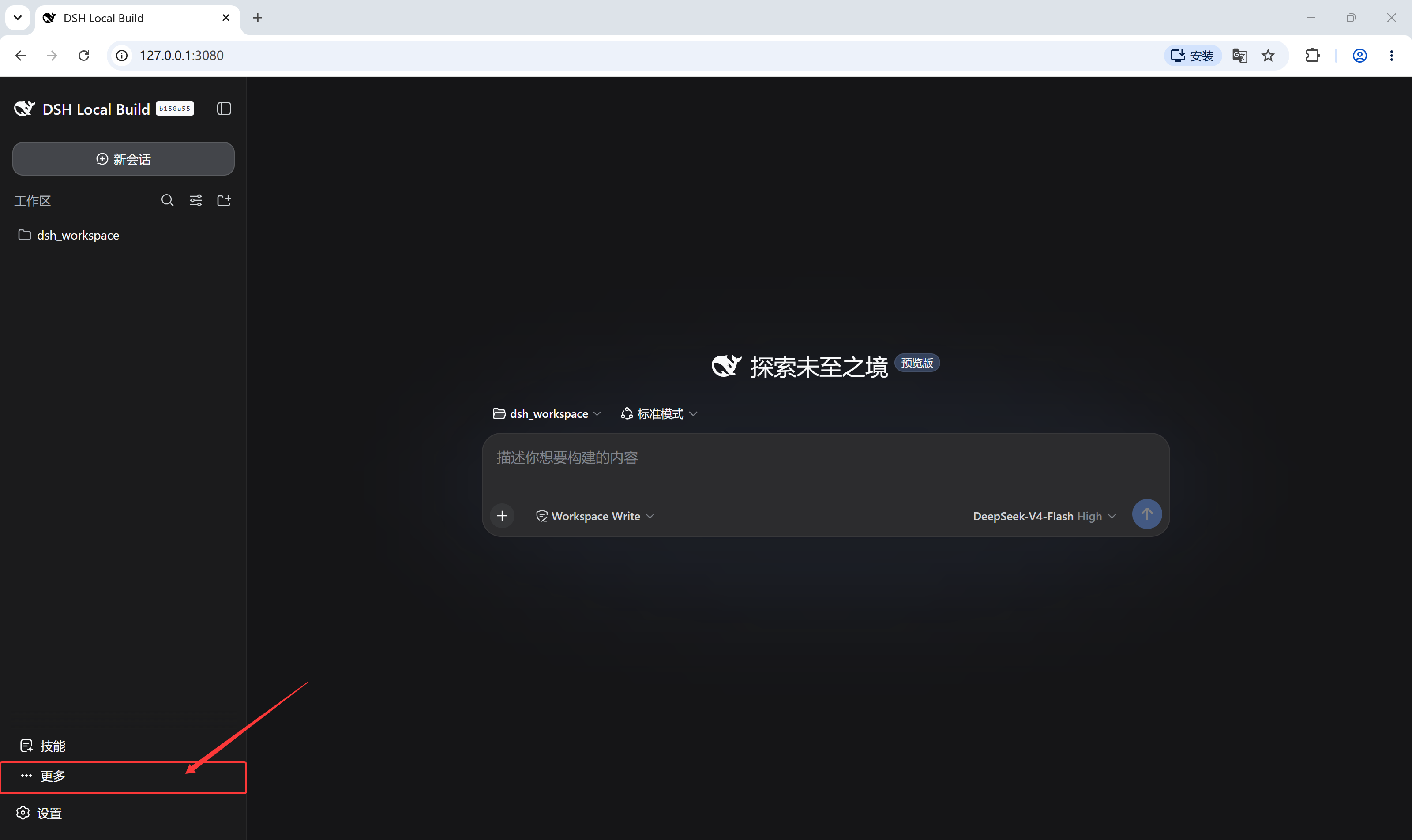
Do you ever find the jumble of buttons at the bottom of the DeepSeek Harness sidebar chaotic and hard to navigate? The client-side plugin 'dsh-sidebar-buttons' is designed to solve this exact pain point of interface personalization. It puts full control in your hands, allowing you to transform your sidebar without touching any core code.
The plugin's core strength lies in its granular control. It introduces a dedicated settings page where you can drag rows to instantly reorder buttons. More powerfully, each button offers three display modes: 'Show' pins it to the sidebar; 'Fold into More' tucks it into a temporary 'More' menu, saving space while keeping it accessible; and 'Hide' removes it entirely from view, making it recoverable only from settings. Furthermore, it lets you unify the height of all buttons at once or set a custom value, perfectly solving the issue of inconsistent button sizes from different plugins.
This is an ideal tool for users who crave efficiency and aesthetic order. If you are a heavy user whose sidebar is cluttered with buttons from numerous plugins and you wish to quickly reorganize the layout, or simply desire a cleaner, more tailored interface, this plugin delivers. It is lightweight and safe—uninstalling it instantly restores the original sidebar—allowing you to personalize your workspace fearlessly, so your tools adapt to your workflow, not the other way around.
Screenshots
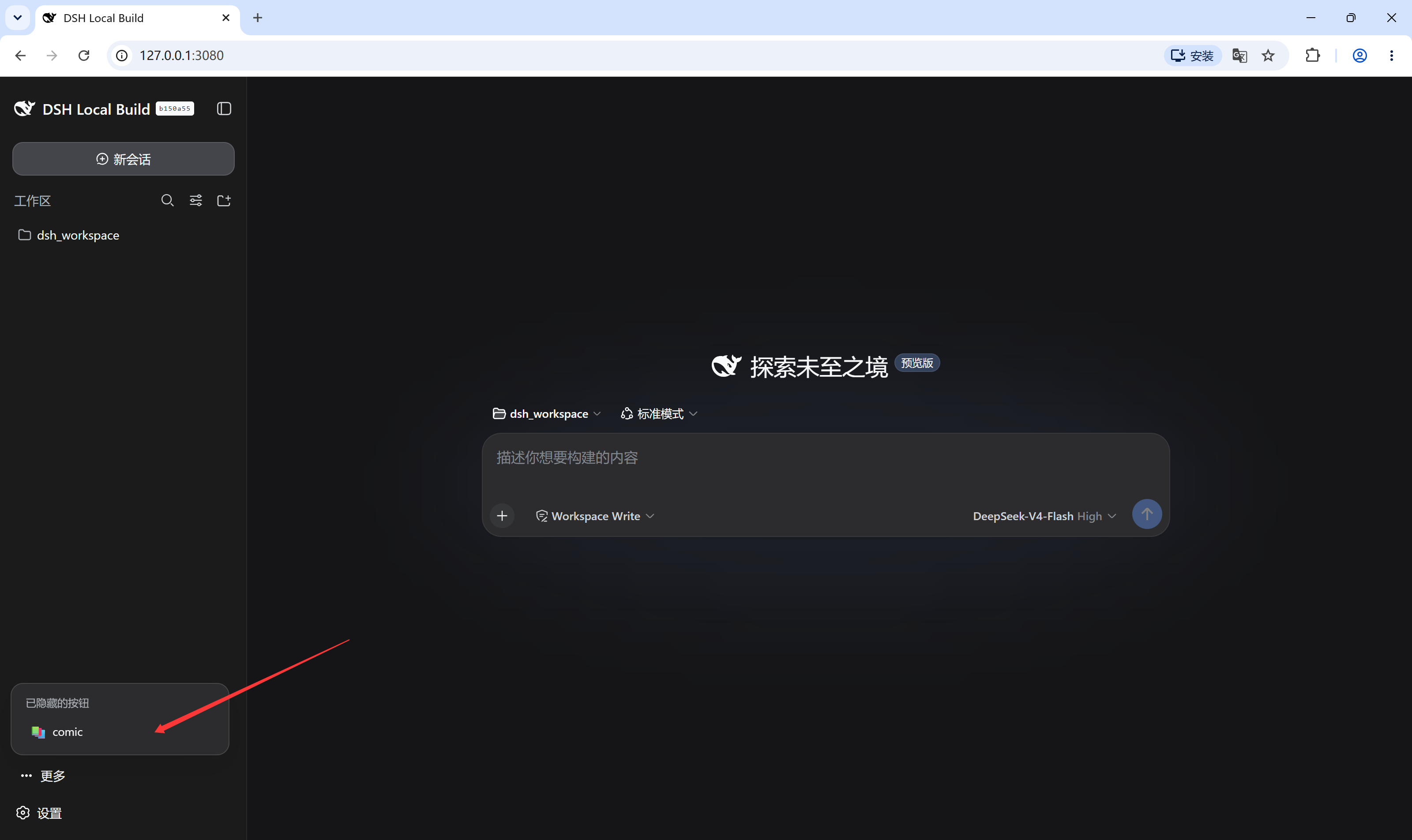
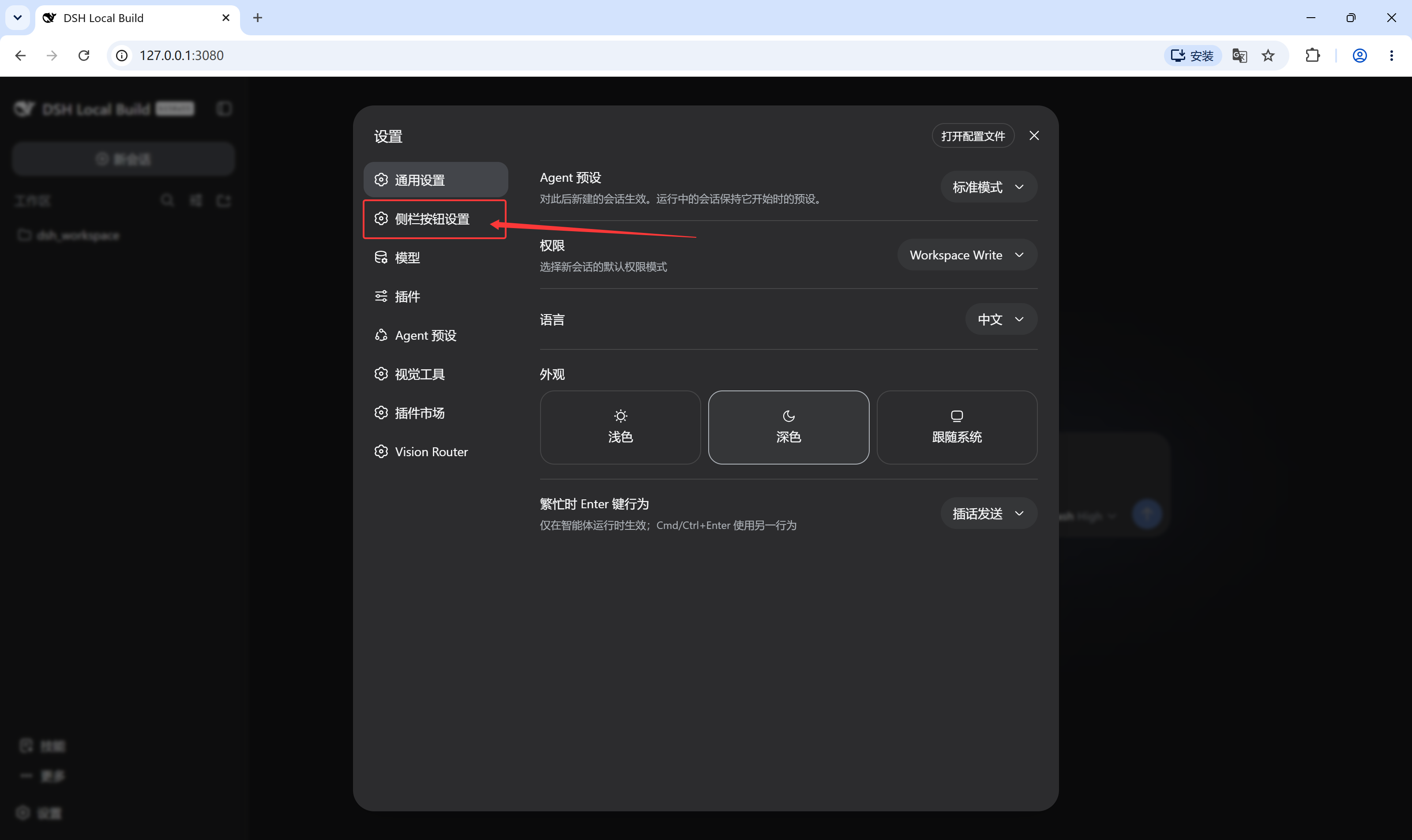
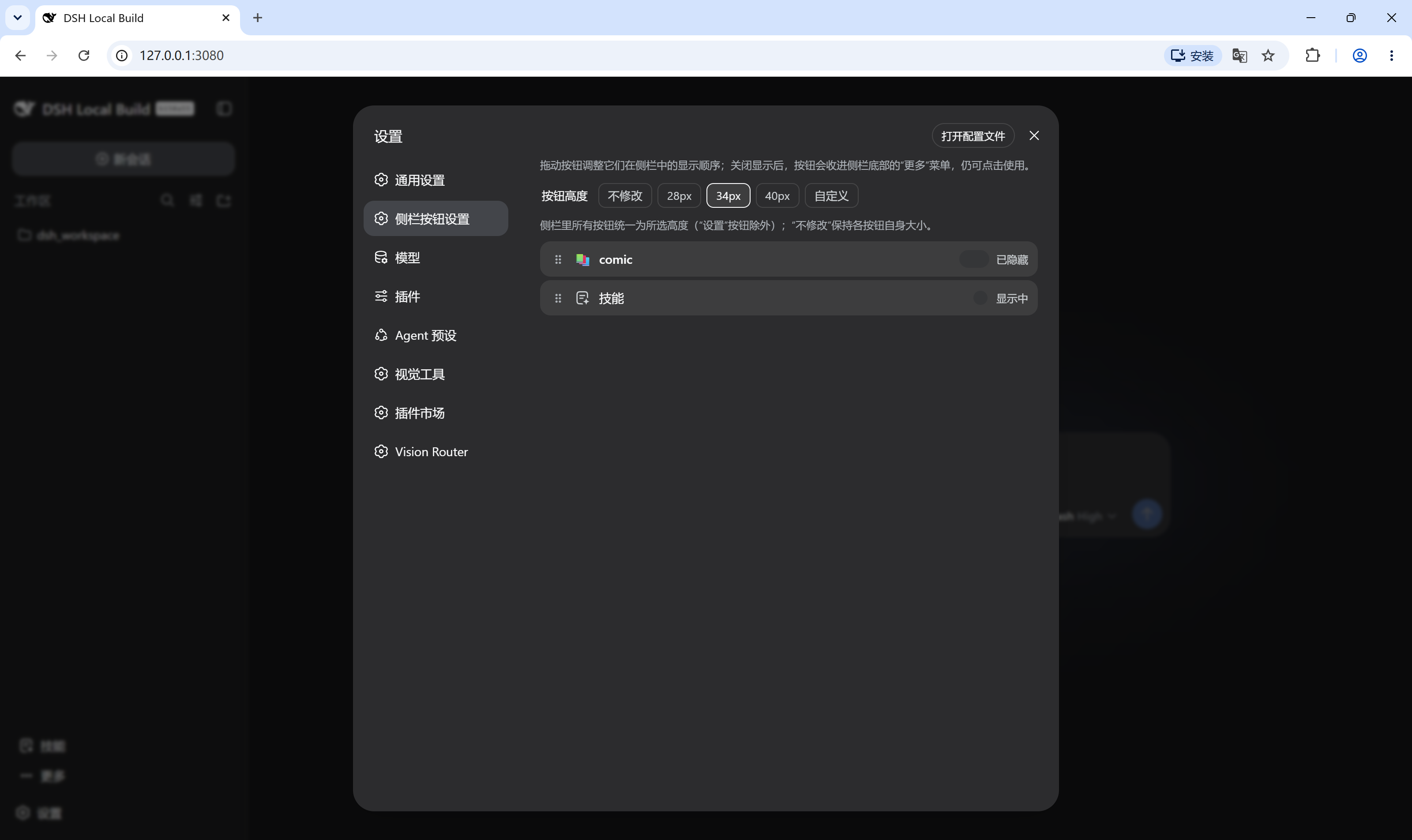
Use Cases
- Reorder sidebar buttons to optimize workflow.
- Hide infrequently used buttons for a cleaner interface.
- Unify button heights for a more consistent look.
Best For
- Heavy users who need efficient sidebar management.
- Developers seeking to customize the interface for a better experience.
- General users who value a clean, personalized interface.
Related Plugins
A service-oriented sidebar framework for DSH, offering a full workbench with file explorer, embedded browser, real terminal, Git panel, and extensible plugin services.

A beautiful, practical Claude Code-style TUI plugin with pixel whale top bar, flowing glow title, real-time status line, streaming thought expansion, time rewind, context progress bar and TPS gauge — zero core changes.

The plugin market for DeepSeek Harness: browse/search/one-click install community plugins and themes, with updates, backup/restore, hot disable, diagnostics, and AI fix.

A persistent whale widget on the DSH web UI that shows DeepSeek balance, today's usage, and per-turn cost, with drag-and-snap and sound effects.