dsh-workbench
Run the following command in DeepSeek Harness:
dsh plugin install LingYuYue1/dsh-workbench
Paste the following prompt into your AI chat to install this plugin:
Install the plugin in DeepSeek Harness by running the command dsh plugin install LingYuYue1/dsh-workbench, with source code at https://github.com/LingYuYue1/dsh-workbench.
About this plugin
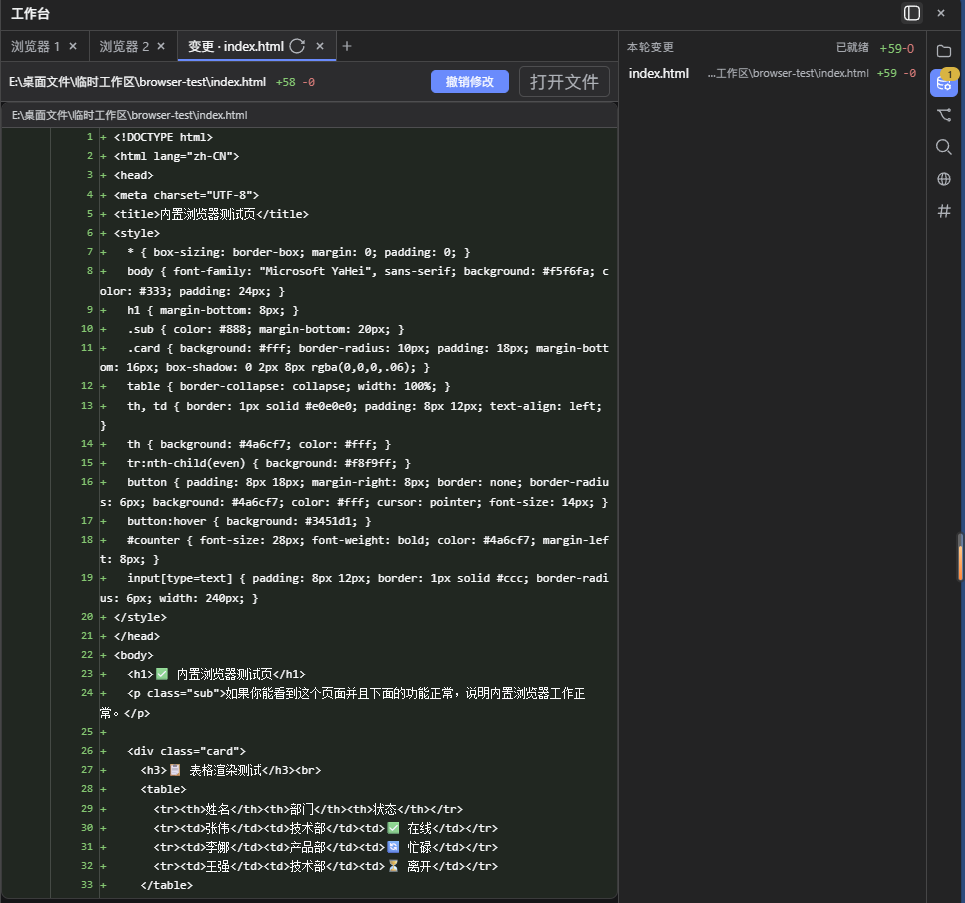
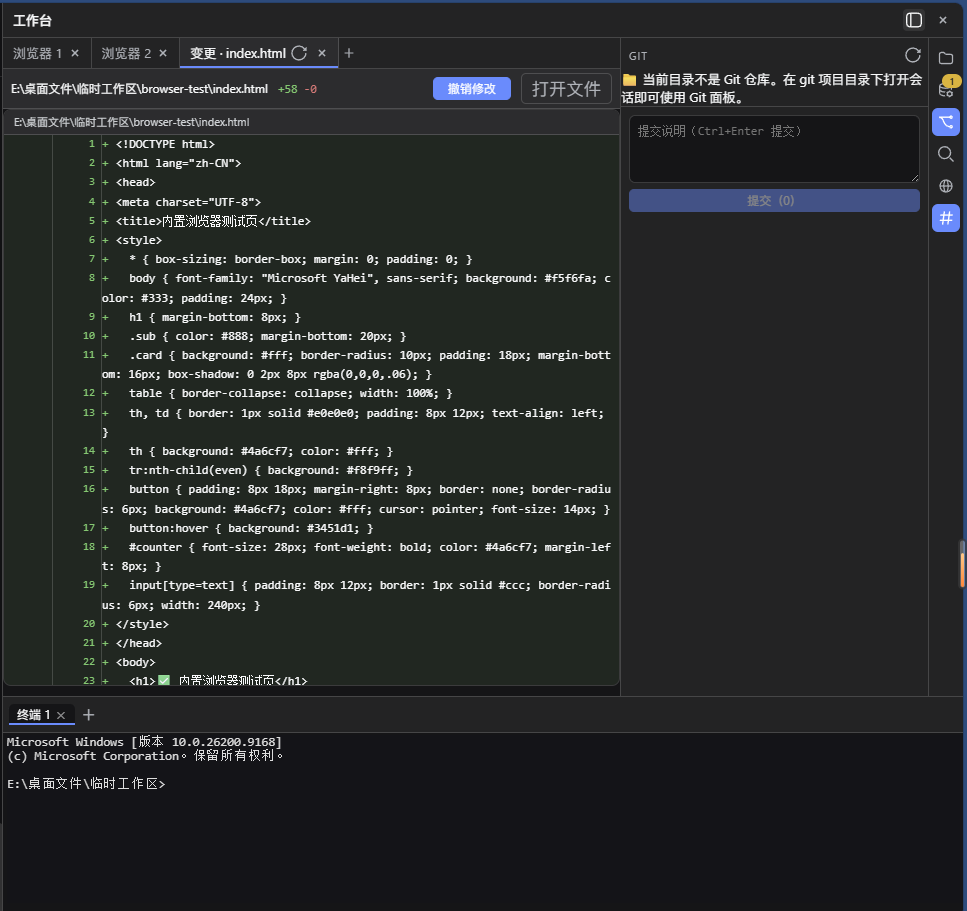
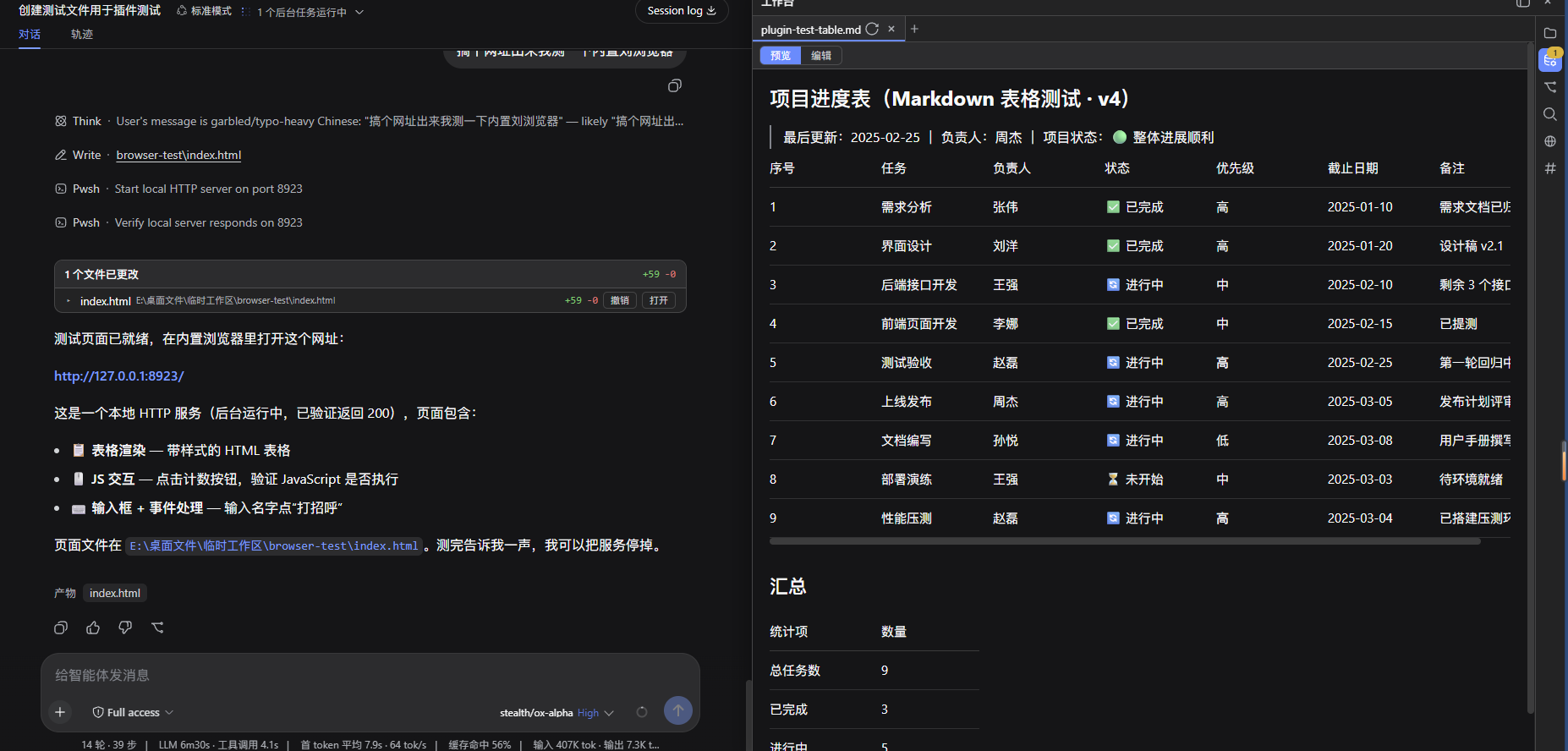
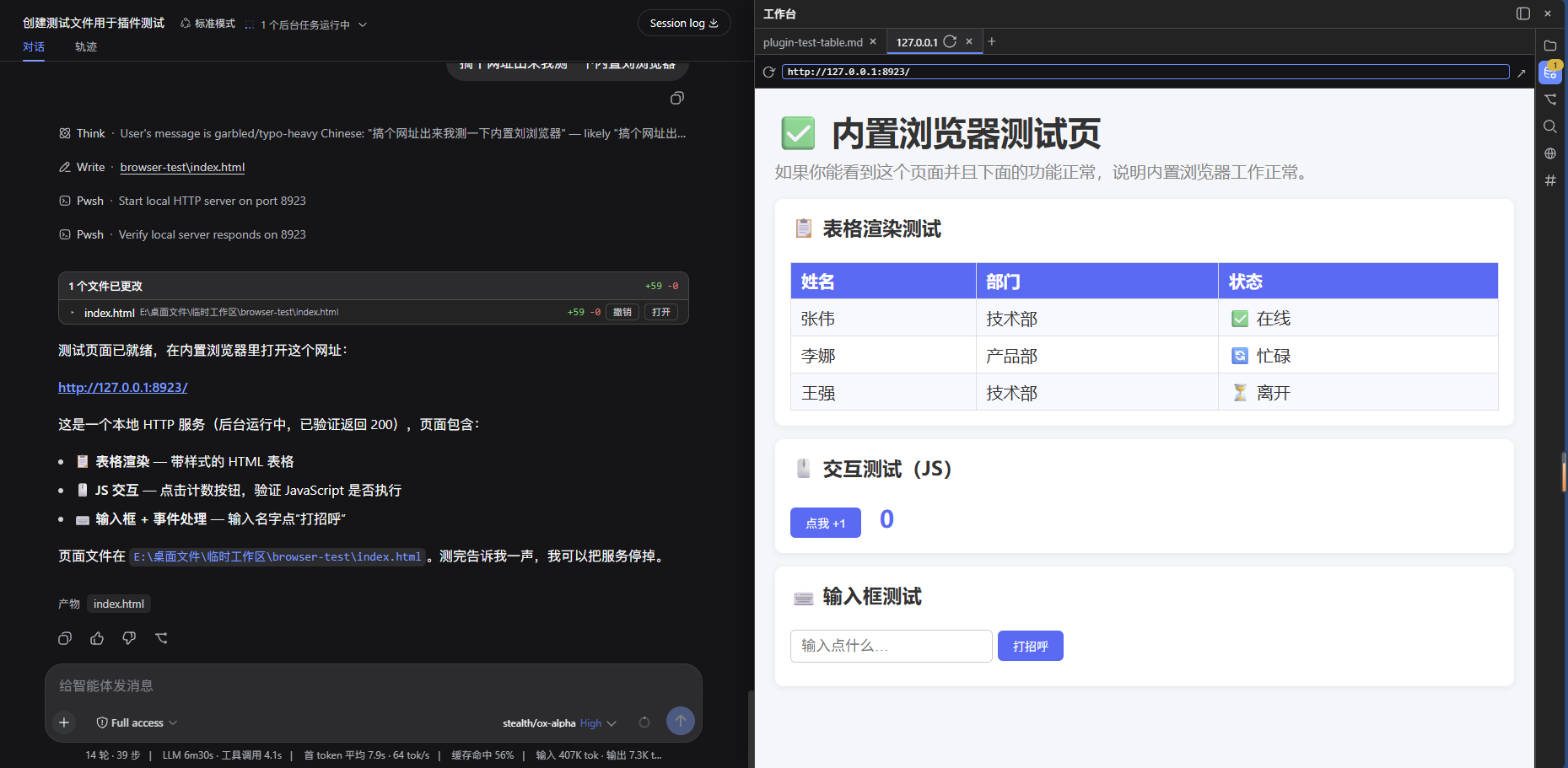
DeepSeek Harness is a powerful AI assistant, but users might need to switch interfaces for file operations, impacting productivity. The dsh-workbench plugin solves this by providing a VSCode-style sidebar workbench, allowing users to browse, edit, and manage files directly within the chat stream. Core capabilities include: a resource manager for browsing file trees by session directory with lazy loading; multi-tab preview supporting Markdown rendering, code highlighting, images, HTML, and PDF; edit mode with a CodeMirror editor featuring syntax highlighting and atomic saves; plus Git integration for version control, an integrated terminal for command-line operations, full-text search for quick content finding, and an embedded browser with resizable layout. This plugin is ideal for developers, programmers, and data scientists using DeepSeek Harness who need to efficiently handle code and files under AI assistance, offering a seamless experience for coding, debugging, or document management.
Screenshots
Use Cases
- Browse project files directly within DeepSeek Harness chat
- Preview Markdown and code files using multi-tab view
- Manage code commits and diff reviews via the Git panel
Best For
- Developers and programmers needing AI-assisted coding
- Users wanting integrated file management and version control
- Data scientists handling code and document workflows
Related Plugins
A service-oriented sidebar framework for DSH, offering a full workbench with file explorer, embedded browser, real terminal, Git panel, and extensible plugin services.

A beautiful, practical Claude Code-style TUI plugin with pixel whale top bar, flowing glow title, real-time status line, streaming thought expansion, time rewind, context progress bar and TPS gauge — zero core changes.

The plugin market for DeepSeek Harness: browse/search/one-click install community plugins and themes, with updates, backup/restore, hot disable, diagnostics, and AI fix.

A persistent whale widget on the DSH web UI that shows DeepSeek balance, today's usage, and per-turn cost, with drag-and-snap and sound effects.