dsh-plugin-atlas
Run the following command in DeepSeek Harness:
dsh plugin install qinyre/dsh-plugin-atlas
Paste the following prompt into your AI chat to install this plugin:
In DeepSeek Harness, install the plugin by running dsh plugin install qinyre/dsh-plugin-atlas, or visit the full GitHub repository at https://github.com/qinyre/dsh-plugin-atlas for more information.
About this plugin
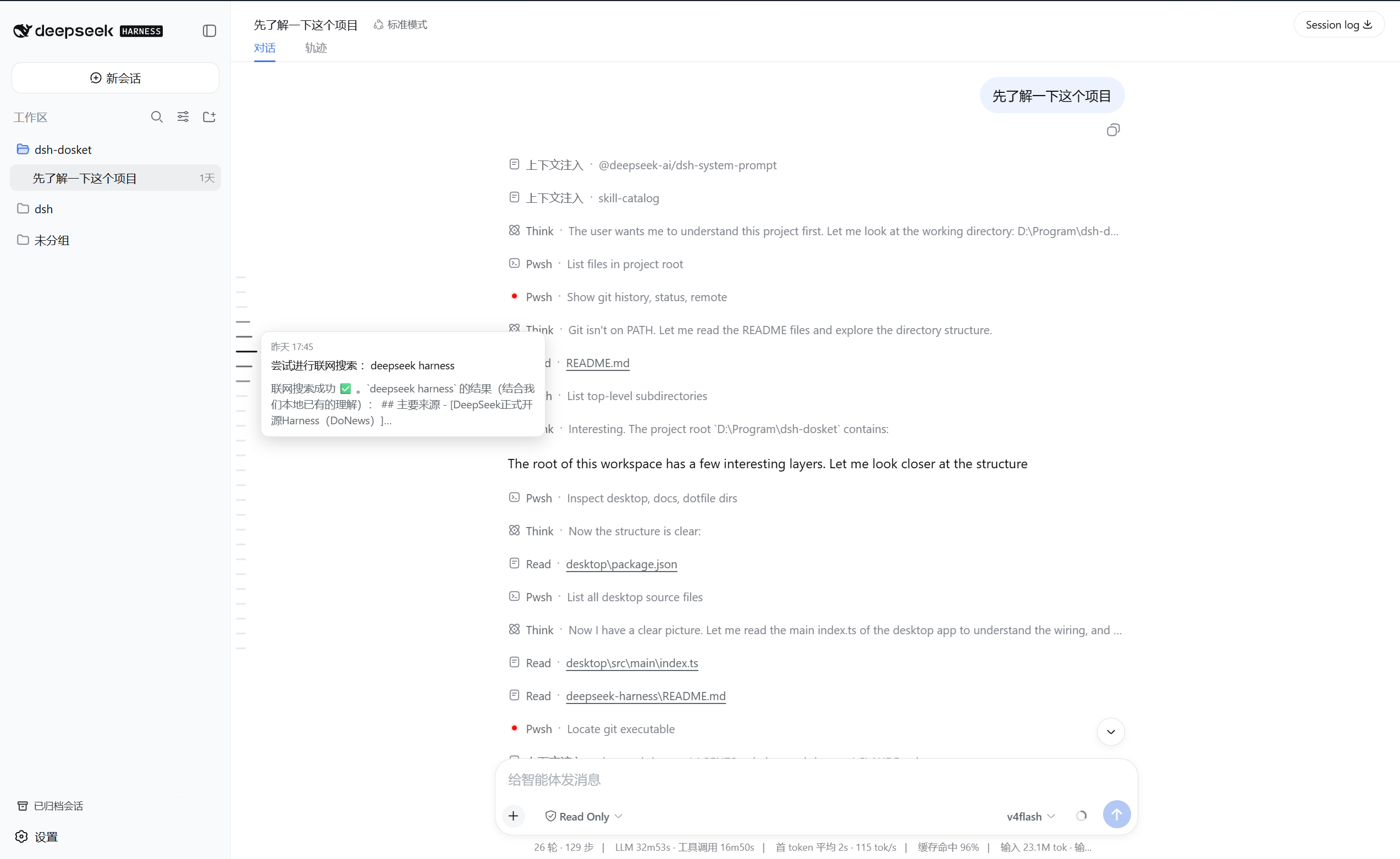
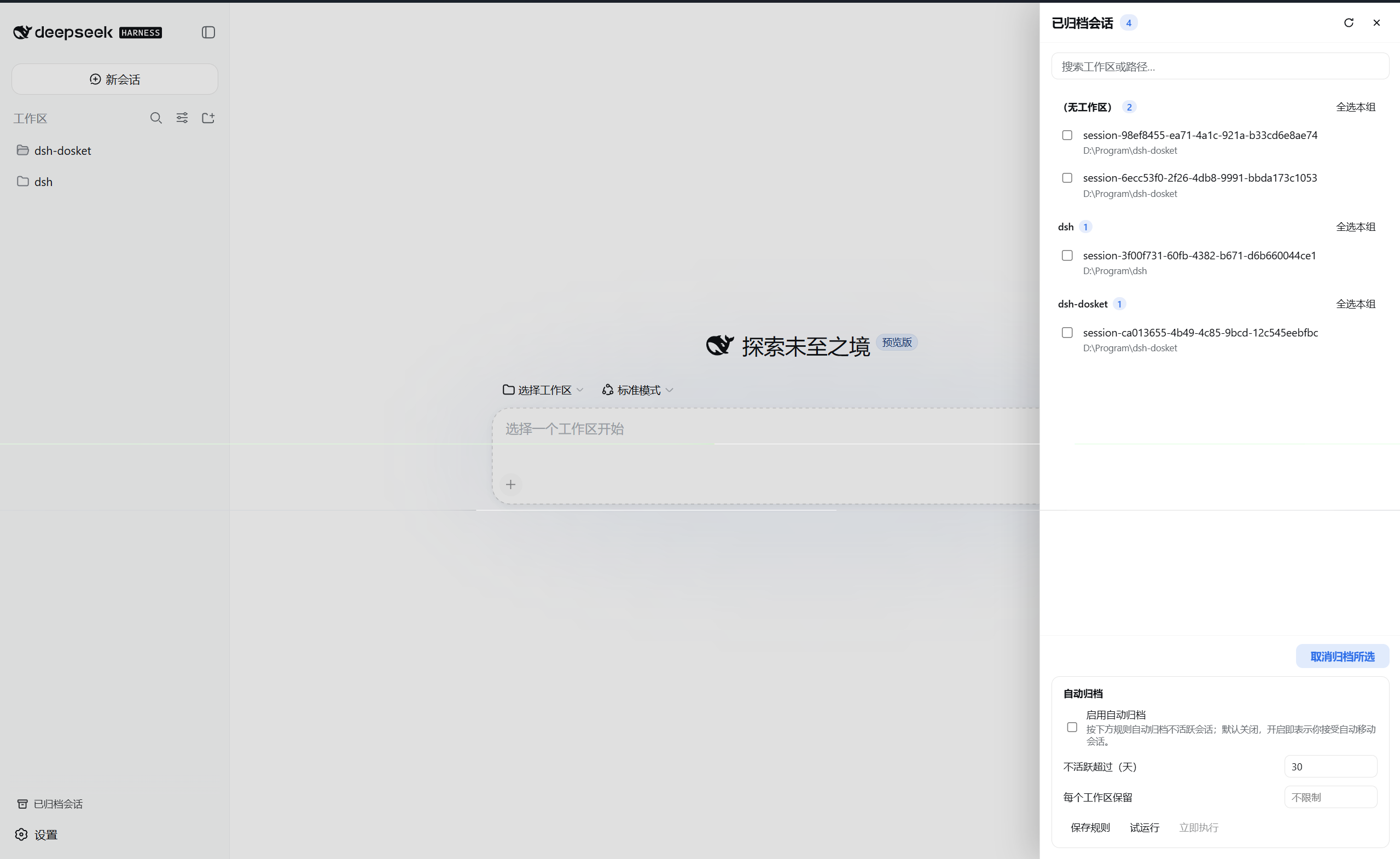
dsh-plugin-atlas enhances the DSH Web UI by addressing key pain points in navigation and session management. It introduces a conversation ruler along the dialogue area for visual turn-by-turn navigation, input history recall using arrow keys for quick message retrieval, and archive management in settings to organize and restore archived sessions effortlessly. These core capabilities make it ideal for power users who frequently engage in long conversations and need efficient tools to navigate history and manage archives. Whether for daily use or development testing, the plugin seamlessly integrates into the DSH ecosystem, boosting productivity and user experience without complex setup.
Screenshots
Use Cases
- Quickly jump to a specific turn and preview content in long conversations
- Recycle past messages in the input box using arrow keys for history recall
- Search and batch-manage archived sessions in settings to keep the interface tidy
Best For
- Daily users of DSH Web UI needing efficient dialogue navigation
- Developers or testers frequently handling long sessions and managing history
- Advanced users seeking interface enhancements and session organization
Related Plugins
A service-oriented sidebar framework for DSH, offering a full workbench with file explorer, embedded browser, real terminal, Git panel, and extensible plugin services.

A beautiful, practical Claude Code-style TUI plugin with pixel whale top bar, flowing glow title, real-time status line, streaming thought expansion, time rewind, context progress bar and TPS gauge — zero core changes.

The plugin market for DeepSeek Harness: browse/search/one-click install community plugins and themes, with updates, backup/restore, hot disable, diagnostics, and AI fix.

A persistent whale widget on the DSH web UI that shows DeepSeek balance, today's usage, and per-turn cost, with drag-and-snap and sound effects.