dsh-open-terminal
Run the following command in DeepSeek Harness:
dsh plugin install d3cker/dsh-open-terminal
Paste the following prompt into your AI chat to install this plugin:
In DeepSeek Harness, run the command 'dsh plugin install d3cker/dsh-open-terminal' to install the plugin from GitHub: https://github.com/d3cker/dsh-open-terminal.
About this plugin
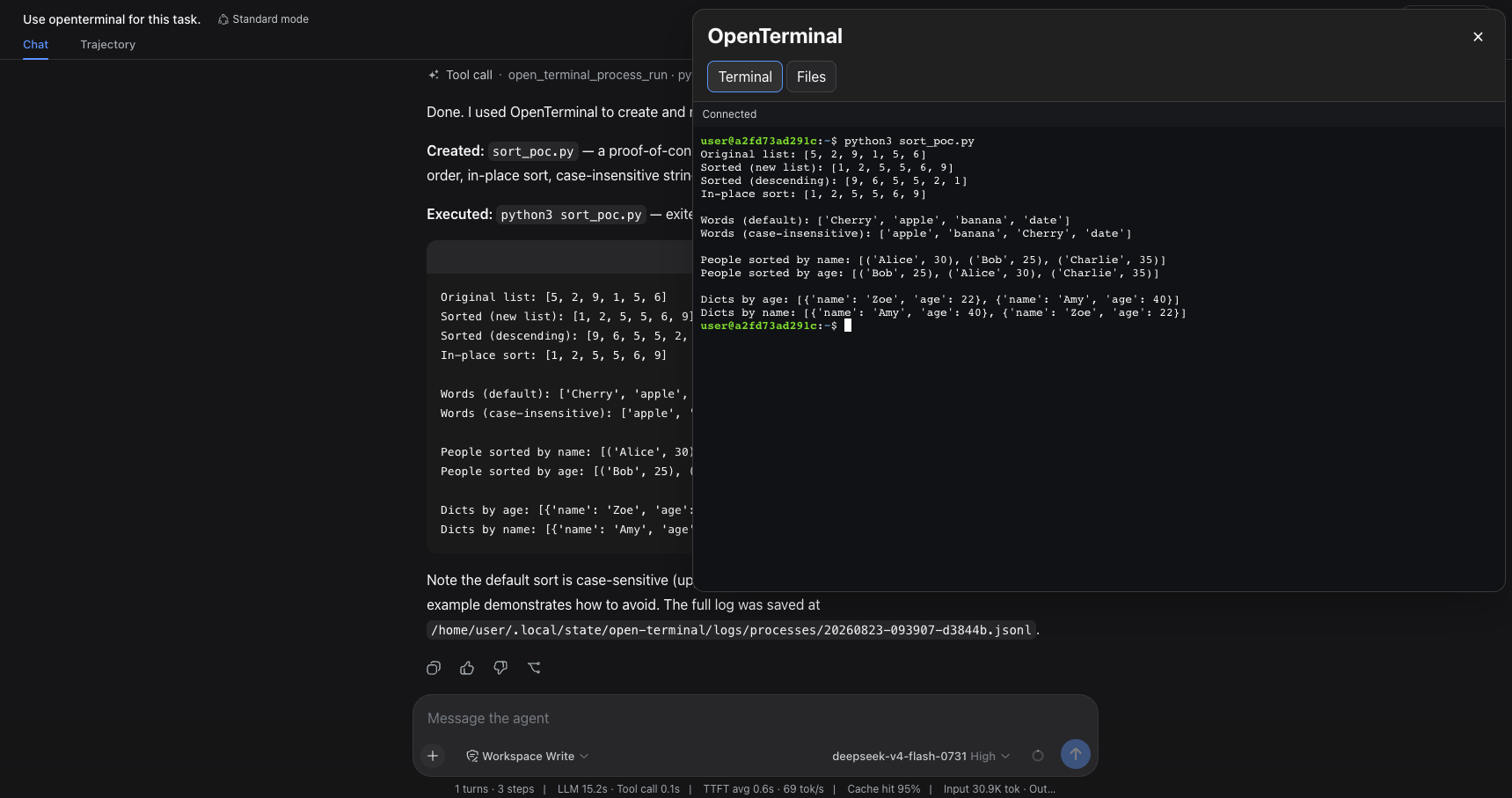
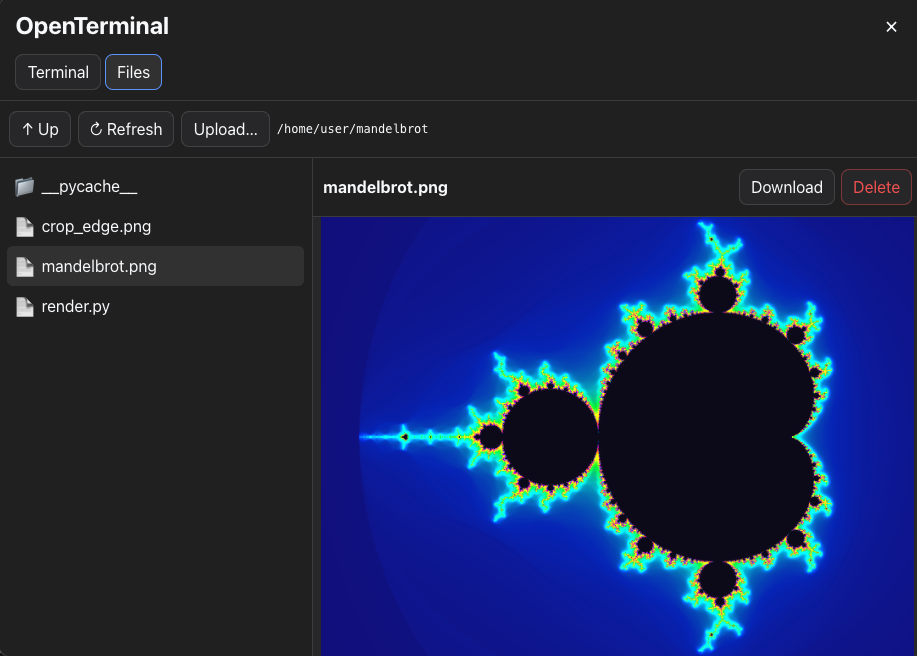
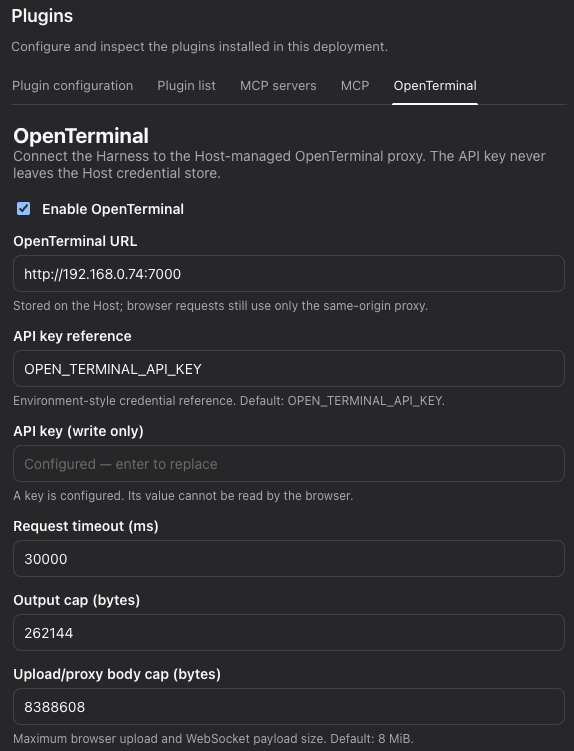
When using DeepSeek Harness through a web browser for conversations or work, developers and system administrators often need access to server terminals or remote file management, but traditional web interfaces do not offer this seamless integration. Users are forced to switch windows or rely on complex external tools, disrupting workflow and reducing efficiency. The OpenTerminal plugin was created to solve this core pain point. It natively embeds a full-featured interactive terminal and file manager directly into DeepSeek Harness web profiles, enabling all operations to be completed within the familiar chat interface. The plugin connects to existing Open Terminal servers without requiring cumbersome MCP configuration, significantly lowering the barrier to entry. Whether executing commands, browsing directories, uploading or downloading files, or allowing AI agents to automatically manage processes and files via tools, users gain a smooth and secure experience. OpenTerminal is ideal for professionals who heavily rely on DeepSeek Harness web for remote development, operations, or research, as it perfectly merges server operation capabilities with the AI dialogue environment, substantially boosting efficiency for complex tasks.
Screenshots
Use Cases
- Execute server commands and view output directly within the web chat.
- Upload, edit, and manage remote server files through the browser.
- Allow AI agents to automatically handle process management and file operation tasks.
Best For
- Software engineers using DeepSeek Harness for remote development.
- System administrators needing to manage servers via a web interface.
- Researchers aiming to seamlessly combine AI dialogue with server operations.
Related Plugins
A service-oriented sidebar framework for DSH, offering a full workbench with file explorer, embedded browser, real terminal, Git panel, and extensible plugin services.

A beautiful, practical Claude Code-style TUI plugin with pixel whale top bar, flowing glow title, real-time status line, streaming thought expansion, time rewind, context progress bar and TPS gauge — zero core changes.

The plugin market for DeepSeek Harness: browse/search/one-click install community plugins and themes, with updates, backup/restore, hot disable, diagnostics, and AI fix.

A persistent whale widget on the DSH web UI that shows DeepSeek balance, today's usage, and per-turn cost, with drag-and-snap and sound effects.