
dsh-theme-liquid-glass
Run the following command in DeepSeek Harness:
dsh plugin install FAVKTOXIC/dsh-theme-liquid-glass
Paste the following prompt into your AI chat to install this plugin:
In DeepSeek Harness, you can install this plugin using the command dsh plugin install FAVKTOXIC/dsh-theme-liquid-glass, with the full source code available at https://github.com/FAVKTOXIC/dsh-theme-liquid-glass.
About this plugin
DeepSeek Harness Web UI is a powerful tool, but its default interface can feel plain and lack personalization for many users. The dsh-theme-liquid-glass plugin addresses this by introducing a genuine liquid glass theme that transforms the UI with modern, frosted aesthetics, enhancing visual appeal and user engagement without compromising functionality. It solves the problem of a monotonous interface while offering a customizable layer that fits seamlessly into the workflow.
At its core, the plugin delivers a frosted glass UI through semantic token overrides and CSS variables, allowing real-time adjustments. Key capabilities include SVG edge refraction for dynamic highlights on interactive elements, independent control over background blur and brightness, and a built-in animated demo wallpaper with extensive customization options. The redesigned model selector and glass-styled buttons add a cohesive, premium feel, while the one-click disable feature ensures users can revert to the default look instantly. All settings are stored locally via localStorage, making customization seamless and non-intrusive.
This plugin is ideal for users who want to personalize their DeepSeek Harness experience with a sleek, modern design. Whether you're a developer seeking a more engaging workspace or a casual user who appreciates visual flair, dsh-theme-liquid-glass offers the flexibility to tailor the interface to your taste. It's perfect for those who value both aesthetics and functionality, providing a smooth, immersive upgrade to the web UI without requiring technical expertise or disrupting core features.
Screenshots
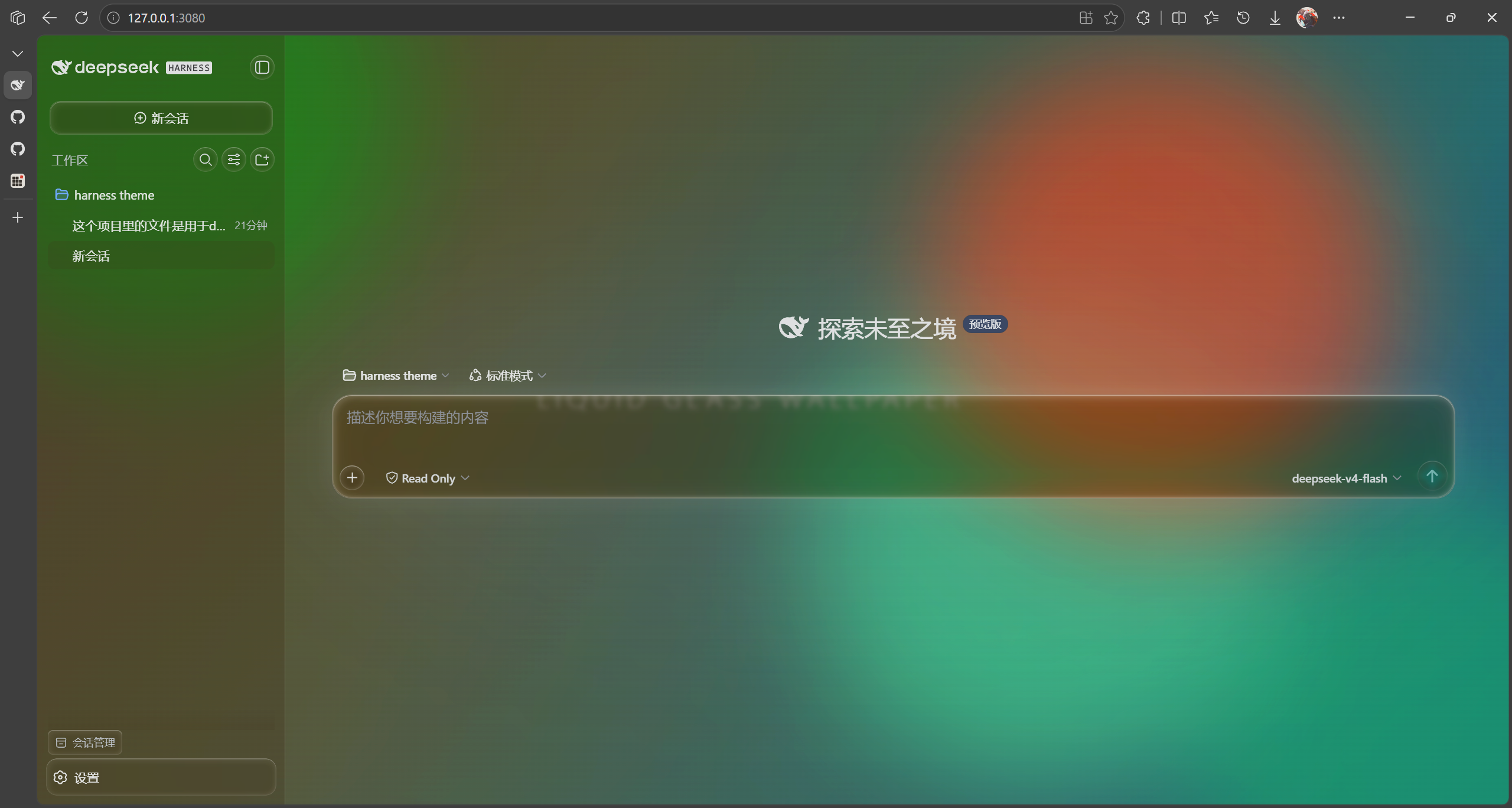
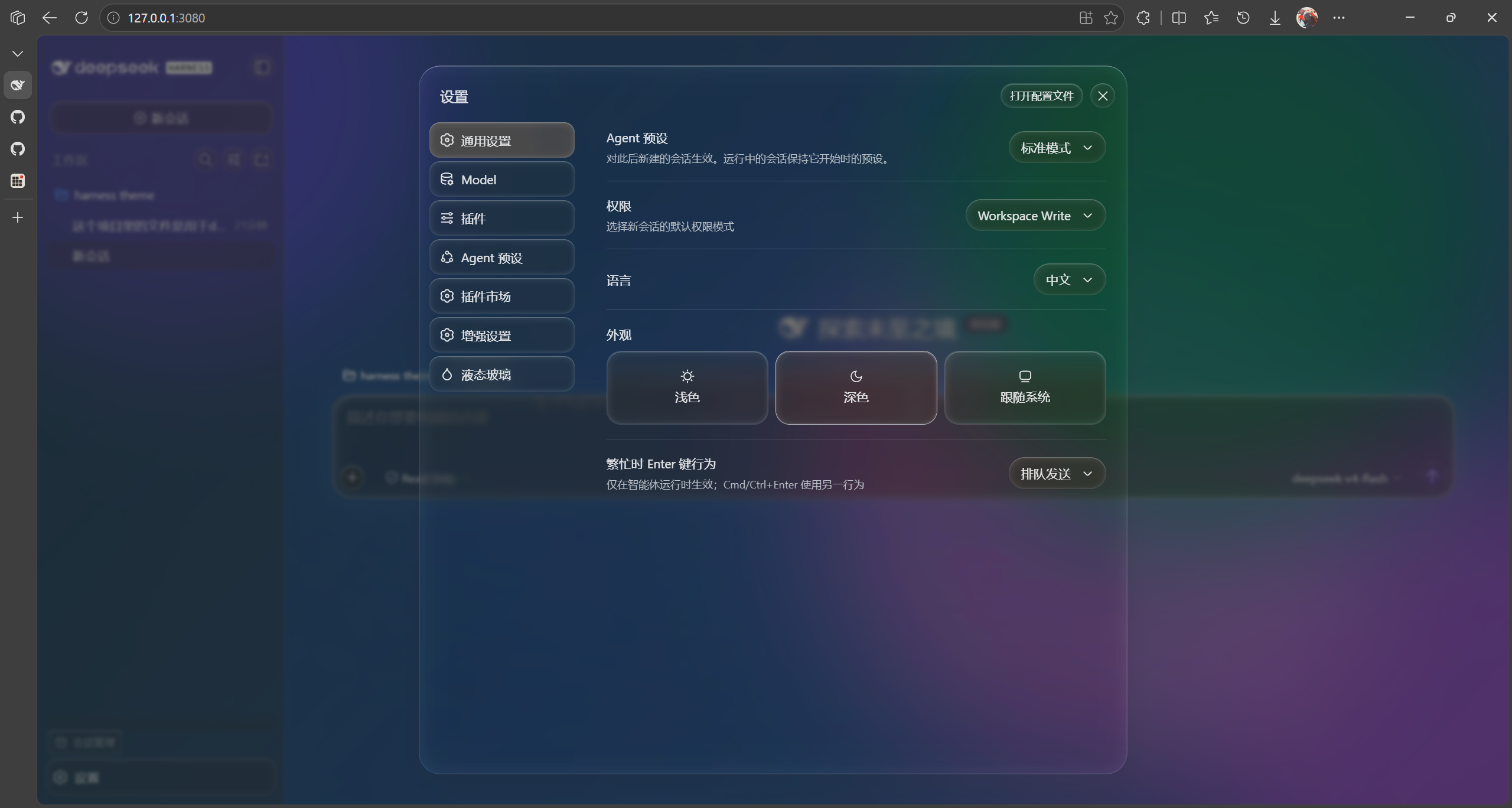
Use Cases
- Personalize the DeepSeek Harness Web UI interface to enhance visual appeal.
- Apply dynamic wallpapers and frosted effects during development or daily use to improve user experience.
- Switch themes quickly with the one-click disable feature to adapt to different work environments.
Best For
- DeepSeek Harness Web UI users seeking interface beautification.
- UI/UX enthusiasts who prefer modern glassmorphism designs.
- Developers who need flexible customization of their work interface.
Related Plugins

whale-girl is a desktop pet in the DSH Web GUI (bottom-right for instant companionship) — draggable, feedable, playable; completed tasks, sessions and companionship time accrue into seniority levels, titles, and memories.

Renders your local Wallpaper Engine wallpapers as the DSH web background, supporting video, web, and scene wallpapers with a liquid-glass effect and rich customization.

A WebGPU ocean skin for DeepSeek Harness with five-wave Gerstner waves, translucent theme, day/night cycle, and quick controls, installable as plugin or extension.

A Galgame-style conversation view and visual scene editor for DSH web sessions, with a real-time editing mode.