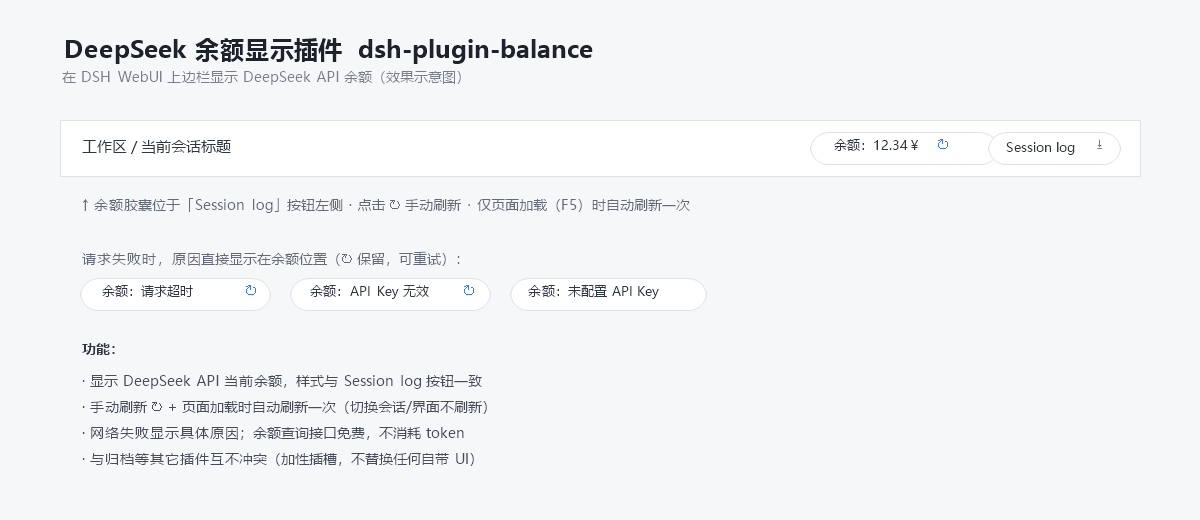
dsh-api-balance-displayer-plugin
Run the following command in DeepSeek Harness:
dsh plugin install anonRTtty/dsh-api-balance-displayer-plugin
Paste the following prompt into your AI chat to install this plugin:
To install this plugin in DeepSeek Harness, run the command 'dsh plugin install anonRTtty/dsh-api-balance-displayer-plugin' or visit the full source URL at https://github.com/anonRTtty/dsh-api-balance-displayer-plugin to download.
About this plugin
Monitoring your DeepSeek API balance can be a hassle when you're focused on development tasks, often requiring manual checks that disrupt your workflow. This plugin solves that by displaying your account balance directly in the web session header of DeepSeek Harness, offering real-time visibility at a glance. Its core capabilities include manual refresh, automatic refresh on page load to keep data current, localized UI for English and Simplified Chinese, and clear error messages—all while consuming no API tokens. Designed for DeepSeek Harness users, it's ideal for developers, analysts, or anyone who needs to track API usage and budgets, enabling seamless resource management without interruptions.
Screenshots
Use Cases
- Check DeepSeek API balance in real-time during development or debugging.
- Monitor account usage to prevent unexpected overage.
- Quickly view balance without switching apps or manual queries.
Best For
- DeepSeek API developers and data analysts.
- Users requiring budget management and cost control.
- Teams using DeepSeek Harness for daily operations.
Related Plugins
A service-oriented sidebar framework for DSH, offering a full workbench with file explorer, embedded browser, real terminal, Git panel, and extensible plugin services.

A beautiful, practical Claude Code-style TUI plugin with pixel whale top bar, flowing glow title, real-time status line, streaming thought expansion, time rewind, context progress bar and TPS gauge — zero core changes.

The plugin market for DeepSeek Harness: browse/search/one-click install community plugins and themes, with updates, backup/restore, hot disable, diagnostics, and AI fix.

A persistent whale widget on the DSH web UI that shows DeepSeek balance, today's usage, and per-turn cost, with drag-and-snap and sound effects.