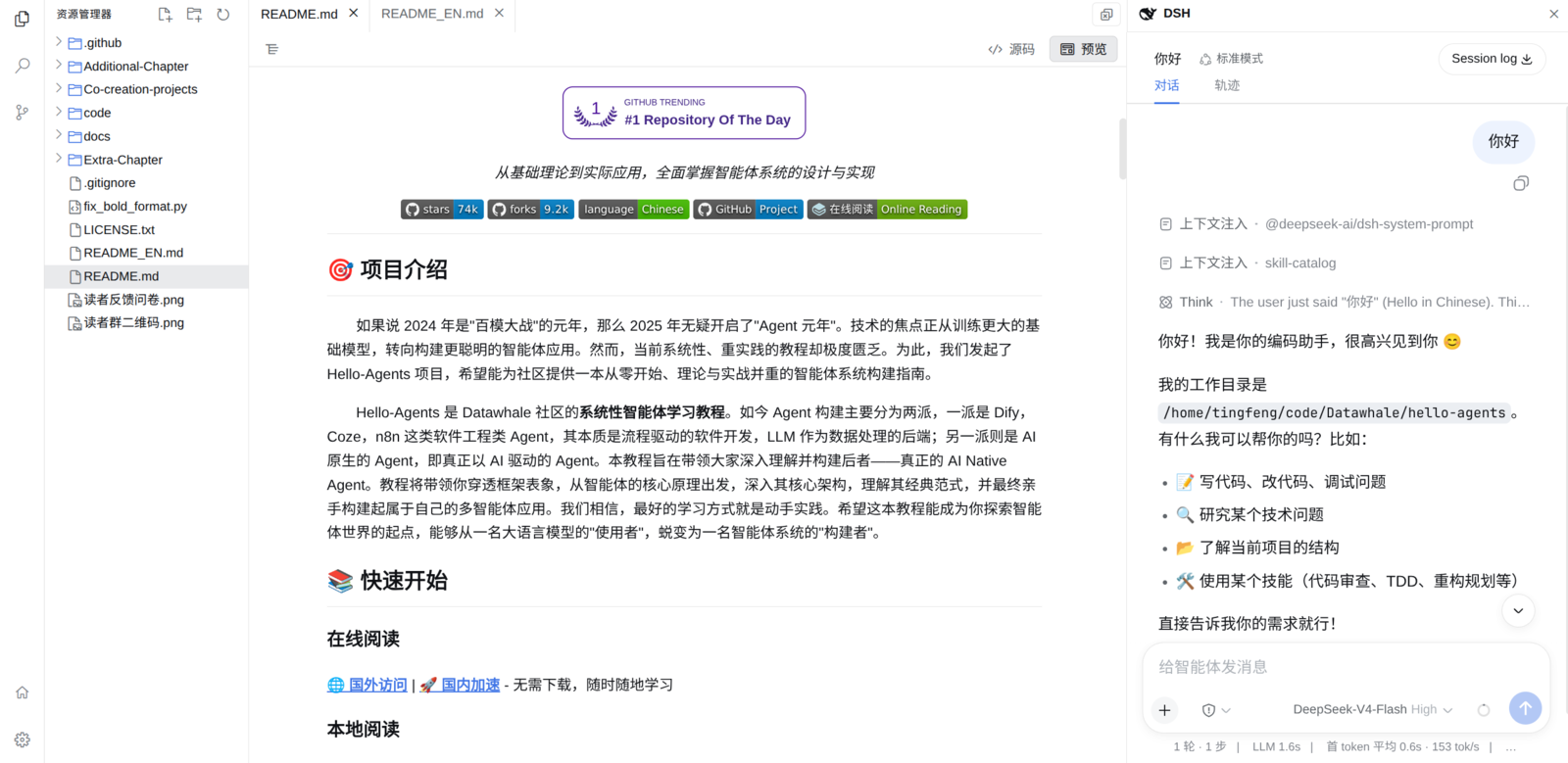
dsh-vscode-workbench
Run the following command in DeepSeek Harness:
dsh plugin install tingfeng347/dsh-vscode-workbench
Paste the following prompt into your AI chat to install this plugin:
In DeepSeek Harness, you can install this plugin using the command 'dsh plugin install tingfeng347/dsh-vscode-workbench'. The full source code is available at https://github.com/tingfeng347/dsh-vscode-workbench.
About this plugin
When working locally within DeepSeek Harness, users often seek a familiar code editing and version control workflow, but the default interface may lack integrated experiences. The dsh-vscode-workbench plugin addresses this by seamlessly overlaying a VS Code-style local development workbench onto the Harness environment, allowing users to access full development support without switching tools.
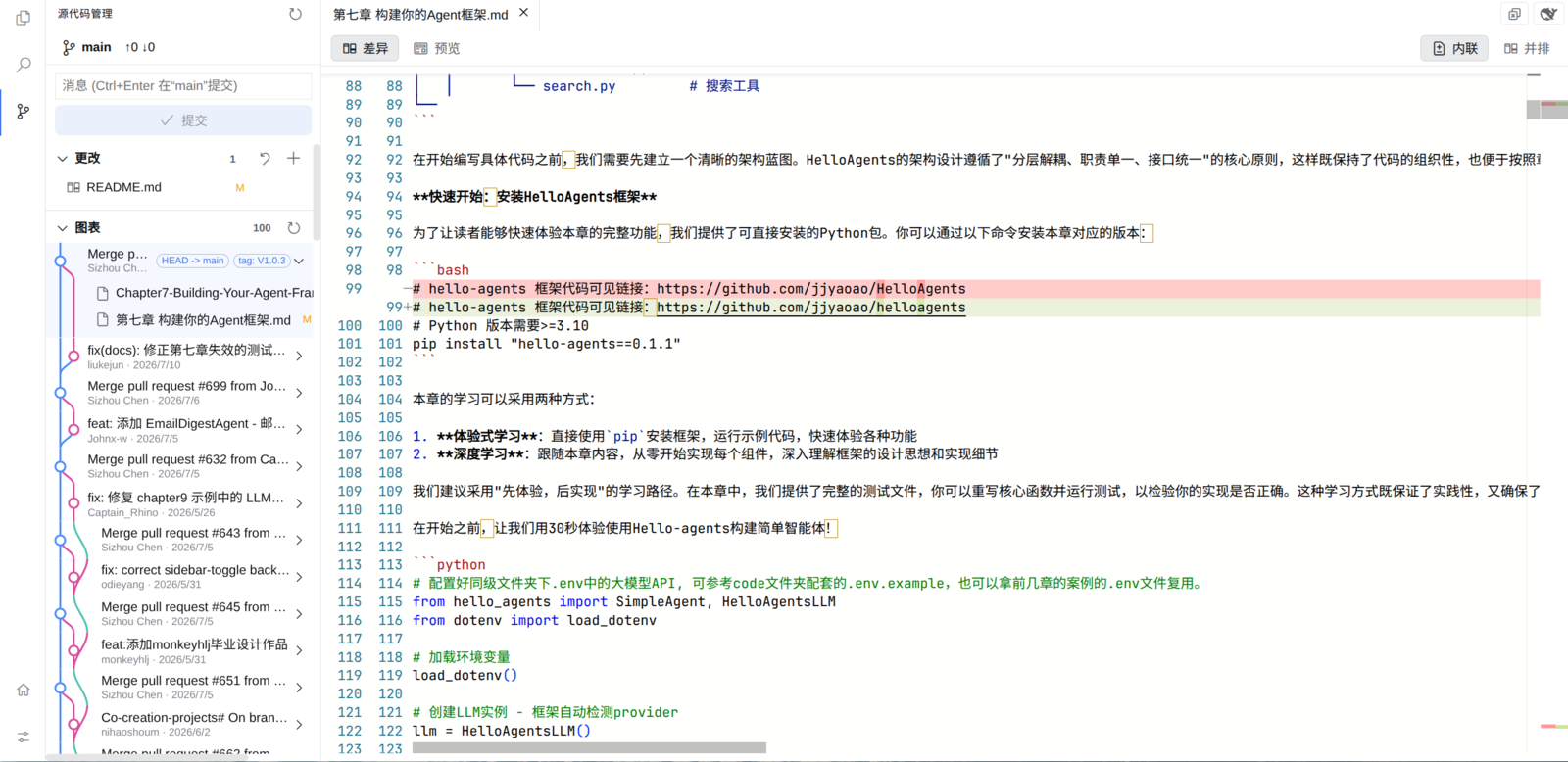
Its core capabilities include providing a genuine VS Code interface with features like a resource explorer, multi-tab Monaco editor, full-text search, and Git management, supporting atomic saves, real-time perception of external changes, and commit graph visualization. Additionally, it restores layout states per workspace to ensure session continuity and handles file operations securely to prevent conflicts.
This plugin is ideal for developers using DeepSeek Harness, especially those accustomed to VS Code workflows who need efficient local file management and version control. It enhances the practicality of Harness, making programming, debugging, and collaboration more intuitive and fluid, all without additional learning overhead.
Screenshots
Use Cases
- Editing and debugging local code within DeepSeek Harness
- Managing project files and performing Git version control
- Real-time Markdown preview and code content search
Best For
- Developers using DeepSeek Harness
- Programmers accustomed to VS Code workflows
- Software engineers requiring an integrated development environment
Related Plugins
A service-oriented sidebar framework for DSH, offering a full workbench with file explorer, embedded browser, real terminal, Git panel, and extensible plugin services.

A beautiful, practical Claude Code-style TUI plugin with pixel whale top bar, flowing glow title, real-time status line, streaming thought expansion, time rewind, context progress bar and TPS gauge — zero core changes.

The plugin market for DeepSeek Harness: browse/search/one-click install community plugins and themes, with updates, backup/restore, hot disable, diagnostics, and AI fix.

A persistent whale widget on the DSH web UI that shows DeepSeek balance, today's usage, and per-turn cost, with drag-and-snap and sound effects.