dsh-recall-plugin
Run the following command in DeepSeek Harness:
dsh plugin install limbo947/dsh-recall-plugin
Paste the following prompt into your AI chat to install this plugin:
Install https://github.com/limbo947/dsh-recall-plugin in DeepSeek Harness to enable message recall and workspace rollback.
About this plugin
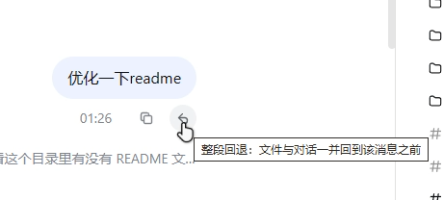
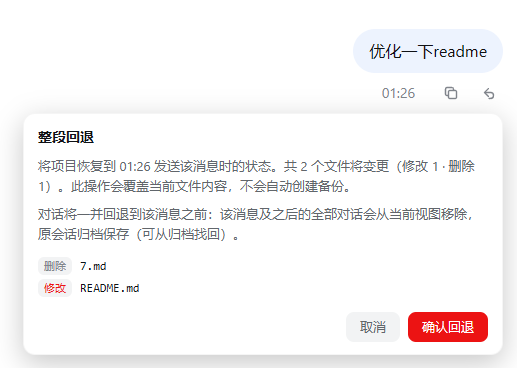
When working with an agent in the DSH client, the hardest part after a bad step is often the mess left behind: files have already changed, and the conversation has moved far past the point where things went wrong. dsh-recall-plugin turns recall from a simple message undo into a workspace-level rollback: click recall beside any message you sent, review the files that will be modified, restored, or deleted, and confirm to return both workspace files and chat history to the state before that message.
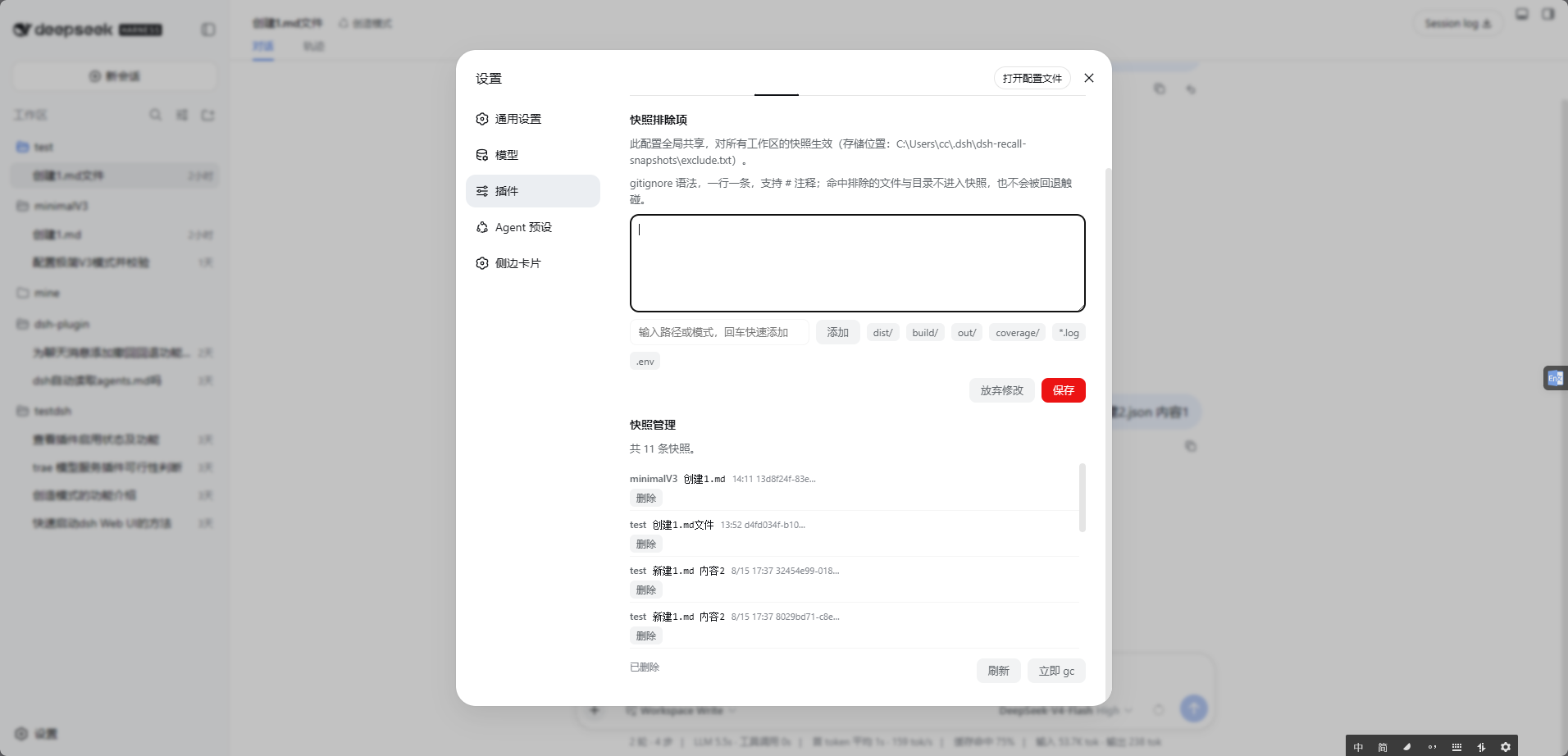
The design is deliberately careful. Snapshots are stored in an independent shadow Git repository, so your project's branches, staging area, and uncommitted changes remain untouched. By default, snapshot data stays under the DSH home directory instead of cluttering the project folder. With incremental snapshots, automatic housekeeping, exclusion rules, failure reporting, and tree-style snapshot management, keeping rollback points across multiple sessions remains practical.
This plugin is especially useful for iterative workflows: after letting the assistant edit configs, refactor files, or make sweeping code changes, you can step back like undoing an experiment, tweak your prompt, and try again. It is a good fit for developers who want a safety net in automated sessions without disturbing their project's Git history.
Screenshots

Use Cases
- Quickly restore the workspace after an assistant makes unwanted file changes
- Undo an entire failed attempt while iterating on prompts
- Roll back experimental changes without touching the project's Git state
Best For
- Developers collaborating with an agent in the DSH client
- Users who iterate frequently and need safe rollback
- People who want to manage both conversation history and workspace state together
Related Plugins
A service-oriented sidebar framework for DSH, offering a full workbench with file explorer, embedded browser, real terminal, Git panel, and extensible plugin services.

A beautiful, practical Claude Code-style TUI plugin with pixel whale top bar, flowing glow title, real-time status line, streaming thought expansion, time rewind, context progress bar and TPS gauge — zero core changes.

The plugin market for DeepSeek Harness: browse/search/one-click install community plugins and themes, with updates, backup/restore, hot disable, diagnostics, and AI fix.

A persistent whale widget on the DSH web UI that shows DeepSeek balance, today's usage, and per-turn cost, with drag-and-snap and sound effects.