dsh-official-homepage-theme
Run the following command in DeepSeek Harness:
dsh plugin install JohnnyTing/dsh-official-homepage-theme
Paste the following prompt into your AI chat to install this plugin:
You can install this plugin by visiting the GitHub repository at https://github.com/JohnnyTing/dsh-official-homepage-theme and running the command `dsh plugin install JohnnyTing/dsh-official-homepage-theme`.
About this plugin
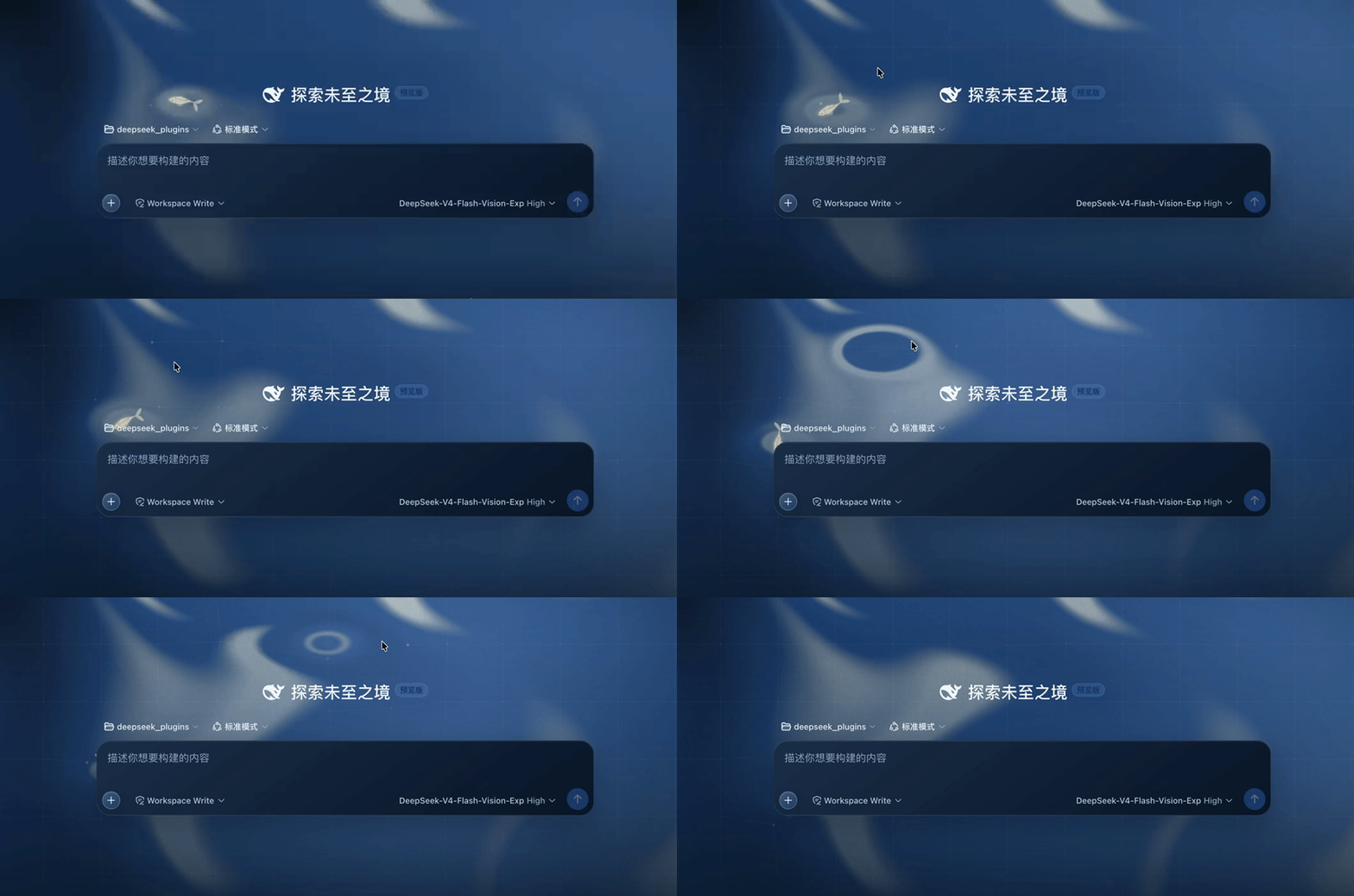
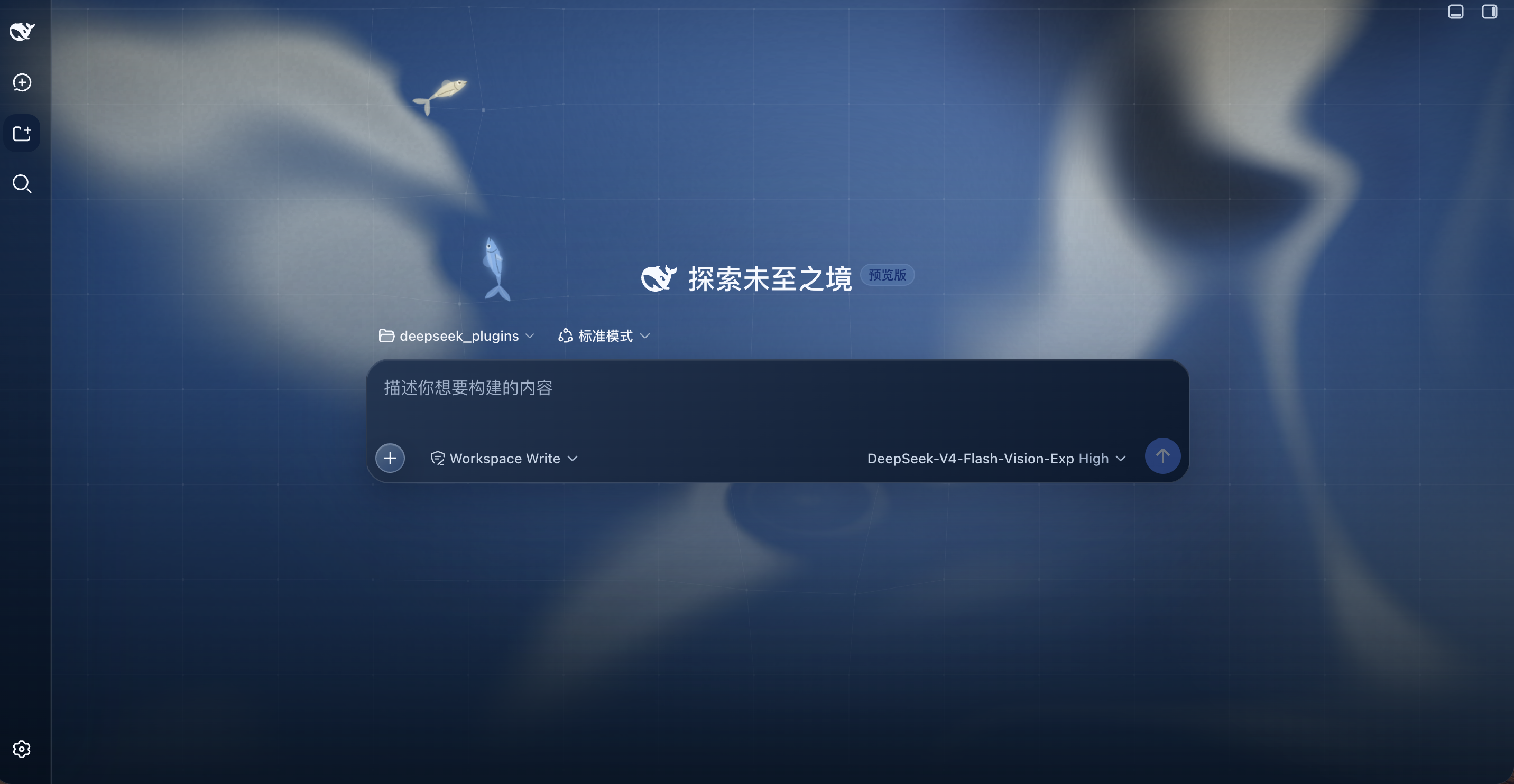
The dsh-official-homepage-theme plugin is designed specifically for DSH Web, addressing the issue of default homepage interfaces being monotonous and lacking visual appeal. It significantly enhances the page aesthetics and user experience by introducing fluid backgrounds, mouse interactive effects, and dual fish dynamic elements, making the homepage more lively and engaging.
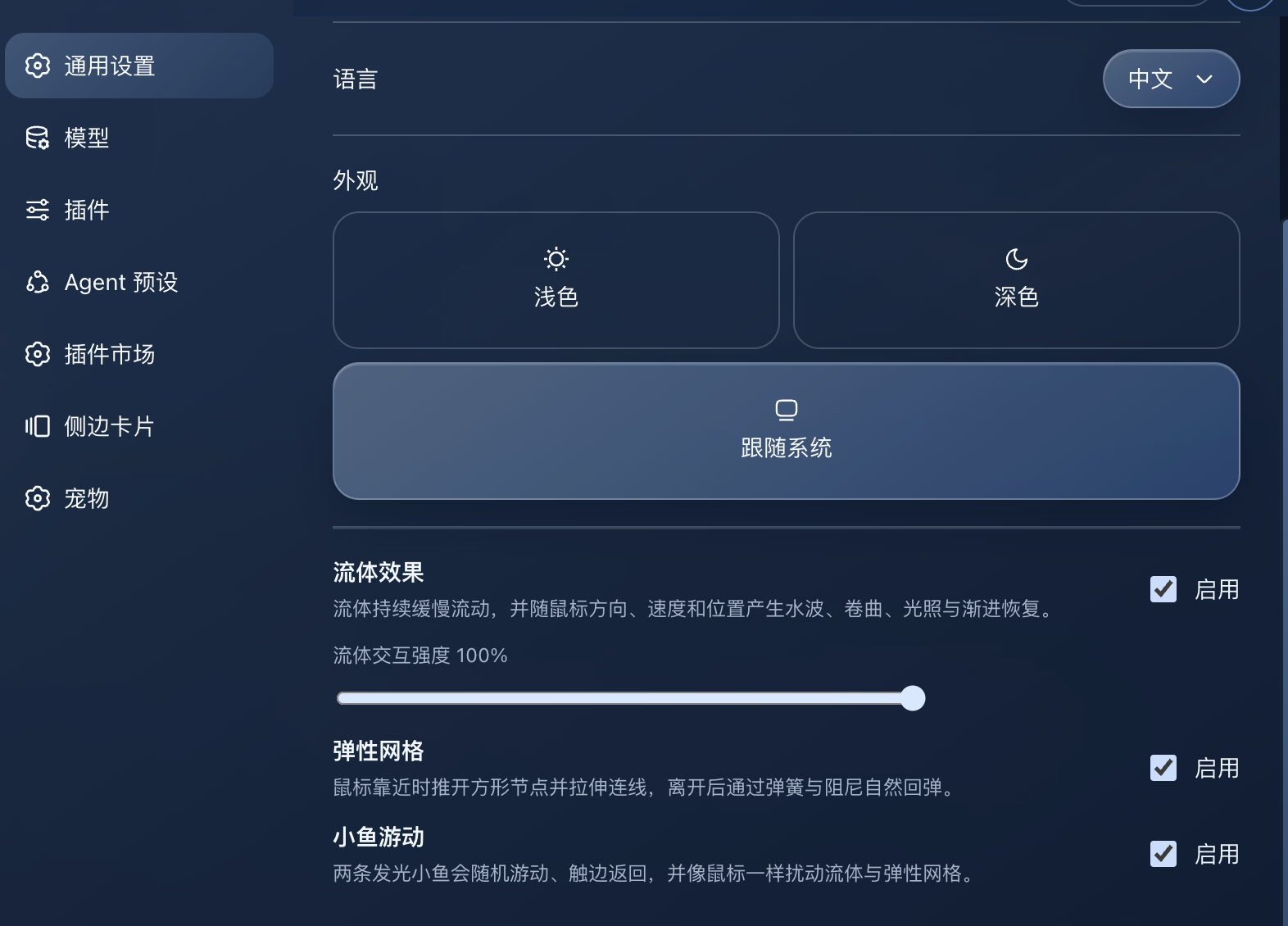
Its core capabilities include providing deep blue gradients, semi-transparent glass surfaces, and customizable theme tokens. It features programmatic fluid backgrounds that respond to mouse interactions, along with a Canvas2D mouse elastic grid for enhanced interactivity. Additionally, the plugin includes two self-swimming fish that intelligently avoid the mouse cursor, adding a playful touch. All effects are toggleable with intensity settings, and the plugin adapts to prefers-reduced-motion, coarse pointer devices, and page visibility for better compatibility and accessibility.
This plugin is suitable for all DSH Web users, especially developers and end-users who wish to personalize their homepage and improve the visual experience. It integrates seamlessly without altering the existing page structure, making it ideal for personal homepages, project showcases, and other scenarios where users want to customize their digital space effortlessly.
Screenshots
Use Cases
- For customizing the DSH Web official homepage
- Enhancing visual appeal for personal homepages or project showcases
- Adding dynamic elements in interactive demonstrations
Best For
- DSH Web developers and administrators
- Frontend designers and UI/UX experts
- End-users looking to beautify their interface
Related Plugins

whale-girl is a desktop pet in the DSH Web GUI (bottom-right for instant companionship) — draggable, feedable, playable; completed tasks, sessions and companionship time accrue into seniority levels, titles, and memories.

Renders your local Wallpaper Engine wallpapers as the DSH web background, supporting video, web, and scene wallpapers with a liquid-glass effect and rich customization.

A WebGPU ocean skin for DeepSeek Harness with five-wave Gerstner waves, translucent theme, day/night cycle, and quick controls, installable as plugin or extension.

A Galgame-style conversation view and visual scene editor for DSH web sessions, with a real-time editing mode.