
dsh-tether
Run the following command in DeepSeek Harness:
dsh plugin install zexadev/dsh-tether
Paste the following prompt into your AI chat to install this plugin:
Install the dsh-tether plugin in DeepSeek Harness from the source repository at https://github.com/zexadev/dsh-tether.
About this plugin
Sometimes you step away from your dev machine, but the agent is still running and may need your attention. DSH Tether solves the remote-access part of that problem: it connects your phone directly to the machine where DeepSeek Harness is running, without requiring both devices to be on the same Wi-Fi network and without asking you to deploy a relay, tunnel, or public server. The connection is built peer to peer through iroh, while the agent keeps running on your own machine.
It does not reimplement the experience in a separate mobile app. Instead, it carries DeepSeek Harness’s own web interface to your phone, so conversations, tool calls, approvals, and settings remain available, with small adjustments for narrow screens. Pairing uses a short one-time code, and once paired the app can reconnect automatically. It also keeps track of multiple machines and can raise a system notification when the agent is waiting for approval.
This plugin is best for developers who want to check on or approve agent work from a phone while away from their desk, especially when they do not want to maintain extra infrastructure. If your phone and dev machine are always on the same local network, a simpler LAN setup may be enough.
Screenshots
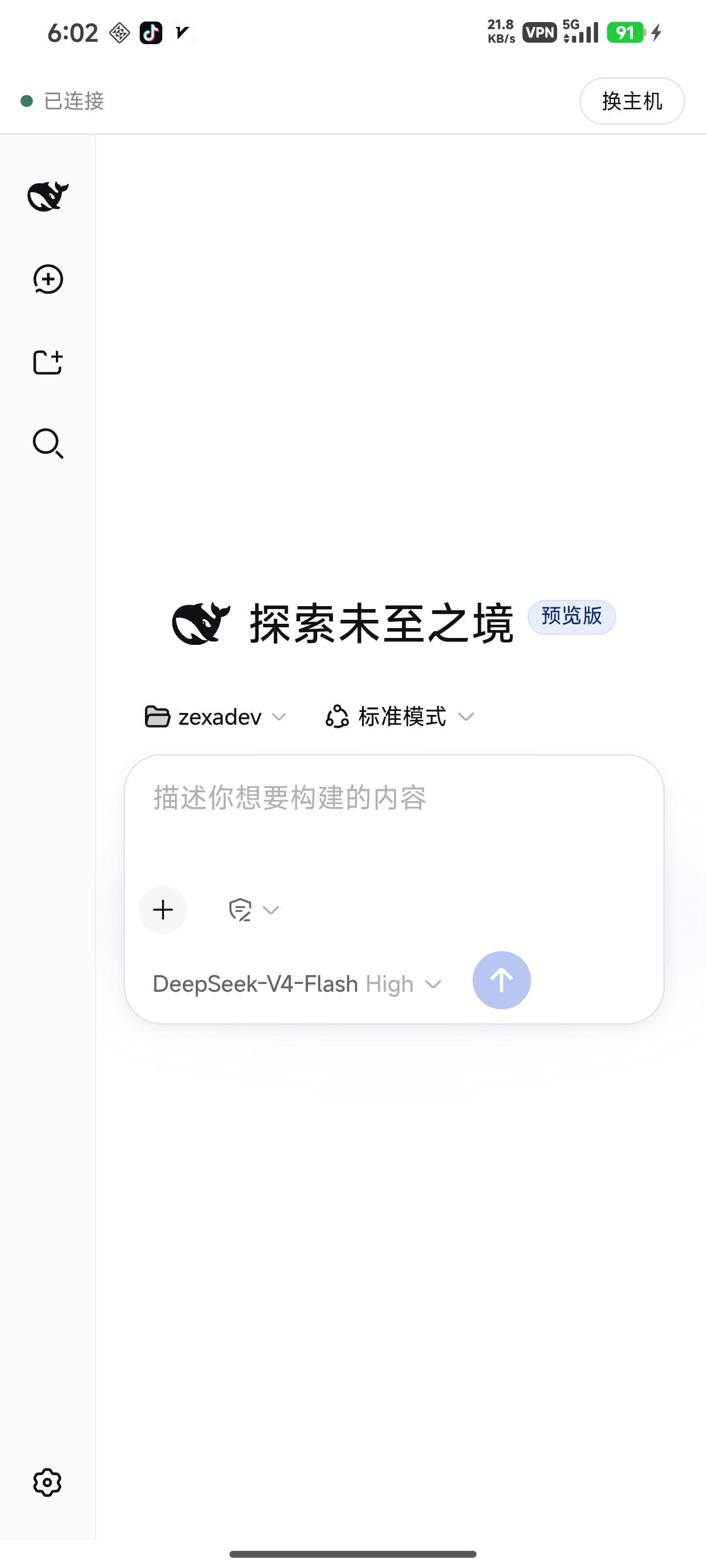
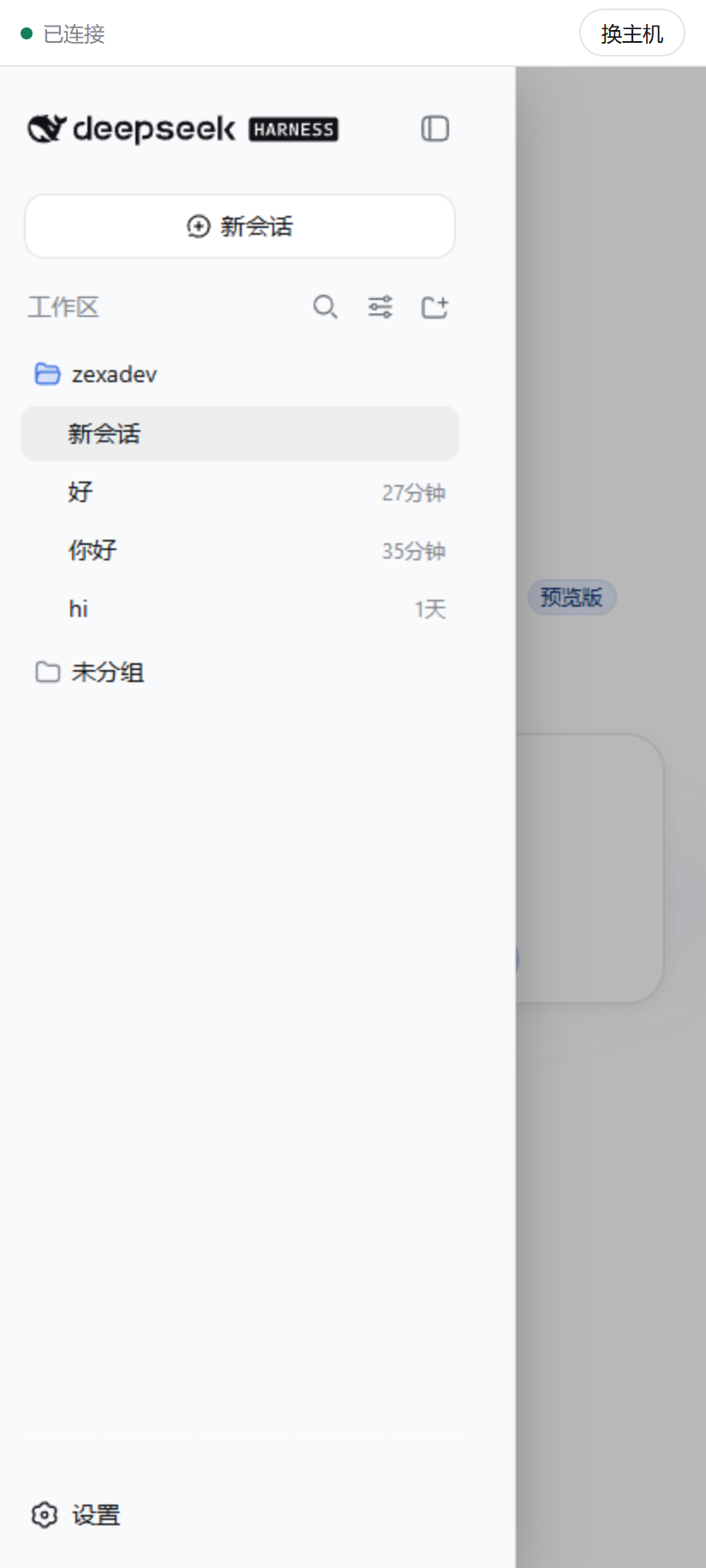
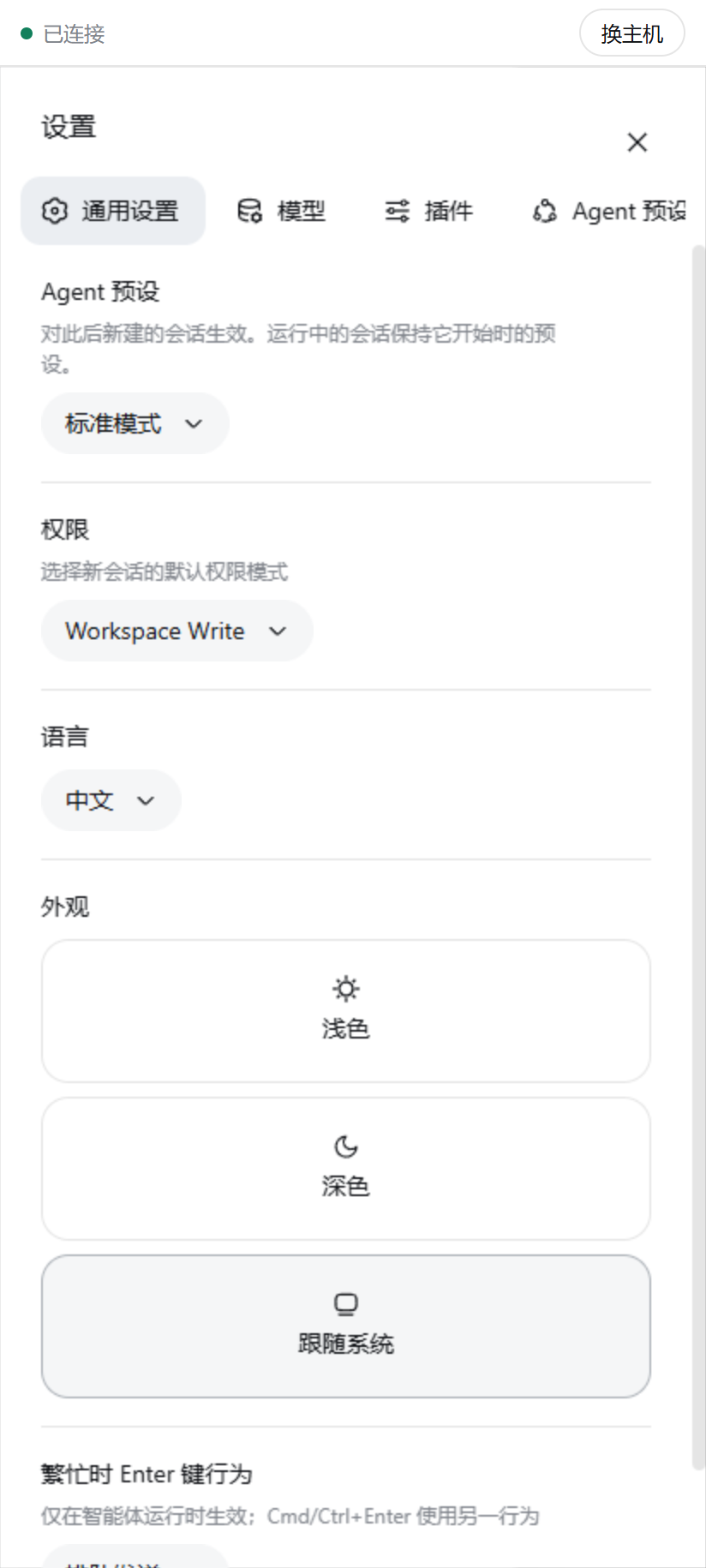

Use Cases
- Check DeepSeek Harness conversations and task status from your phone while away from your computer.
- Receive a notification and approve the agent when it is waiting for confirmation.
- Switch quickly between multiple paired development machines.
Best For
- Developers who need to view or approve agent actions remotely.
- Users who want phone access without deploying servers, relays, or tunnels.
- People running DeepSeek Harness on a desktop who want temporary control from a phone.
Related Plugins
A service-oriented sidebar framework for DSH, offering a full workbench with file explorer, embedded browser, real terminal, Git panel, and extensible plugin services.

A beautiful, practical Claude Code-style TUI plugin with pixel whale top bar, flowing glow title, real-time status line, streaming thought expansion, time rewind, context progress bar and TPS gauge — zero core changes.

The plugin market for DeepSeek Harness: browse/search/one-click install community plugins and themes, with updates, backup/restore, hot disable, diagnostics, and AI fix.

A persistent whale widget on the DSH web UI that shows DeepSeek balance, today's usage, and per-turn cost, with drag-and-snap and sound effects.