dsh-plugin-installer
Run the following command in DeepSeek Harness:
dsh plugin install zhang66633/dsh-plugin-installer
Paste the following prompt into your AI chat to install this plugin:
In DeepSeek Harness, install this plugin by running the command 'dsh plugin install zhang66633/dsh-plugin-installer', with the full source repository at https://github.com/zhang66633/dsh-plugin-installer.
About this plugin
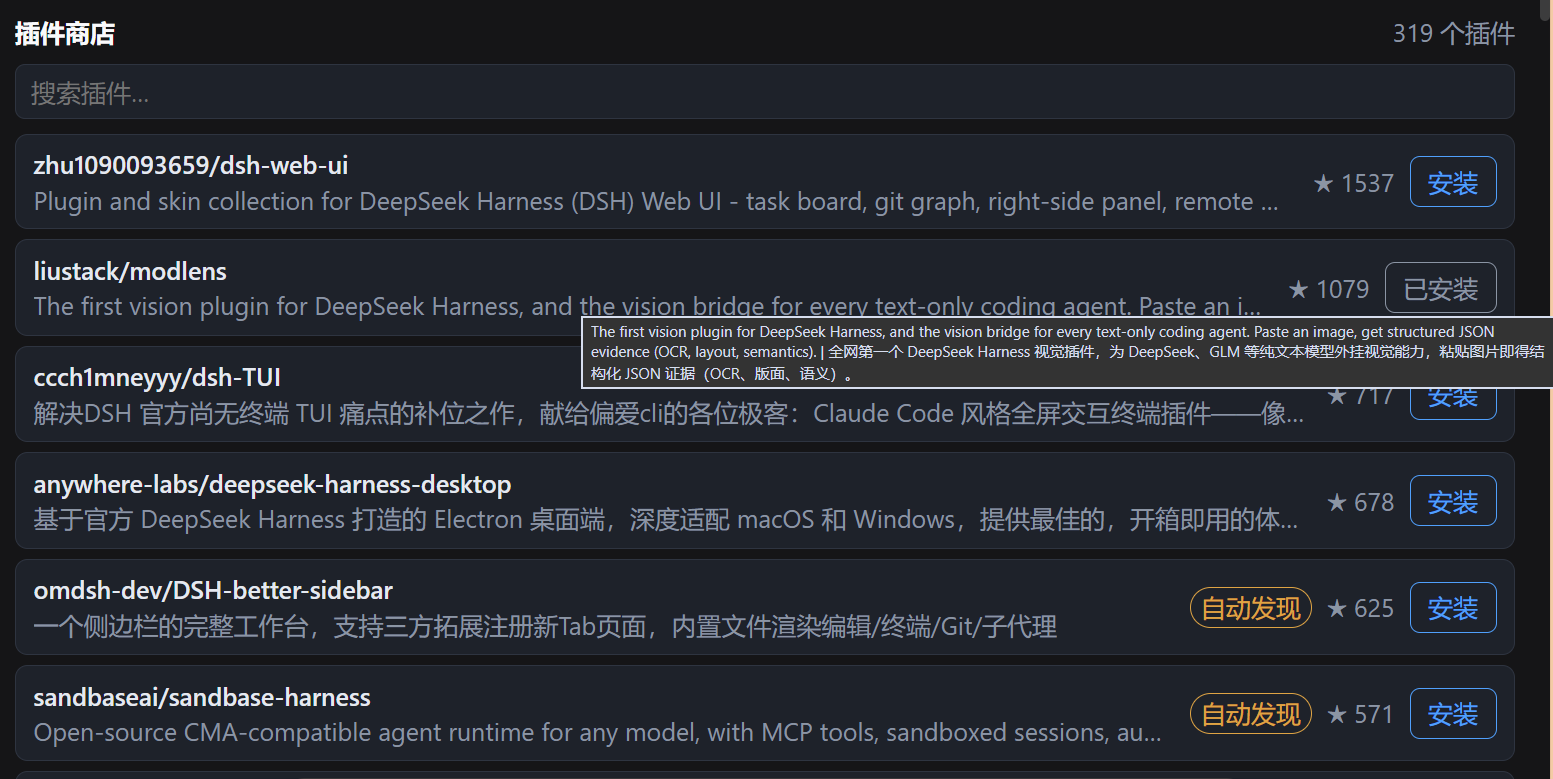
In the DeepSeek Harness (dsh) ecosystem, installing plugins manually via command-line can be cumbersome for newcomers. dsh-plugin-installer tackles this issue by providing a plugin store and an install assistant, enabling users to discover and install plugins effortlessly through a web-based graphical interface, without needing to handle complex manual steps.
The plugin's core capabilities are twofold: first, it offers a user-friendly store tab in the Web GUI where users can browse and search the plugin catalog, viewing details like name, description, and ratings; second, it includes a bundled install assistant skill that the agent executes to handle installations automatically, covering steps such as source verification, path selection, and profile registration. Each step is transparent, explainable, and reversible, ensuring reliability and safety.
dsh-plugin-installer is ideal for anyone seeking to simplify plugin management in dsh. It is particularly useful for everyday users who want quick access to plugins and for developers who need a reliable, automated way to handle installations and troubleshooting. With support across Windows, macOS, and Linux, it caters to a wide range of usage scenarios.
Screenshots
Use Cases
- Browse and search the plugin catalog through the web interface.
- Install plugins with one click, with the agent automatically handling verification and registration steps.
- Monitor plugin installation status and manage updates.
Best For
- dsh users seeking to simplify plugin management.
- Developers requiring reliable installation and troubleshooting support.
- System administrators preferring graphical interface operations.
Related Plugins
A service-oriented sidebar framework for DSH, offering a full workbench with file explorer, embedded browser, real terminal, Git panel, and extensible plugin services.

A beautiful, practical Claude Code-style TUI plugin with pixel whale top bar, flowing glow title, real-time status line, streaming thought expansion, time rewind, context progress bar and TPS gauge — zero core changes.

The plugin market for DeepSeek Harness: browse/search/one-click install community plugins and themes, with updates, backup/restore, hot disable, diagnostics, and AI fix.

A persistent whale widget on the DSH web UI that shows DeepSeek balance, today's usage, and per-turn cost, with drag-and-snap and sound effects.