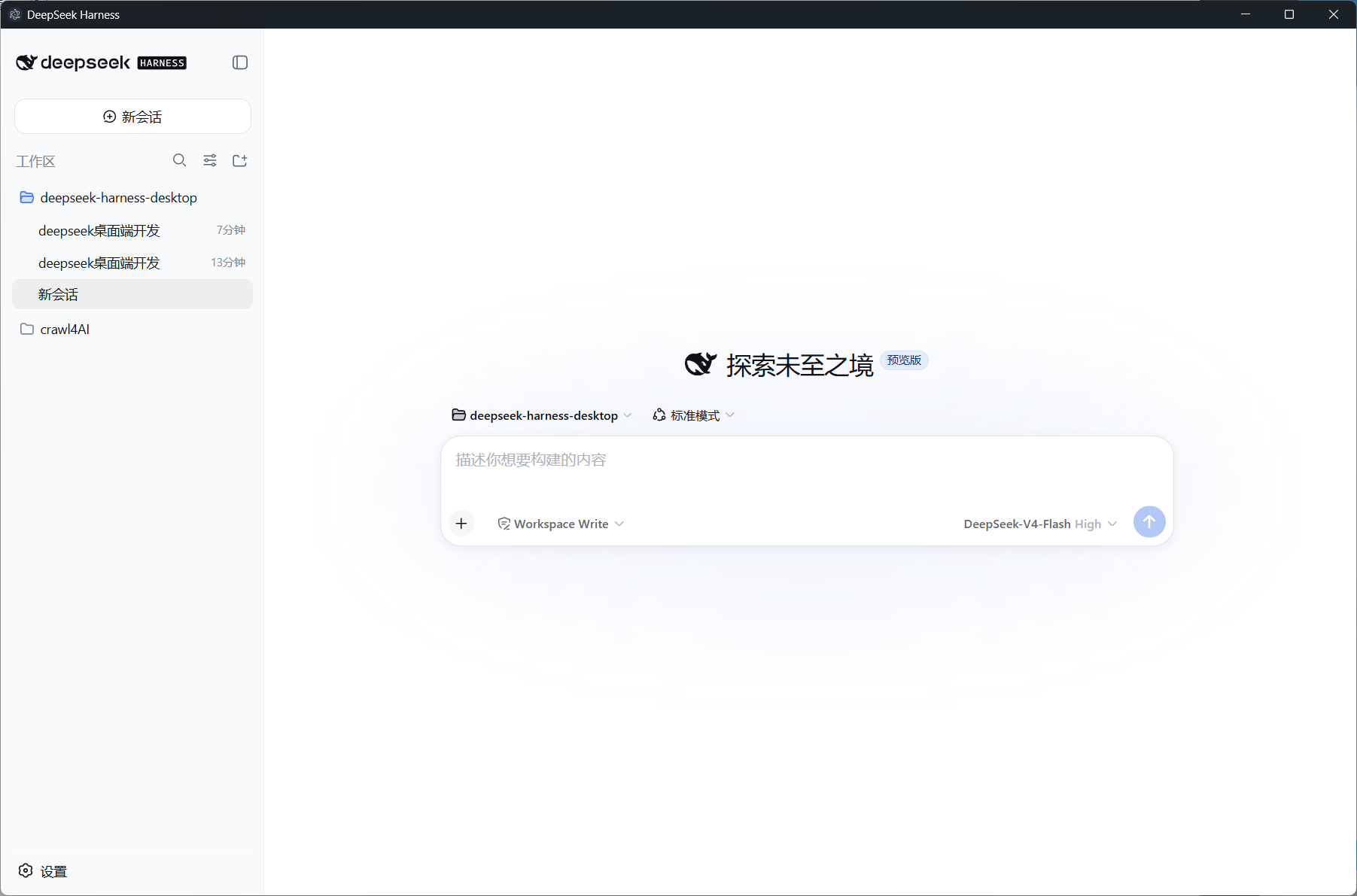
DeepSeek-Harness-Desktop
Run the following command in DeepSeek Harness:
dsh plugin install Muelsysel/DeepSeek-Harness-Desktop
Paste the following prompt into your AI chat to install this plugin:
To install this plugin in DeepSeek Harness, run `dsh plugin install Muelsysel/DeepSeek-Harness-Desktop` in the command line, or visit the full source repository: https://github.com/Muelsysel/DeepSeek-Harness-Desktop
About this plugin
Tired of juggling browser tabs just to access DeepSeek Harness? Wish it could behave more like a dedicated desktop application—with a single-click launch, its own window, and clear icon? DeepSeek-Harness-Desktop was created exactly for this. It doesn't reimplement any web features; instead, it elegantly wraps your existing, fully-functional Harness web interface into a native desktop window.
The plugin's core power lies in its 'packaging' and 'integration'. Once installed, it deeply integrates with your dsh profile. Through a desktop shortcut or command line, it instantly spawns an Electron window that loads your local 127.0.0.1 interface. All the features you're familiar with—agent sessions, tool invocations, workflow planning, and more—work exactly as before, immediately available with zero extra configuration. It supports theme switching, intelligently opens external links in your default browser, and for the installed version, cleanly shuts down the backend when you close the window, providing a truly native-like experience.
Whether you're a daily DeepSeek Harness user seeking a more focused and tidy workspace, a developer wanting to rapidly desktop-ize complex AI workflows, or an educator or content creator looking to demonstrate Harness capabilities seamlessly, this plugin is the ideal solution. It eliminates the redundant steps of 'open browser, type address,' allowing you to focus more on your deep collaboration with AI.
Screenshots
Use Cases
- Quickly launch DeepSeek Harness for AI conversations and tool usage
- Provide a dedicated, clean desktop window for demos or teaching
- Test deep integration with dsh profile during development
Best For
- Daily users of DeepSeek Harness seeking improved convenience
- Software developers and technicians needing desktop testing and deployment
- Educators and presenters showcasing AI workflows
Related Plugins
A service-oriented sidebar framework for DSH, offering a full workbench with file explorer, embedded browser, real terminal, Git panel, and extensible plugin services.

A beautiful, practical Claude Code-style TUI plugin with pixel whale top bar, flowing glow title, real-time status line, streaming thought expansion, time rewind, context progress bar and TPS gauge — zero core changes.

The plugin market for DeepSeek Harness: browse/search/one-click install community plugins and themes, with updates, backup/restore, hot disable, diagnostics, and AI fix.

A persistent whale widget on the DSH web UI that shows DeepSeek balance, today's usage, and per-turn cost, with drag-and-snap and sound effects.