dsh-conversation-indicator
Run the following command in DeepSeek Harness:
dsh plugin install smanx/dsh-conversation-indicator
Paste the following prompt into your AI chat to install this plugin:
Install this plugin in DeepSeek Harness using the command 'dsh plugin install smanx/dsh-conversation-indicator', with the source code available at https://github.com/smanx/dsh-conversation-indicator.
About this plugin
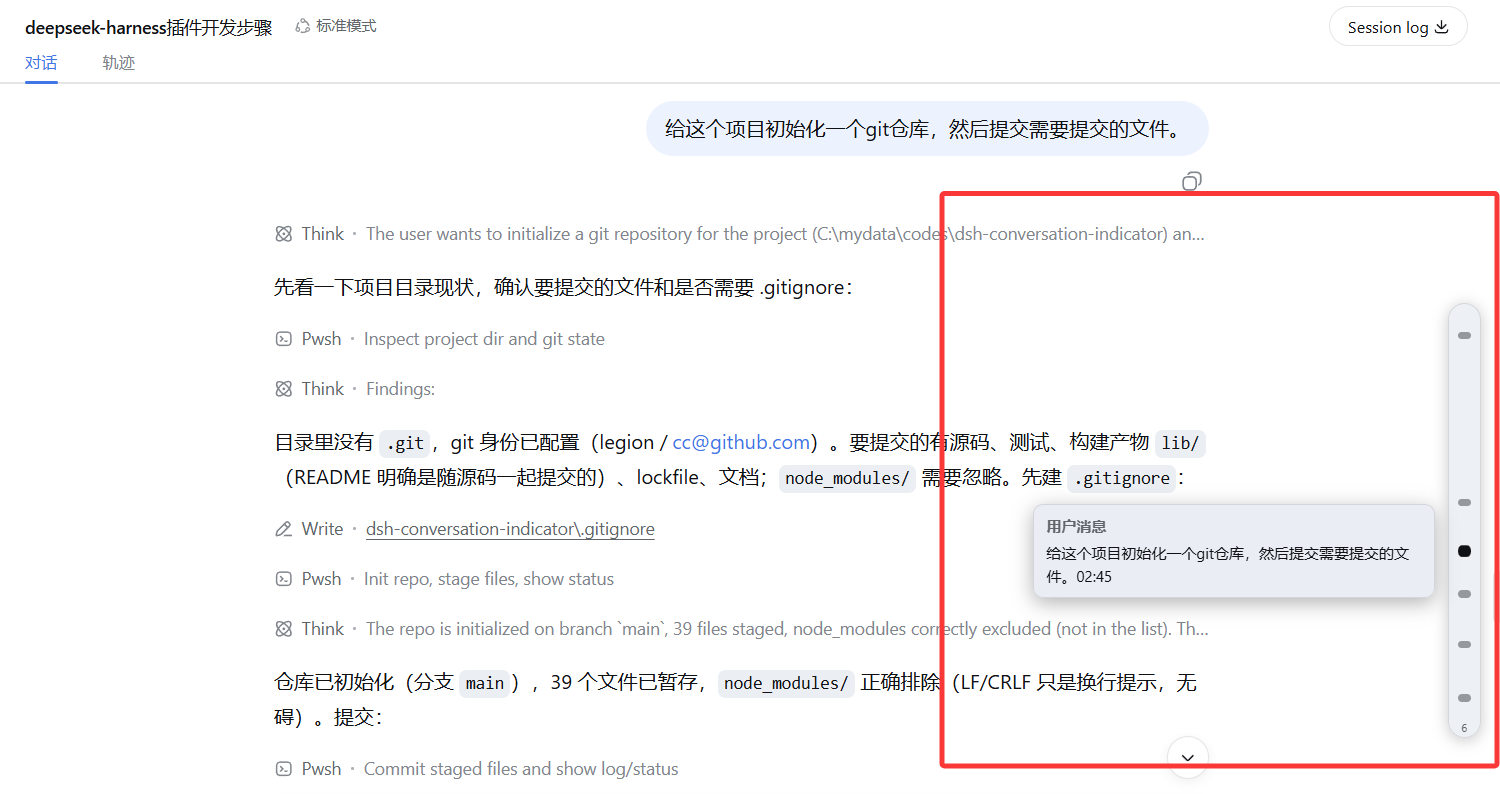
Managing long sessions in deep learning and AI dialogue applications often poses challenges, as scrolling to find specific messages can be time-consuming. The dsh-conversation-indicator plugin addresses this by offering a vertical capsule panel on the right side of the conversation area, marking each user message as a clickable indicator for smooth, quick scrolling navigation without manual scrollbar adjustment. The panel intelligently hides during scrolling or streaming, appearing only when the mouse approaches for an intuitive experience. As a purely client-side solution with no server dependencies, it is ideal for all DeepSeek Harness Web GUI users, enhancing navigation efficiency and simplifying review in long sessions.
Screenshots
Use Cases
- Quickly jump to user messages during AI conversation debugging.
- Optimize browsing and review experience in long sessions.
- Enhance navigation efficiency in tool-call intensive conversations.
Best For
- Daily users of DeepSeek Harness Web GUI.
- AI system developers and test engineers.
- Professionals managing complex conversation flows.
Related Plugins
A service-oriented sidebar framework for DSH, offering a full workbench with file explorer, embedded browser, real terminal, Git panel, and extensible plugin services.

A beautiful, practical Claude Code-style TUI plugin with pixel whale top bar, flowing glow title, real-time status line, streaming thought expansion, time rewind, context progress bar and TPS gauge — zero core changes.

The plugin market for DeepSeek Harness: browse/search/one-click install community plugins and themes, with updates, backup/restore, hot disable, diagnostics, and AI fix.

A persistent whale widget on the DSH web UI that shows DeepSeek balance, today's usage, and per-turn cost, with drag-and-snap and sound effects.