dsh-plugin-diraud
Run the following command in DeepSeek Harness:
dsh plugin install tttwh/dsh-plugin-diraud
Paste the following prompt into your AI chat to install this plugin:
In DeepSeek Harness, run dsh plugin install tttwh/dsh-plugin-diraud to install this plugin, and visit https://github.com/tttwh/dsh-plugin-diraud for more details.
About this plugin
When using DeepSeek Harness, the growing list of plugins often blurs the line between official ones and those you install yourself, making management cumbersome. dsh-plugin-diraud addresses this by intelligently grouping plugins by source, so you can instantly tell them apart and maintain a tidy workspace.
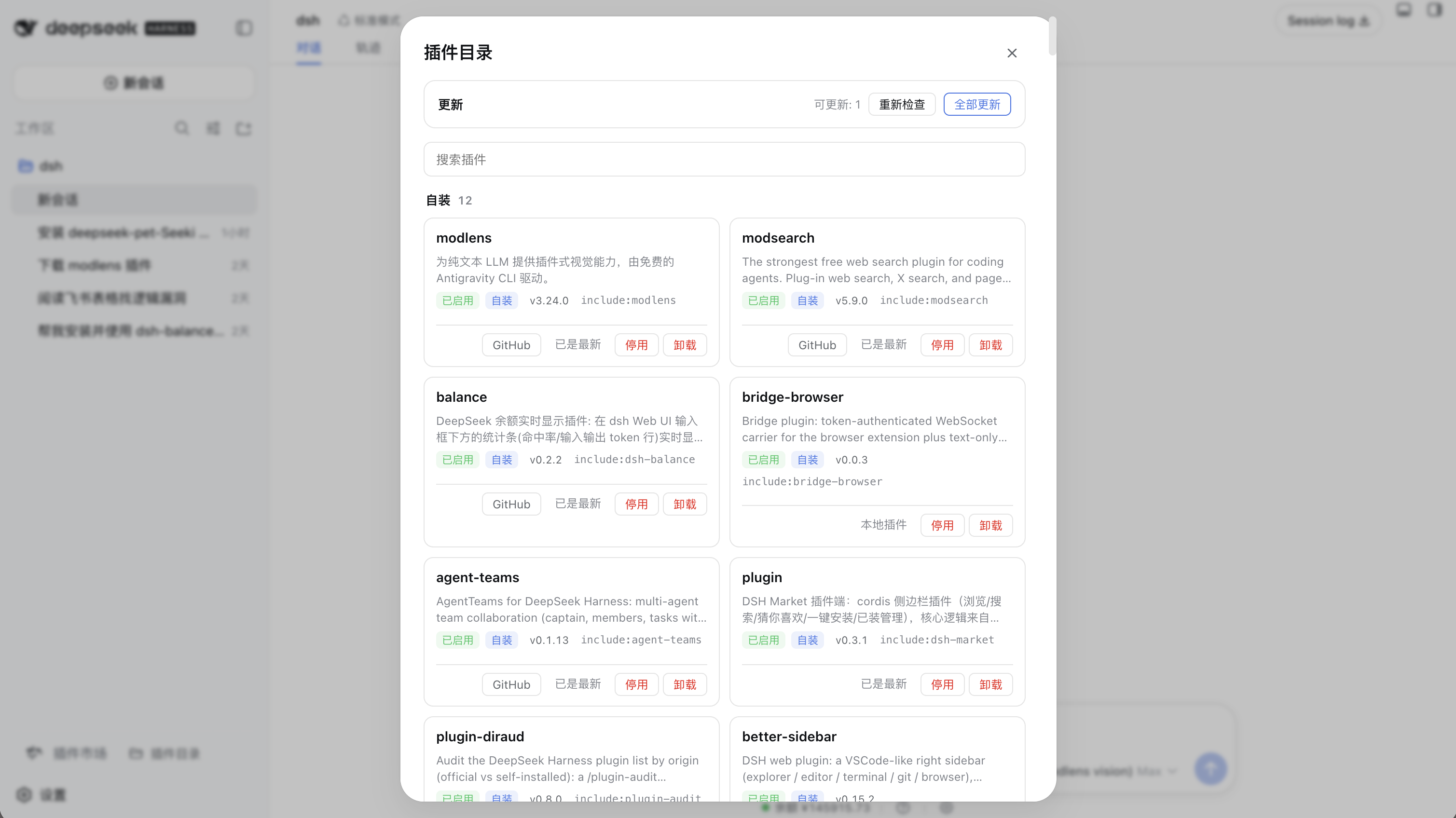
The plugin's core strength lies in its enhanced management features: a dedicated Plugin Catalog panel displays cards with enable/disable toggles, one-click updates, and uninstall options. Whether you prefer the sidebar for quick access or command-line controls for precision, it keeps your plugin environment streamlined while preserving the integrity of official plugins.
Designed for all DeepSeek Harness users—especially developers and tinkerers who frequently test third-party plugins—dsh-plugin-diraud eliminates the chaos of plugin management. It lets you focus on what matters, delivering a cleaner, more efficient experience overall.
Screenshots
Use Cases
- Quickly distinguish official plugins from self-installed ones
- Enable or disable specific plugins for testing with one click
- Automatically check and update installed plugins
Best For
- Regular users of DeepSeek Harness
- Developers who frequently install and test plugins
- Administrators needing efficient plugin environment management
Related Plugins
A service-oriented sidebar framework for DSH, offering a full workbench with file explorer, embedded browser, real terminal, Git panel, and extensible plugin services.

A beautiful, practical Claude Code-style TUI plugin with pixel whale top bar, flowing glow title, real-time status line, streaming thought expansion, time rewind, context progress bar and TPS gauge — zero core changes.

The plugin market for DeepSeek Harness: browse/search/one-click install community plugins and themes, with updates, backup/restore, hot disable, diagnostics, and AI fix.

A persistent whale widget on the DSH web UI that shows DeepSeek balance, today's usage, and per-turn cost, with drag-and-snap and sound effects.