dsh-file-panel
Run the following command in DeepSeek Harness:
dsh plugin install yu2025-luo/dsh-file-panel
Paste the following prompt into your AI chat to install this plugin:
In DeepSeek Harness, install this plugin with the command dsh plugin install yu2025-luo/dsh-file-panel, and the full source address is https://github.com/yu2025-luo/dsh-file-panel.
About this plugin
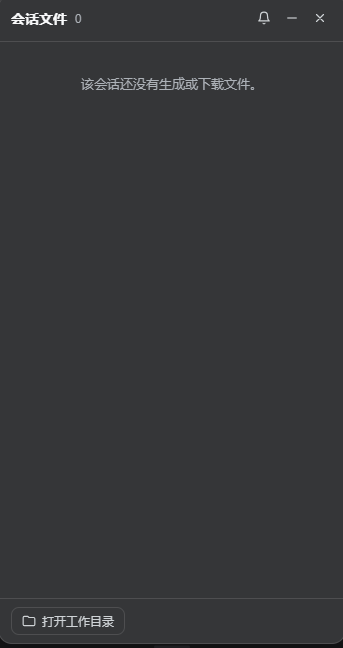
When working with DeepSeek Harness sessions, agents often create and download files, but the default interface lacks a straightforward way to manage them. Users typically have to manually hunt for these files, leading to inefficiency and missed items. The dsh-file-panel plugin addresses this by monitoring file activity in real-time and displaying everything in an auto-popup right-side panel, making files instantly accessible.
The plugin's core strengths lie in its smart file tracking and convenient operations. Whenever an agent creates or downloads a file, the right panel pops up, offering one-click options to preview (with inline images, first 256KB of text, or metadata), show in folder, open with default apps, and copy the file path. The panel is fully draggable and resizable, with all settings persisted to ensure a seamless experience across sessions.
dsh-file-panel is ideal for developers, data analysts, or anyone frequently handling files generated during DeepSeek Harness sessions. If you often work with agent-produced files—whether for coding, report viewing, or resource management—this plugin boosts productivity by minimizing window switching and providing a unified file browser. Its lightweight design and local focus keep things secure and efficient.
Moreover, the plugin emphasizes security by operating only in loopback mode and tailoring functionality to platform capabilities. While it may have limitations on headless systems, it generally offers a significant upgrade to file management, making it a practical enhancement for DeepSeek Harness users seeking smoother workflows.
Screenshots
Use Cases
- Monitor files created or downloaded by agents during sessions in real-time.
- Quickly preview images, text, and other file types in a right-side panel.
- Open files, show them in folders, or copy paths with one click.
Best For
- Programmers using DeepSeek Harness for development.
- Data analysts who frequently handle files during sessions.
- Any user seeking to enhance file management efficiency.
Related Plugins
A service-oriented sidebar framework for DSH, offering a full workbench with file explorer, embedded browser, real terminal, Git panel, and extensible plugin services.

A beautiful, practical Claude Code-style TUI plugin with pixel whale top bar, flowing glow title, real-time status line, streaming thought expansion, time rewind, context progress bar and TPS gauge — zero core changes.

The plugin market for DeepSeek Harness: browse/search/one-click install community plugins and themes, with updates, backup/restore, hot disable, diagnostics, and AI fix.

A persistent whale widget on the DSH web UI that shows DeepSeek balance, today's usage, and per-turn cost, with drag-and-snap and sound effects.