dsh-plugin-terminal
Run the following command in DeepSeek Harness:
dsh plugin install mervyn-teo/dsh-plugin-terminal
Paste the following prompt into your AI chat to install this plugin:
In DeepSeek Harness, you can install this plugin using the command 'dsh plugin install mervyn-teo/dsh-plugin-terminal', with the full source code available at: https://github.com/mervyn-teo/dsh-plugin-terminal.
About this plugin
When working within the DeepSeek Harness web interface, developers often need quick access to a command line for builds, debugging, or system management, but traditional web GUIs typically lack an efficient, integrated terminal experience. The dsh-plugin-terminal solves this core problem by launching a genuine, fully interactive shell process (via PTY) and streaming its raw output directly to the browser over a WebSocket. This creates a seamless and native command-line workflow right inside your web-based development environment.
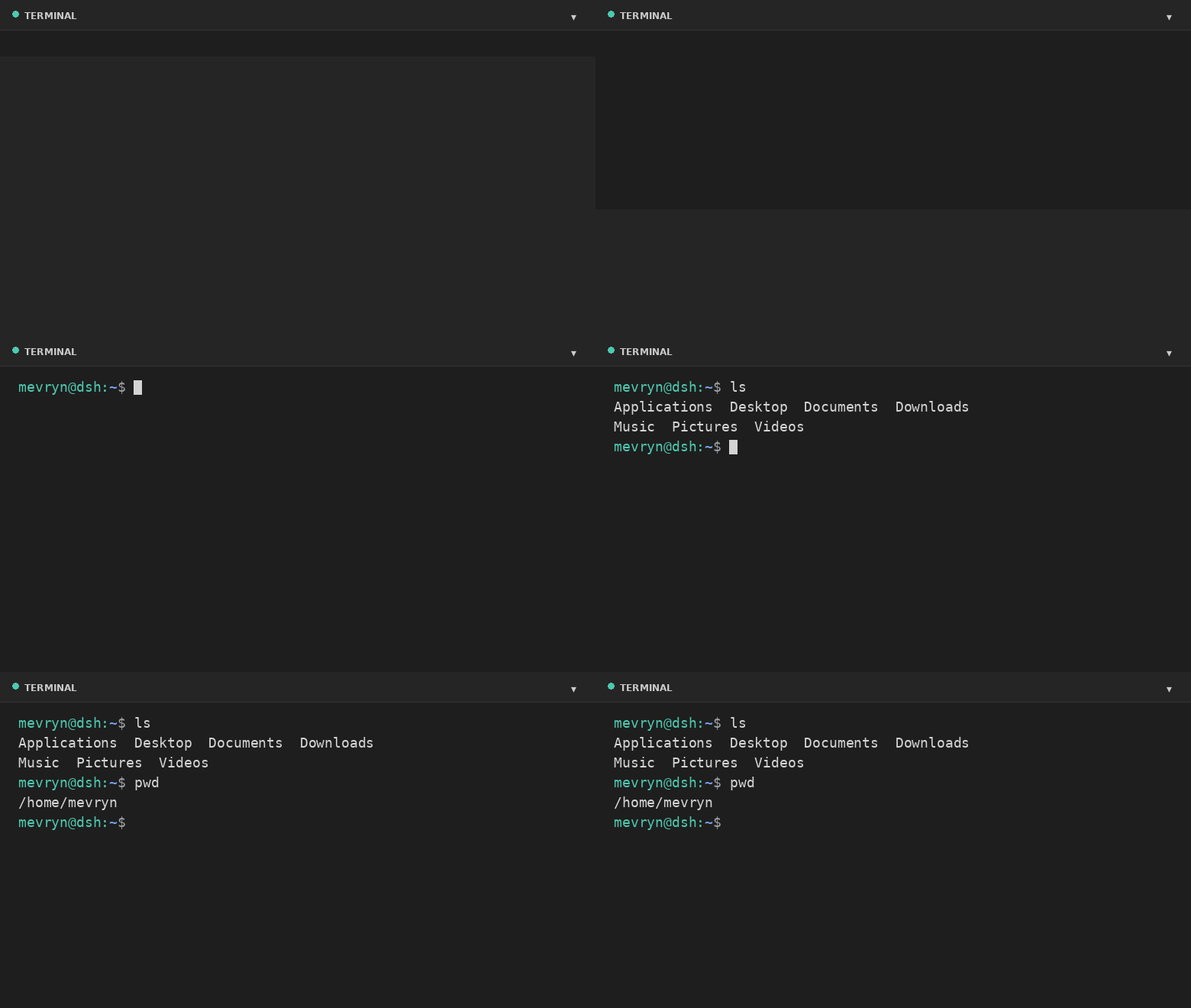
The plugin's strength lies in its authenticity and customizability. It leverages PTY technology to run your system's default shell (like bash or PowerShell) and uses xterm.js for complete rendering, supporting ANSI colors, cursor control, and full-screen applications like vim or htop. The user interface is modeled after VS Code's footer panel, offering a collapsible, resizable bottom panel with a header, restart button, live theme and font size adjustments, and the familiar Ctrl+` keyboard shortcut for quick access, significantly boosting efficiency in a web context.
This plugin is ideal for developers, DevOps engineers, and system administrators who frequently need to interact with the underlying system. Whether you are performing local development, managing servers, or executing commands in containerized environments, it provides a stable, native terminal entry point. By combining the convenience of a web interface with the power of a command line, it allows you to stay focused on your work without context switching between multiple windows.
Screenshots
Use Cases
- Quickly execute command-line tasks within the DeepSeek Harness web interface
- Perform server debugging and management operations
- Run interactive shell commands in containerized applications
Best For
- Software developers who frequently use the command line
- System administrators responsible for server operations
- DevOps professionals working in web environments
Related Plugins
A service-oriented sidebar framework for DSH, offering a full workbench with file explorer, embedded browser, real terminal, Git panel, and extensible plugin services.

A beautiful, practical Claude Code-style TUI plugin with pixel whale top bar, flowing glow title, real-time status line, streaming thought expansion, time rewind, context progress bar and TPS gauge — zero core changes.

The plugin market for DeepSeek Harness: browse/search/one-click install community plugins and themes, with updates, backup/restore, hot disable, diagnostics, and AI fix.

A persistent whale widget on the DSH web UI that shows DeepSeek balance, today's usage, and per-turn cost, with drag-and-snap and sound effects.