dsh-settings-plus
Run the following command in DeepSeek Harness:
dsh plugin install oneinitAI/dsh-settings-plus
Paste the following prompt into your AI chat to install this plugin:
To install the dsh-settings-plus plugin in DeepSeek Harness, run the command: dsh plugin install oneinitAI/dsh-settings-plus, or visit the full source address at https://github.com/oneinitAI/dsh-settings-plus for more information.
About this plugin
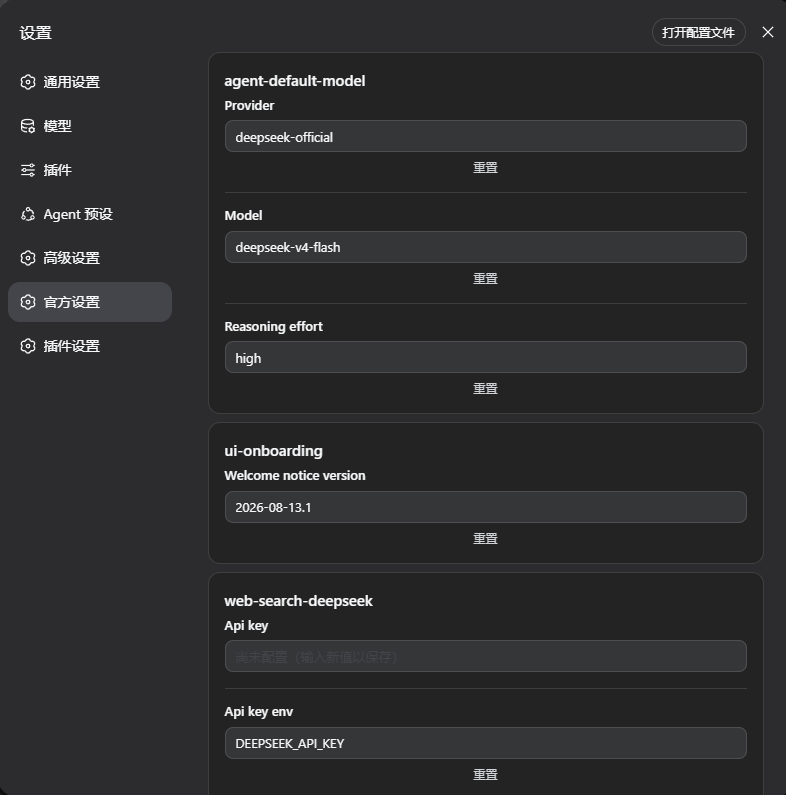
The official settings interface in DeepSeek Harness is limited to a single form, which becomes cumbersome when managing configurations across multiple plugins and namespaces. dsh-settings-plus addresses this issue by introducing a comprehensive settings management surface that lets users browse and edit all registered settings namespaces and mounted plugin compositions. Whether you prefer using intuitive forms or directly editing configuration files, the process becomes more efficient and secure.
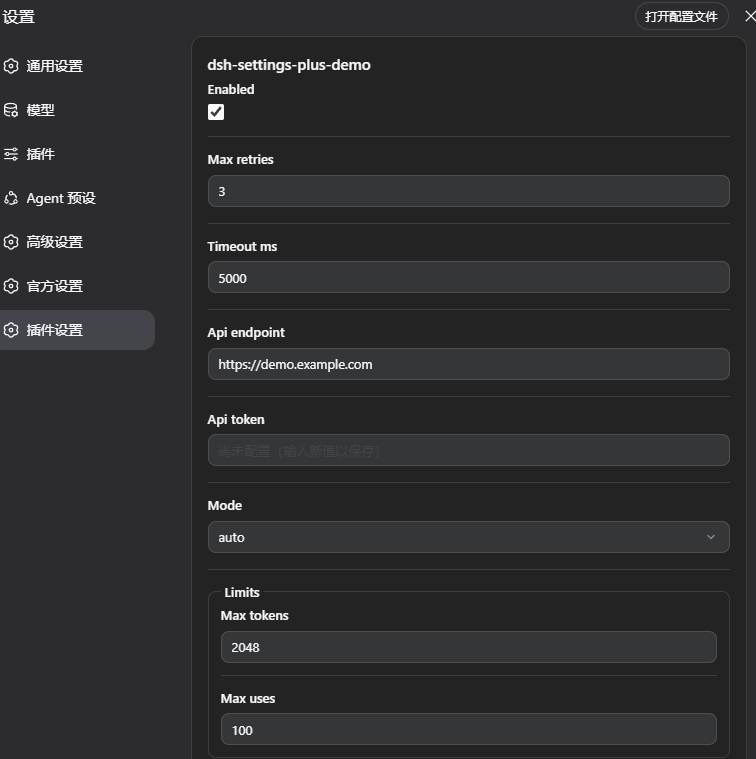
The plugin's core capabilities span four key areas: host crawling enumerates all settings namespaces and securely handles secrets; form-level editing provides a user-friendly interface with schema-aware rendering for various data types; file-level editing enables direct manipulation of configuration files with atomic writes and version guards; and an open registration SDK allows other plugins to seamlessly integrate their own settings namespaces. These features work together to ensure flexibility and reliability in configuration management.
dsh-settings-plus is ideal for all DeepSeek Harness users, especially developers managing multiple plugins or those needing fine-grained configuration control. Plugin authors can leverage the SDK to register custom settings effortlessly, while regular users benefit from the enhanced management interface to streamline daily tasks. Whether you're looking to optimize your workflow or need more powerful configuration tools, this plugin offers substantial improvements.
Screenshots
Use Cases
- Browse and edit all plugin settings namespaces.
- Modify configurations directly via forms or files.
- Register settings interfaces for custom plugins.
Best For
- DSH users who need to manage multiple plugin configurations.
- Plugin developers looking to integrate settings interfaces.
- System administrators seeking fine-grained configuration control.
Related Plugins
A service-oriented sidebar framework for DSH, offering a full workbench with file explorer, embedded browser, real terminal, Git panel, and extensible plugin services.

A beautiful, practical Claude Code-style TUI plugin with pixel whale top bar, flowing glow title, real-time status line, streaming thought expansion, time rewind, context progress bar and TPS gauge — zero core changes.

The plugin market for DeepSeek Harness: browse/search/one-click install community plugins and themes, with updates, backup/restore, hot disable, diagnostics, and AI fix.

A persistent whale widget on the DSH web UI that shows DeepSeek balance, today's usage, and per-turn cost, with drag-and-snap and sound effects.