
dsh-custom-skin
Run the following command in DeepSeek Harness:
dsh plugin install SLin-code/dsh-custom-skin
Paste the following prompt into your AI chat to install this plugin:
Install https://github.com/SLin-code/dsh-custom-skin in DeepSeek Harness to customize wallpapers and translucent skins.
About this plugin
dsh-custom-skin gives DeepSeek Harness Web a more personal look by letting you add local wallpapers and translucent skins. You can upload or drag in multiple images, switch between them instantly, and manage the library by hiding, deleting, or clearing saved pictures.
Beyond simple backgrounds, the plugin lets you adjust image fit, position, overlay, blur, and panel opacity, and it automatically adapts to DSH light and dark themes. Images and preferences stay in the current browser, with nothing uploaded to the DSH server.
It is a good fit for users who want a more comfortable, personalized DeepSeek Harness Web workspace, especially those who prefer local assets and fine control over transparency, blur, and visual mood.
Screenshots
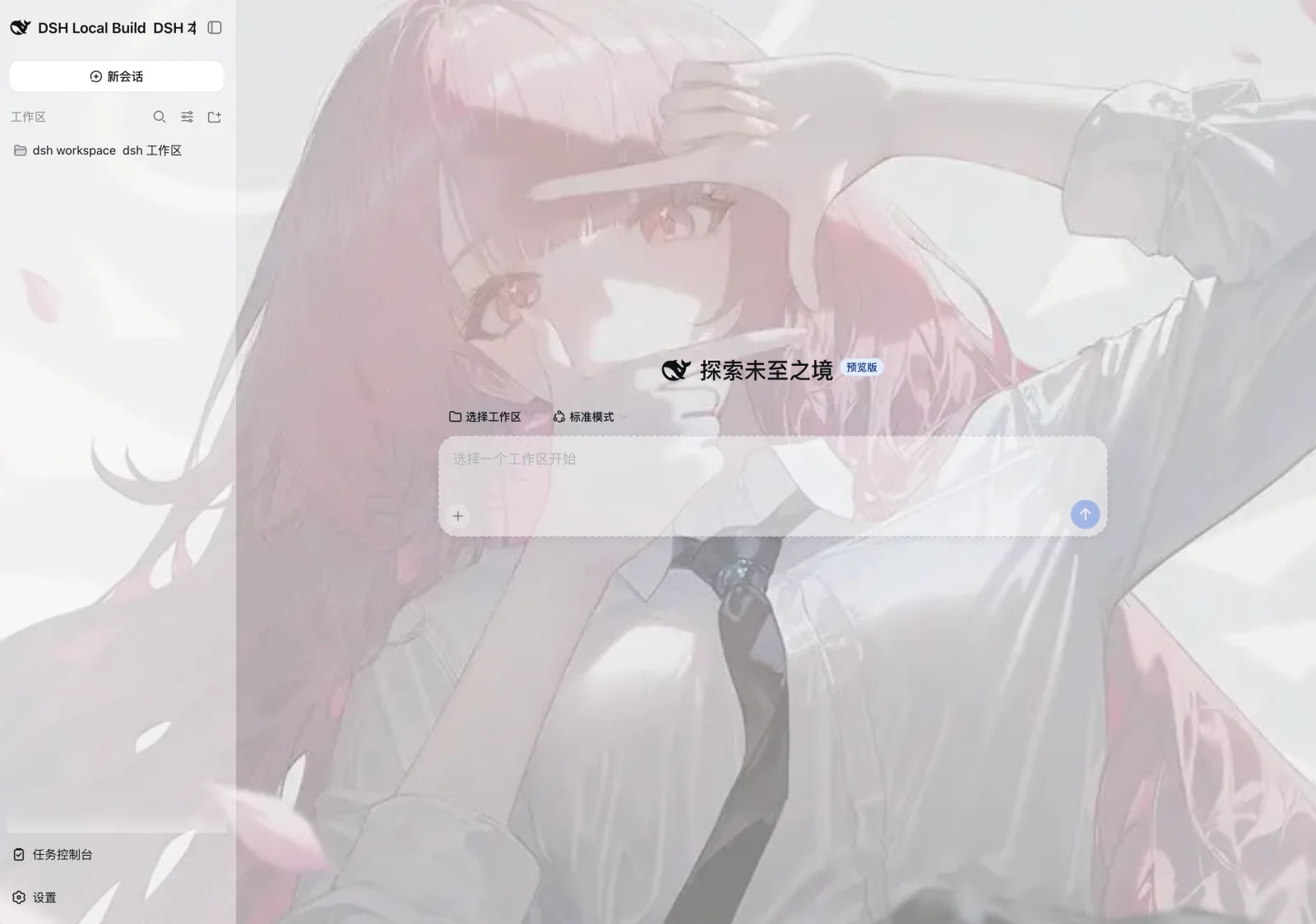
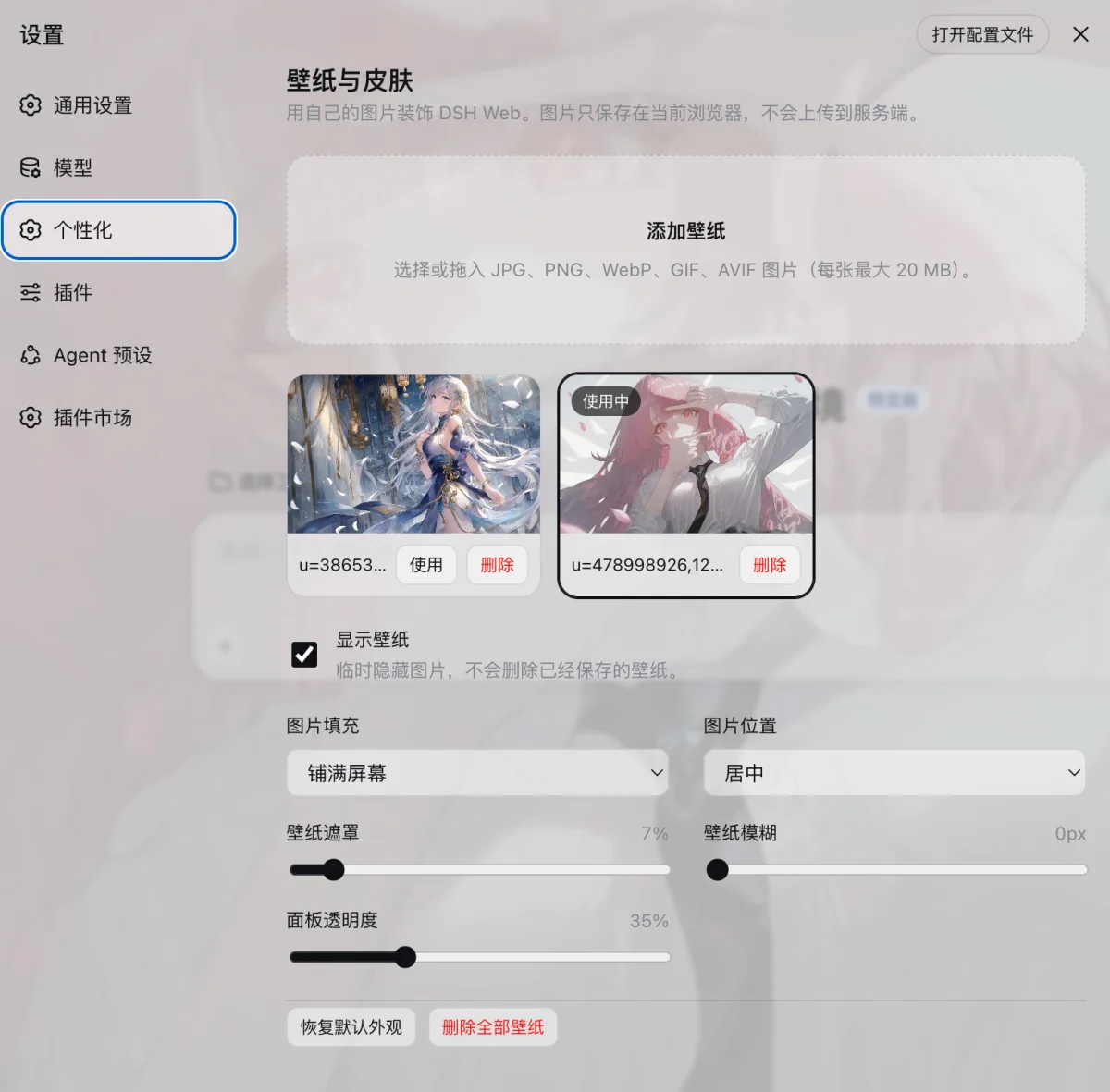
Use Cases
- Personalize the DeepSeek Harness Web interface with wallpapers.
- Adjust background blur, overlay, and panel opacity.
- Keep visuals suitable for both light and dark themes.
Best For
- DeepSeek Harness Web users who like personalized interfaces.
- Users who prefer keeping images in the local browser.
- Users who enjoy adjusting wallpapers, opacity, and blur.
Related Plugins

whale-girl is a desktop pet in the DSH Web GUI (bottom-right for instant companionship) — draggable, feedable, playable; completed tasks, sessions and companionship time accrue into seniority levels, titles, and memories.

Renders your local Wallpaper Engine wallpapers as the DSH web background, supporting video, web, and scene wallpapers with a liquid-glass effect and rich customization.

A WebGPU ocean skin for DeepSeek Harness with five-wave Gerstner waves, translucent theme, day/night cycle, and quick controls, installable as plugin or extension.

A Galgame-style conversation view and visual scene editor for DSH web sessions, with a real-time editing mode.