dsh-whale-font
Run the following command in DeepSeek Harness:
dsh plugin install kxSenlin/dsh-whale-font
Paste the following prompt into your AI chat to install this plugin:
To install this plugin in DeepSeek Harness, use the command dsh plugin install kxSenlin/dsh-whale-font, or visit the source at https://github.com/kxSenlin/dsh-whale-font for details.
About this plugin
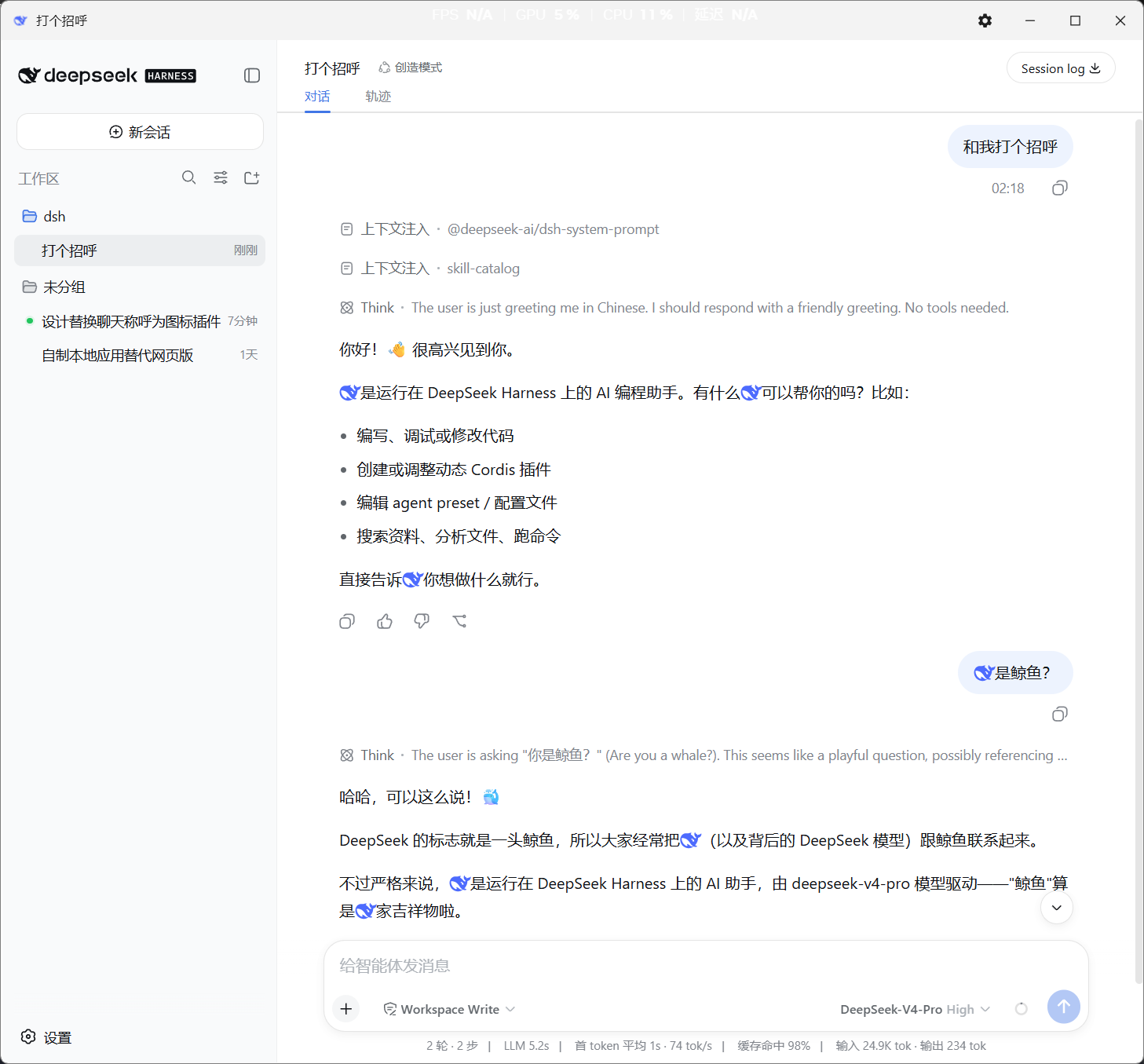
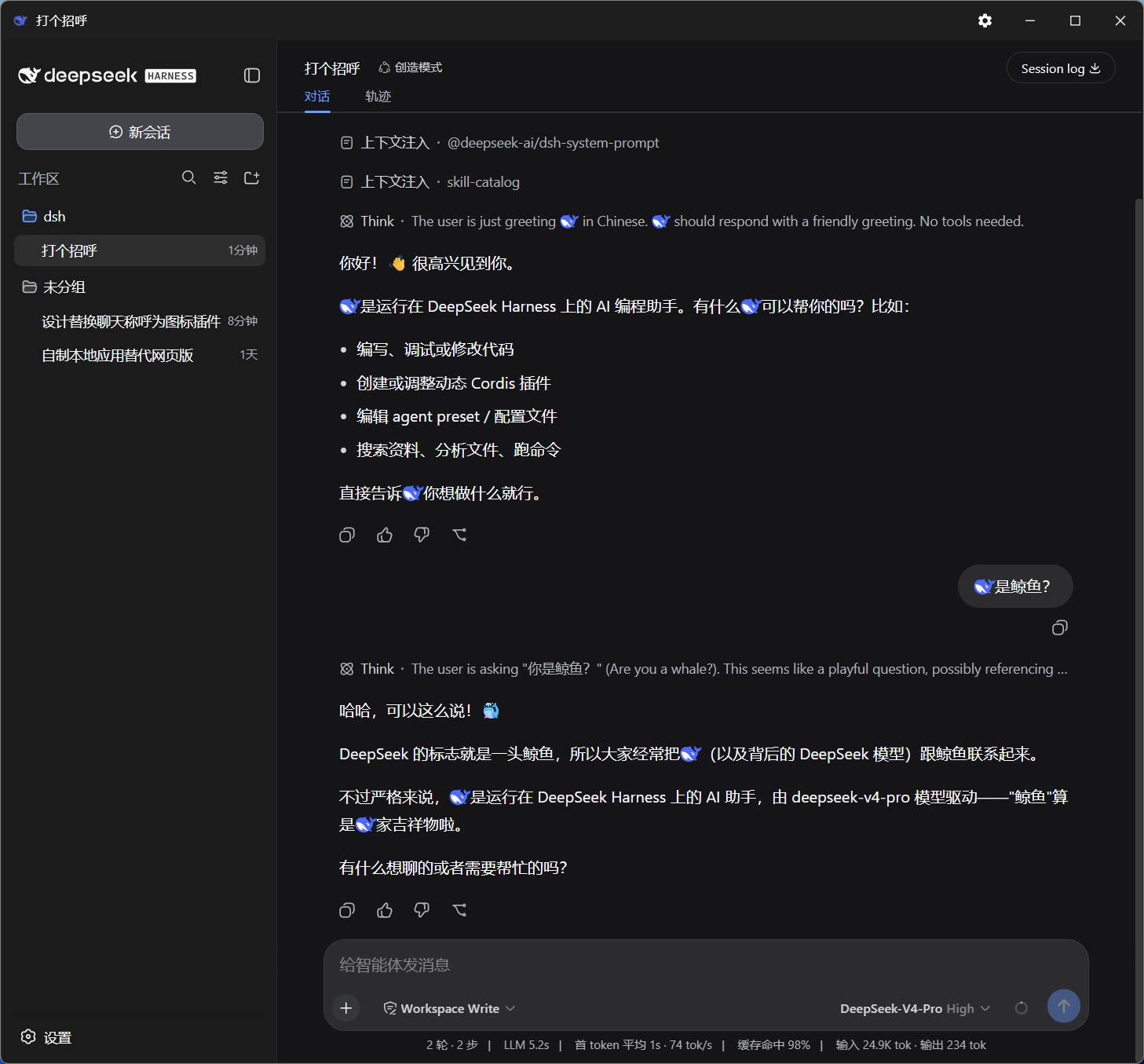
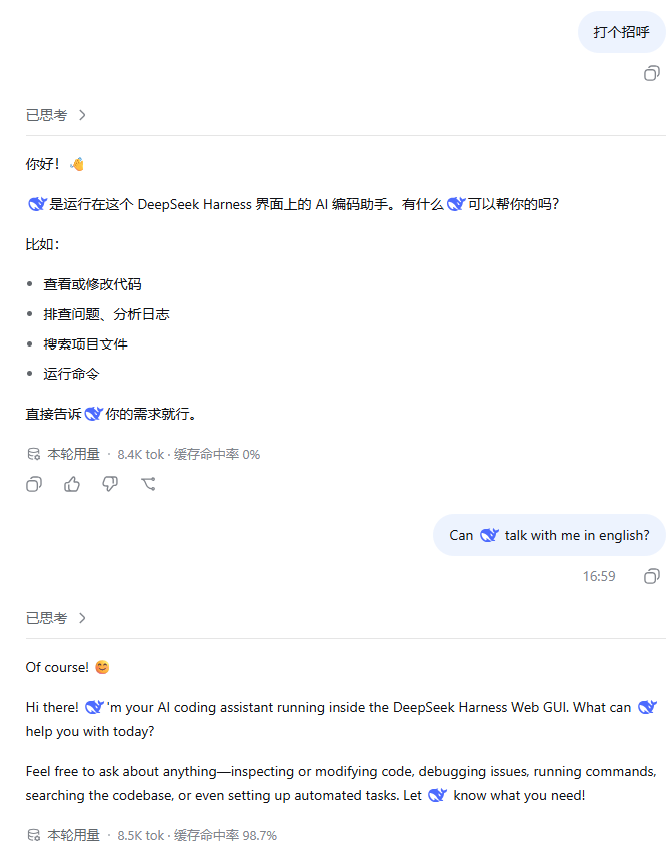
When using DeepSeek Harness for conversations, users often crave a more engaging interface or clearer speaker distinction, yet the default text display lacks visual flair. The dsh-whale-font plugin solves this by automatically replacing subject pronouns like "I," "me," "我," and "你" in dialogues with DeepSeek's official blue whale icon. This change is purely visual, affecting only the display layer without altering message data, model reading, or memory, thus preserving the original conversation integrity.
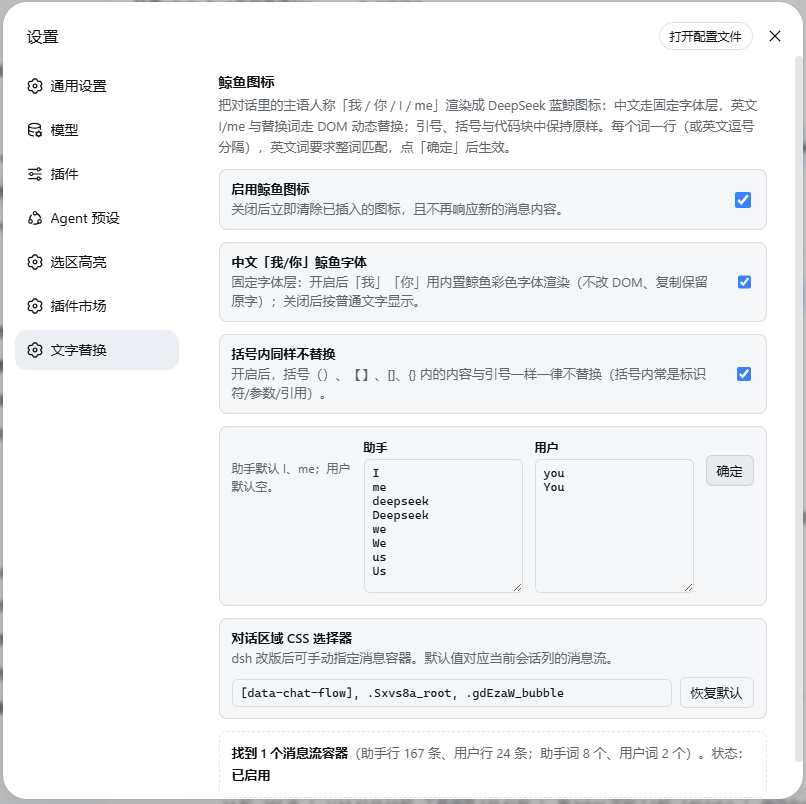
The plugin's core capability lies in its intelligent replacement rules: it swaps icons only at specific spots, such as subject pronouns in assistant or user messages, while sparing content within quotes, brackets, and code blocks to keep text intact. Users can also customize replacement words for added personalization. When copying messages, pronouns revert to their original characters, preventing data distortion and ensuring safe, convenient use.
dsh-whale-font is perfect for a wide range of DeepSeek Harness users, especially developers or casual enthusiasts who enjoy personalizing their interface for aesthetics and practicality. Whether for work collaboration, learning exchanges, or casual chats, the whale icon makes dialogues more intuitive and appealing, enhancing the overall interaction experience. The plugin is plug-and-play after installation, requiring no complex setup, and adds a vibrant touch to daily conversations.
Screenshots

Use Cases
- Enhancing visual fun and speaker identification in DeepSeek conversations
- Personalizing chat interfaces to boost interaction in work collaboration or casual chats
- Used in demonstrations or teaching to clearly show speakers in dialogues
Best For
- DeepSeek Harness users seeking interface aesthetics and personalization
- Developers or casual users who enjoy fun dressup features
- Teams or individuals needing to distinguish dialogue roles for better communication efficiency
Related Plugins

whale-girl is a desktop pet in the DSH Web GUI (bottom-right for instant companionship) — draggable, feedable, playable; completed tasks, sessions and companionship time accrue into seniority levels, titles, and memories.

Renders your local Wallpaper Engine wallpapers as the DSH web background, supporting video, web, and scene wallpapers with a liquid-glass effect and rich customization.

A WebGPU ocean skin for DeepSeek Harness with five-wave Gerstner waves, translucent theme, day/night cycle, and quick controls, installable as plugin or extension.

A Galgame-style conversation view and visual scene editor for DSH web sessions, with a real-time editing mode.