dsh-Remote
Run the following command in DeepSeek Harness:
dsh plugin install Blank-not-black/dsh-Remote
Paste the following prompt into your AI chat to install this plugin:
Install this plugin in DeepSeek Harness from the full source URL https://github.com/Blank-not-black/dsh-Remote.
About this plugin
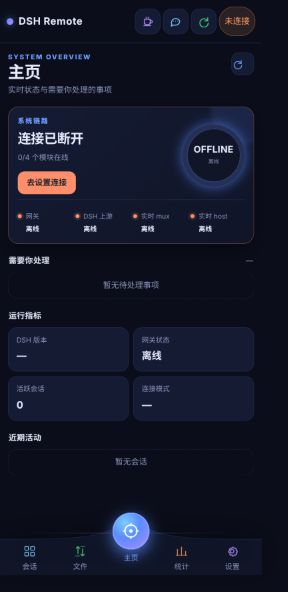
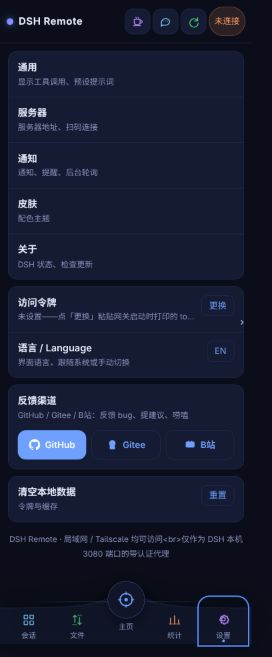
DSH Remote addresses a simple but common problem: DSH is running on your computer, but you still need to stay aware of its sessions, decisions, and tasks when you are away from the desk. Instead of trying to mirror an entire computer onto a phone, it brings the most important parts of DSH to you—sessions, approvals, prompts, files, and runtime status.
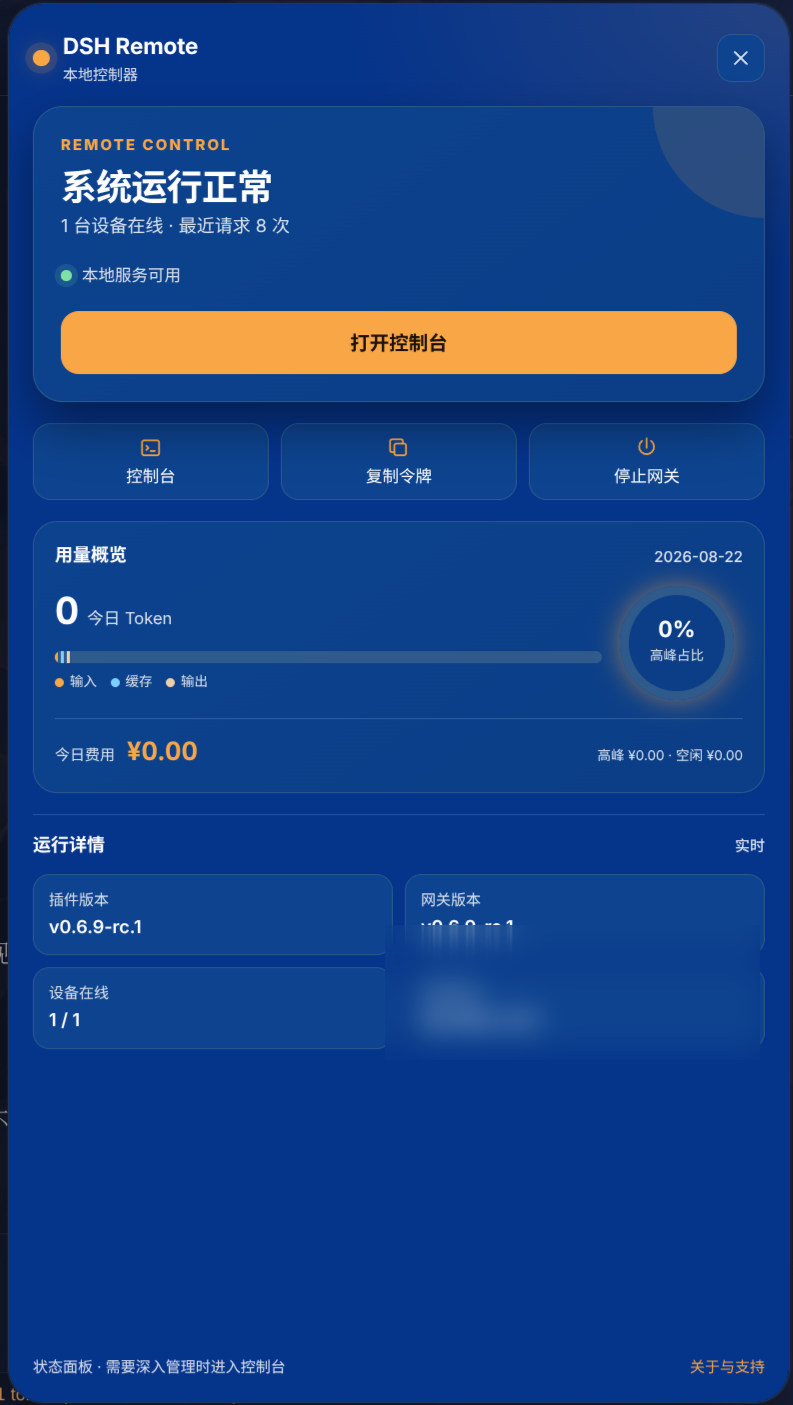
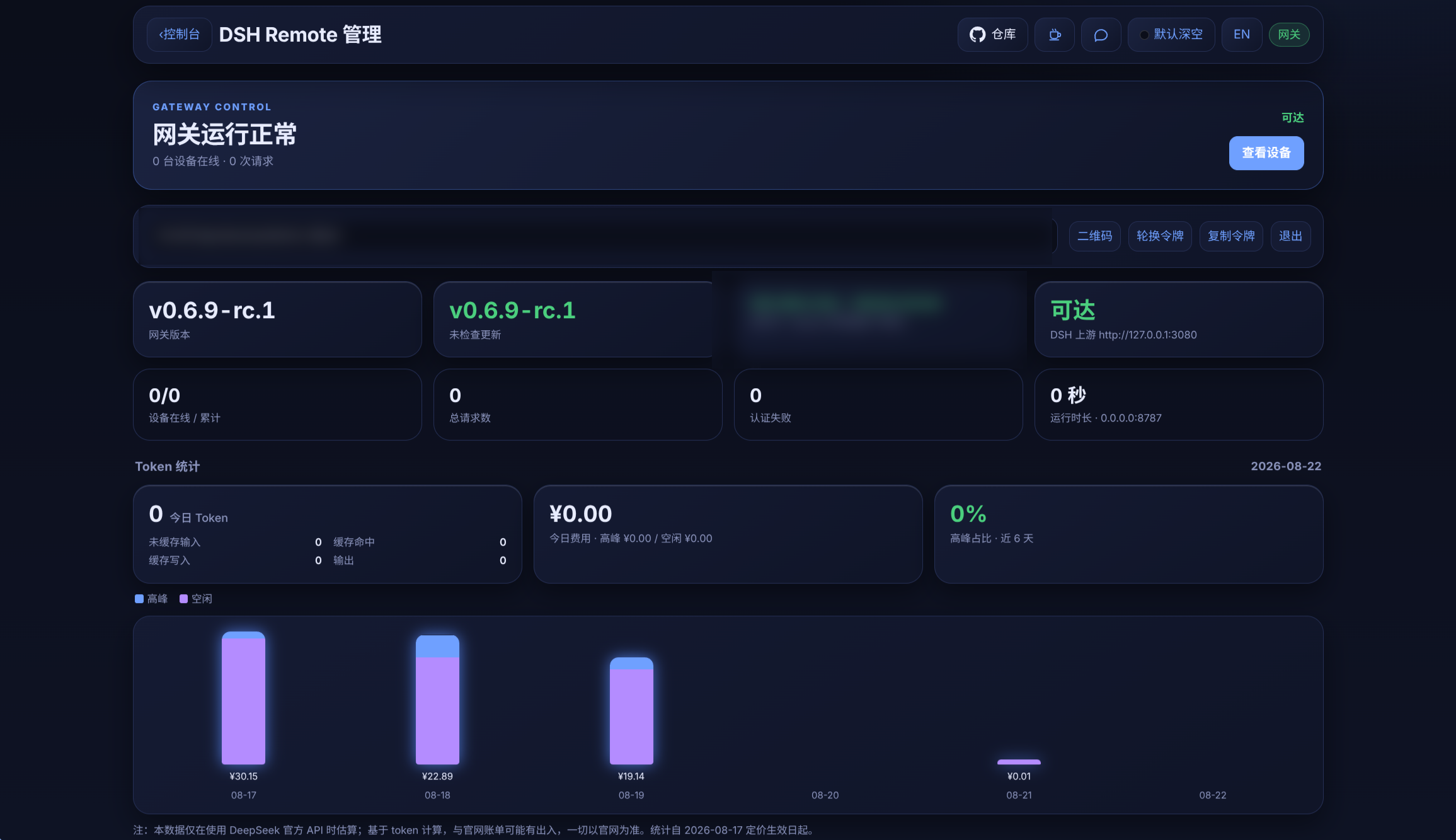
The project is composed of three cooperating parts: a DSH plugin, a standalone gateway, and an Android app / WebUI. The plugin provides the entry point inside DSH and manages the gateway; the gateway handles authentication, real-time connections, and file transfer; while the phone and desktop interfaces make remote operation clearer and easier to use. With it, you can view and continue sessions, handle approvals and questions, switch models and thinking levels, browse and transfer files, and monitor DSH version, link health, token usage, and recent activity.
It is a good fit for users who need to keep an eye on DSH from a phone or another computer—especially those who want to handle approvals, answer prompts, transfer images and files, and stay connected over a LAN or Tailscale without setting up an extra account system for DSH.
Screenshots
Use Cases
- View and continue DSH sessions from your phone
- Handle approvals, prompts, and task notifications remotely
- Transfer files or send image attachments between phone and computer
Best For
- Users who need to monitor DSH while away from their computer
- Users who want to handle approvals and prompts from a phone
- Users accessing DSH over a LAN or Tailscale network
Related Plugins
A service-oriented sidebar framework for DSH, offering a full workbench with file explorer, embedded browser, real terminal, Git panel, and extensible plugin services.

A beautiful, practical Claude Code-style TUI plugin with pixel whale top bar, flowing glow title, real-time status line, streaming thought expansion, time rewind, context progress bar and TPS gauge — zero core changes.

The plugin market for DeepSeek Harness: browse/search/one-click install community plugins and themes, with updates, backup/restore, hot disable, diagnostics, and AI fix.

A persistent whale widget on the DSH web UI that shows DeepSeek balance, today's usage, and per-turn cost, with drag-and-snap and sound effects.