dsh-git-graph
Run the following command in DeepSeek Harness:
dsh plugin install WhitePlusMS/dsh-git-graph
Paste the following prompt into your AI chat to install this plugin:
In DeepSeek Harness, you can install the plugin by running the command dsh plugin install WhitePlusMS/dsh-git-graph, or visit https://github.com/WhitePlusMS/dsh-git-graph for more information.
About this plugin
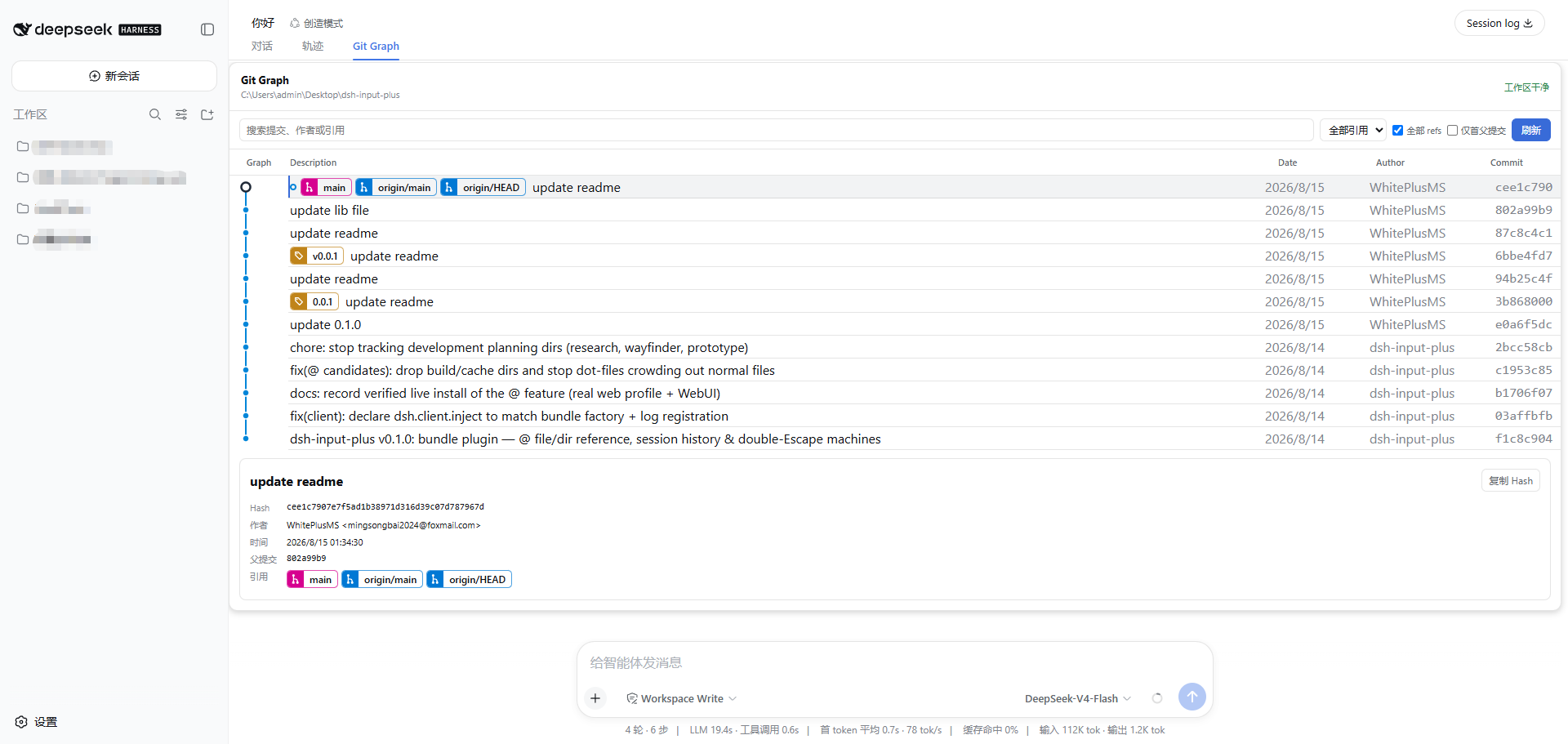
In AI-assisted development workflows using DeepSeek Harness, developers often need to quickly inspect Git history to understand code changes, but traditional graphical interfaces can disrupt conversations or log trajectories. The dsh-git-graph plugin addresses this by offering a dedicated Git Graph view that sits alongside Chat and Trajectory, allowing users to focus on examining commit topology, branch relationships, and file diffs without creating any conversation messages or trajectory entries during refresh operations, thus keeping the workspace clean.
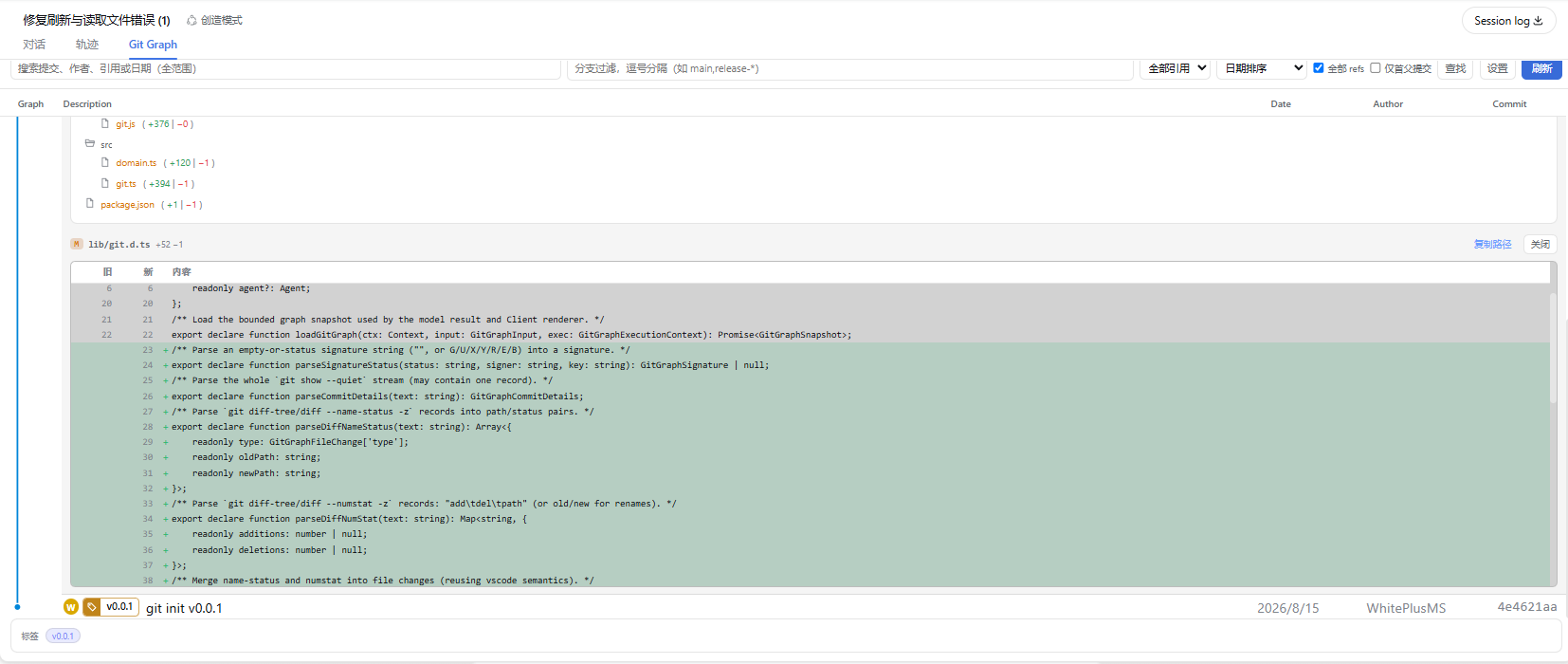
The plugin's core capabilities revolve around its rich read-only features: from detailed commit views (including hash, author, date, and signature status) to interactive file difference comparisons and real-time checks of uncommitted changes. It supports multiple search and filtering options, such as sorting by branch name, author, or date, and lets users customize display settings for optimized information presentation. All these functions are accessible through keyboard shortcuts and an intuitive interface, ensuring efficient Git history exploration.
dsh-git-graph is ideal for developers and teams using DeepSeek Harness for code development, debugging, or project management. Whether browsing mainline history or comparing changes between commits, it provides clear, non-intrusive visualization support to help users maintain contextual focus. For scenarios requiring Git data review without interfering with AI conversation flows, this plugin is an essential tool.
Screenshots
Use Cases
- View Git commit history in real-time within DeepSeek Harness without leaving the AI conversation workflow.
- Compare file changes between commits to assist in code debugging and team review.
- Inspect uncommitted changes and workspace state to keep the development process clear and controlled.
Best For
- Software developers using DeepSeek Harness for AI-assisted programming.
- Collaborative developers who need version control visualization tools.
- Engineers focused on code quality, review, and project management.
Related Plugins
A service-oriented sidebar framework for DSH, offering a full workbench with file explorer, embedded browser, real terminal, Git panel, and extensible plugin services.

A beautiful, practical Claude Code-style TUI plugin with pixel whale top bar, flowing glow title, real-time status line, streaming thought expansion, time rewind, context progress bar and TPS gauge — zero core changes.

The plugin market for DeepSeek Harness: browse/search/one-click install community plugins and themes, with updates, backup/restore, hot disable, diagnostics, and AI fix.

A persistent whale widget on the DSH web UI that shows DeepSeek balance, today's usage, and per-turn cost, with drag-and-snap and sound effects.