dsh-turn-rail
Run the following command in DeepSeek Harness:
dsh plugin install Yujm888/dsh-turn-rail
Paste the following prompt into your AI chat to install this plugin:
To install the plugin in DeepSeek Harness, run the command "dsh plugin install Yujm888/dsh-turn-rail"; the full source address is https://github.com/Yujm888/dsh-turn-rail.
About this plugin
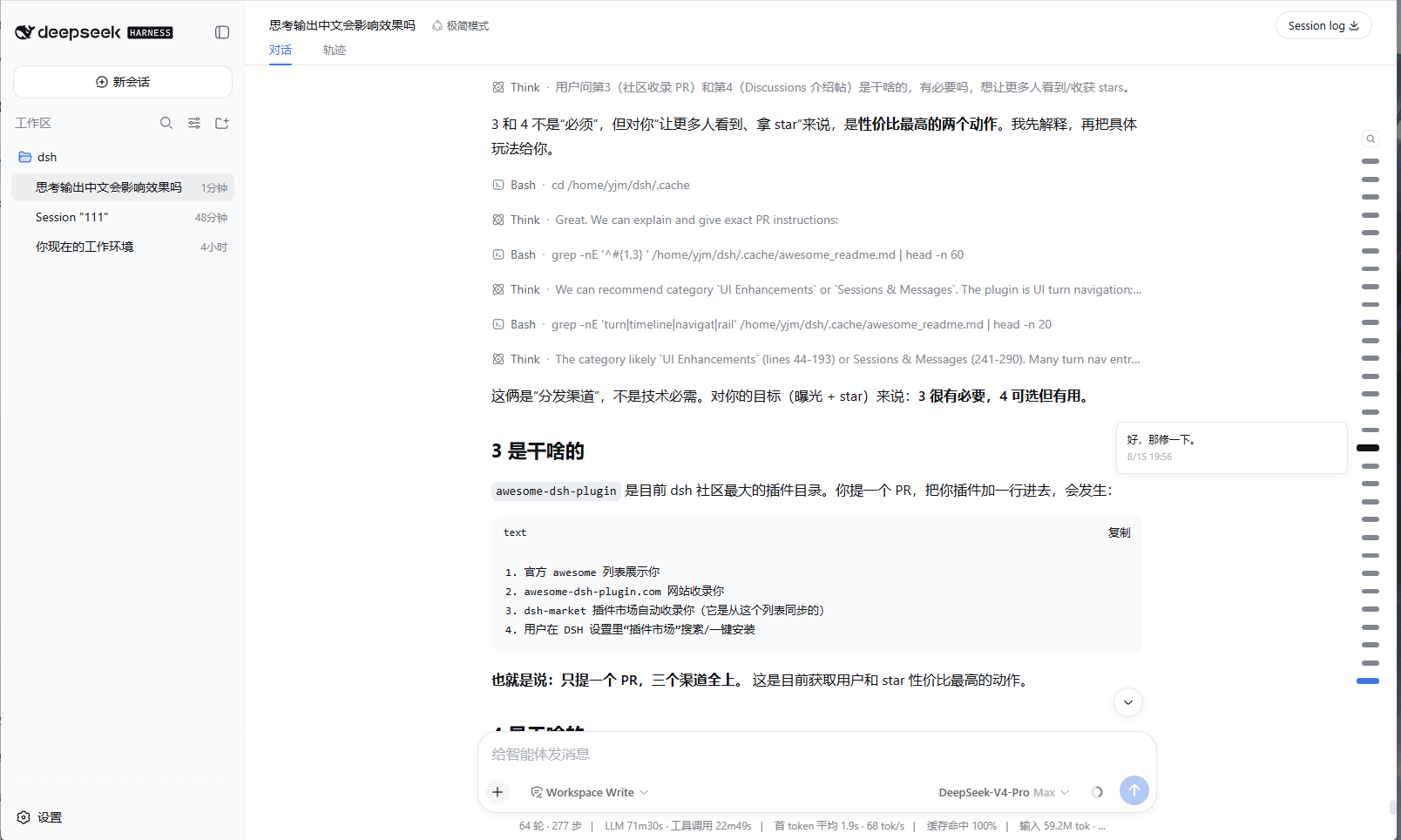
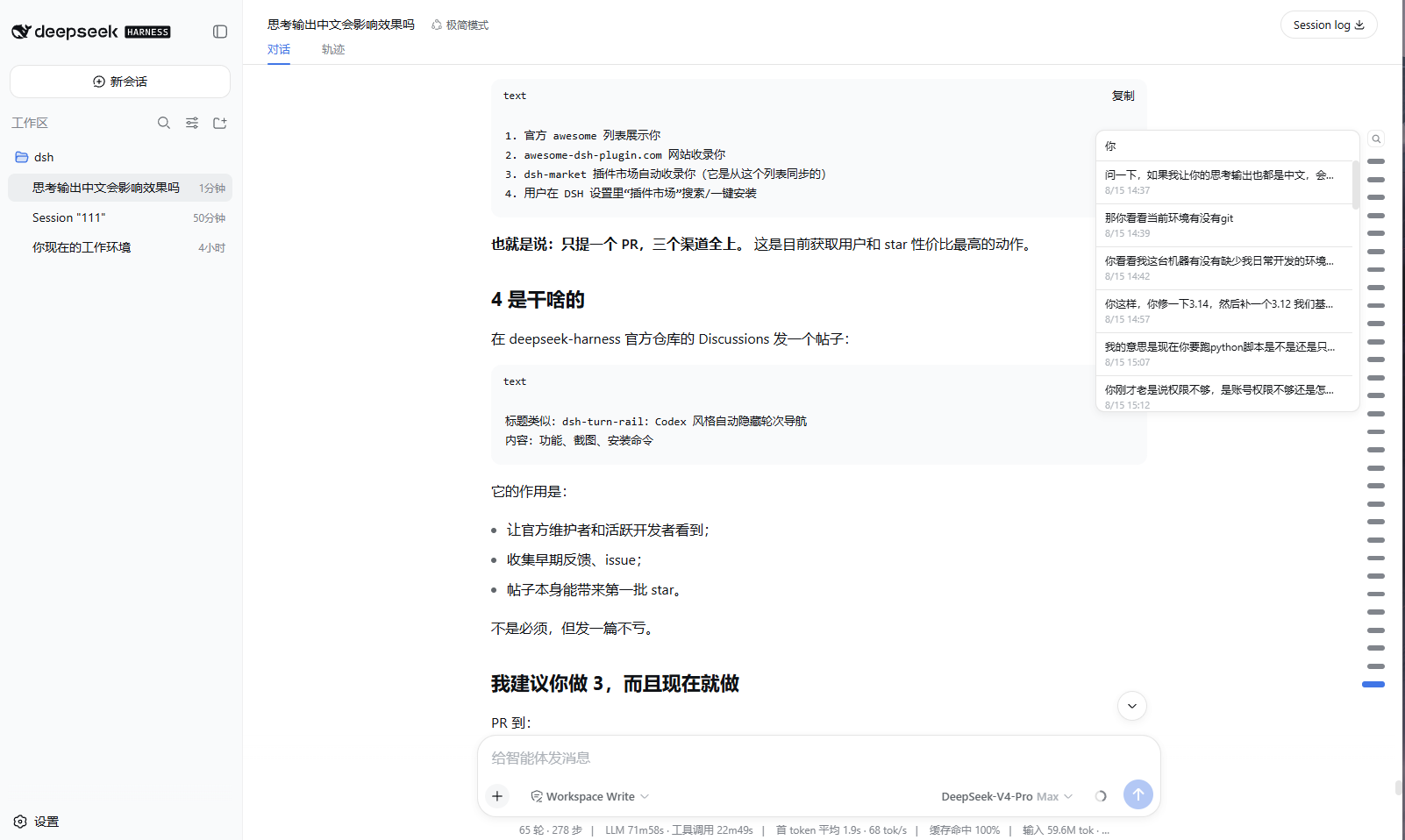
When engaging in deep conversations with DeepSeek Harness Web, navigating through numerous turns can become cumbersome, especially as the dialogue grows longer and finding specific parts requires tedious scrolling. The dsh-turn-rail plugin addresses this by offering a Codex-style auto-hiding turn rail positioned at the right edge of the conversation. It fades in when the pointer approaches the edge and fades out when moved away, providing a sleek, non-intrusive navigation tool. Key features include layered hit zones for precise interaction, search functionality to filter user messages, a scrolling window with up to 30 markers, theme awareness, and full-session projection for reloads. Designed with minimalism in mind—no settings, no extra panels—it is ideal for DeepSeek Harness users who need efficient dialogue navigation, such as developers, researchers, and everyday users.
Screenshots
Use Cases
- Quickly navigate back to a specific turn in long dialogues
- Efficiently navigate when reviewing dialogue history
- Debugging dialogue content during development
Best For
- Developers who frequently navigate long dialogues
- Researchers conducting in-depth studies
- Everyday users of DeepSeek Harness Web
Related Plugins
A service-oriented sidebar framework for DSH, offering a full workbench with file explorer, embedded browser, real terminal, Git panel, and extensible plugin services.

A beautiful, practical Claude Code-style TUI plugin with pixel whale top bar, flowing glow title, real-time status line, streaming thought expansion, time rewind, context progress bar and TPS gauge — zero core changes.

The plugin market for DeepSeek Harness: browse/search/one-click install community plugins and themes, with updates, backup/restore, hot disable, diagnostics, and AI fix.

A persistent whale widget on the DSH web UI that shows DeepSeek balance, today's usage, and per-turn cost, with drag-and-snap and sound effects.