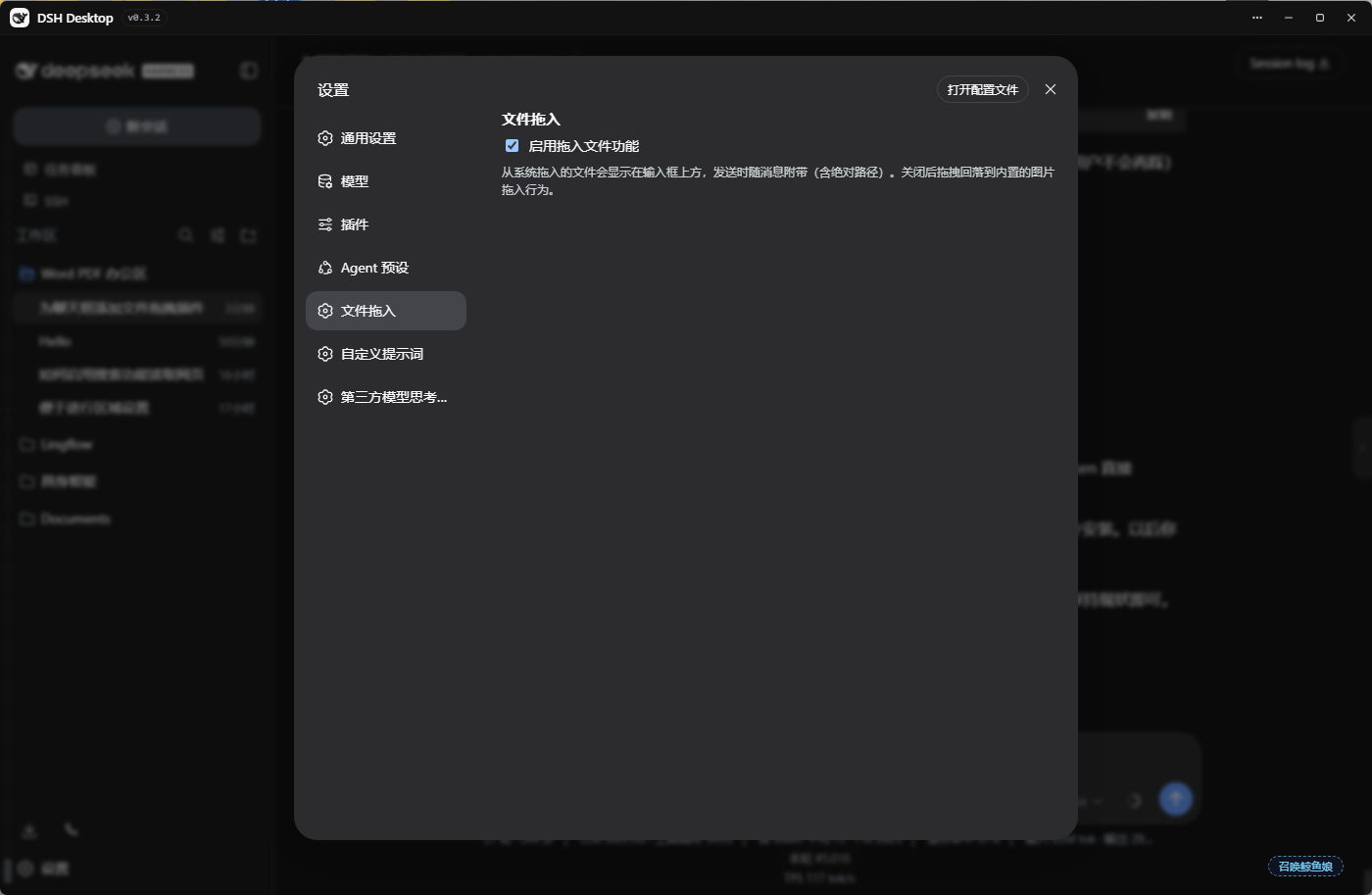
dsh-drop-in
Run the following command in DeepSeek Harness:
dsh plugin install lbl61/dsh-drop-in
Paste the following prompt into your AI chat to install this plugin:
To install the dsh-drop-in plugin, run the command dsh plugin install lbl61/dsh-drop-in in DeepSeek Harness, with the full source code available at https://github.com/lbl61/dsh-drop-in.
About this plugin
When using DeepSeek Harness for AI chats, users often need to share local files—like code, documents, or images—with the agent, but the native web interface lacks intuitive drag-and-drop support, leading to interruptions and reduced efficiency. The dsh-drop-in plugin addresses this pain point by redefining file interaction, allowing users to drag files directly from their system file manager into the chat window, just like in a desktop application, without cumbersome upload steps.
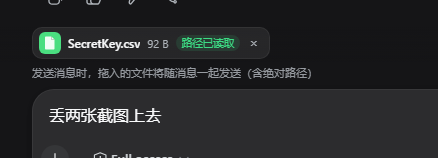
At its core, the plugin features an intelligent file processing pipeline: dragged or pasted files automatically generate sleek chip bars or inline bubbles, displayed above the input box or within the text. These bubbles show file type, name, and path information, giving users clear visibility. Upon sending, files are transmitted as absolute paths to the agent, enabling it to read content directly without copying or uploading data—especially valuable for large or sensitive files. Additionally, the plugin supports multiple send methods and allows sending messages while the agent is responding, maintaining seamless chat flow.
dsh-drop-in is particularly suited for user groups that need to embed local resources in AI conversations. For instance, software developers can quickly drag in code files for debugging or analysis; researchers can easily share datasets or reports for instant insights; and content creators can upload images or drafts for editing feedback. It simplifies the complexity of file sharing, making collaboration more natural and efficient.
Overall, this plugin enhances DeepSeek Harness's file-handling capabilities, significantly improving user experience by allowing the AI agent to access real-world file resources directly. This adds substantial value in various professional scenarios, making your chat interface smarter and more convenient, whether you're a daily user or an industry expert.
Screenshots
Use Cases
- Developers drag code files for quick debugging
- Researchers share data documents for AI analysis
- Users paste image resources for content creation feedback
Best For
- Software developers who frequently interact with files
- Scientists or analysts conducting data research
- Designers and content creators handling media resources
Related Plugins
A service-oriented sidebar framework for DSH, offering a full workbench with file explorer, embedded browser, real terminal, Git panel, and extensible plugin services.

A beautiful, practical Claude Code-style TUI plugin with pixel whale top bar, flowing glow title, real-time status line, streaming thought expansion, time rewind, context progress bar and TPS gauge — zero core changes.

The plugin market for DeepSeek Harness: browse/search/one-click install community plugins and themes, with updates, backup/restore, hot disable, diagnostics, and AI fix.

A persistent whale widget on the DSH web UI that shows DeepSeek balance, today's usage, and per-turn cost, with drag-and-snap and sound effects.