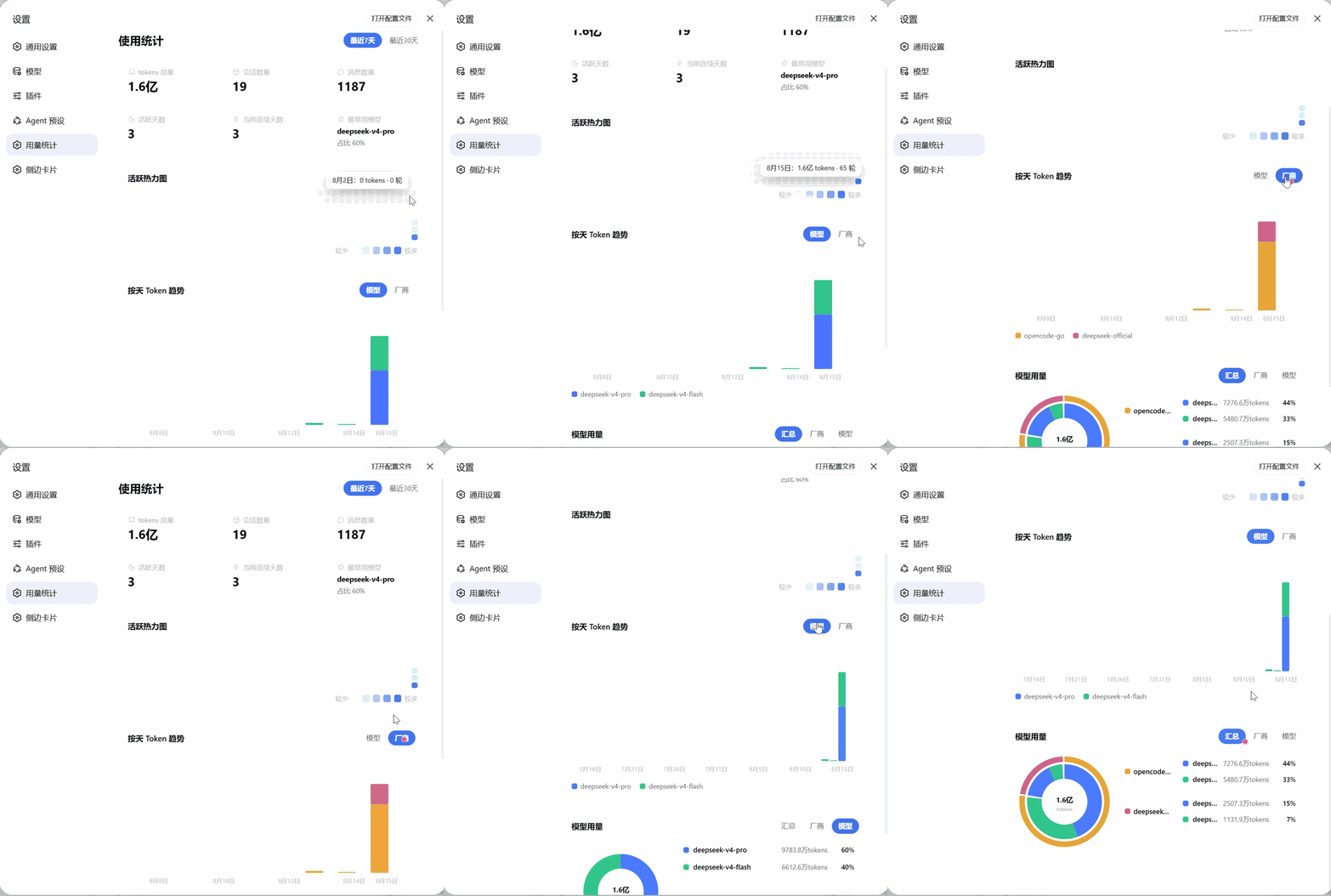
dsh-usage-lens
Run the following command in DeepSeek Harness:
dsh plugin install yokesky/dsh-usage-lens
Paste the following prompt into your AI chat to install this plugin:
In DeepSeek Harness, install this plugin with the command `dsh plugin install yokesky/dsh-usage-lens` from the full source repository at https://github.com/yokesky/dsh-usage-lens.
About this plugin
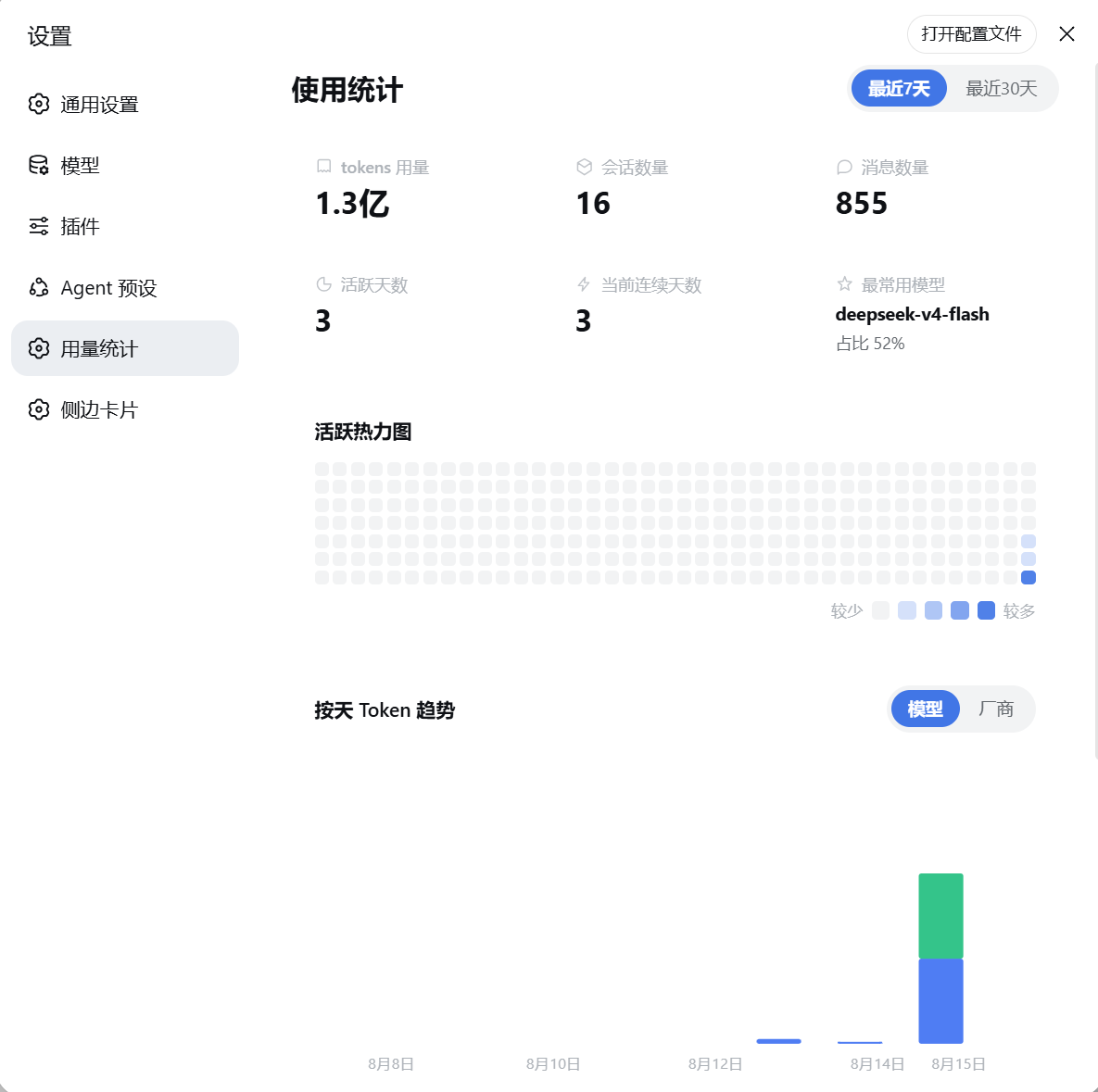
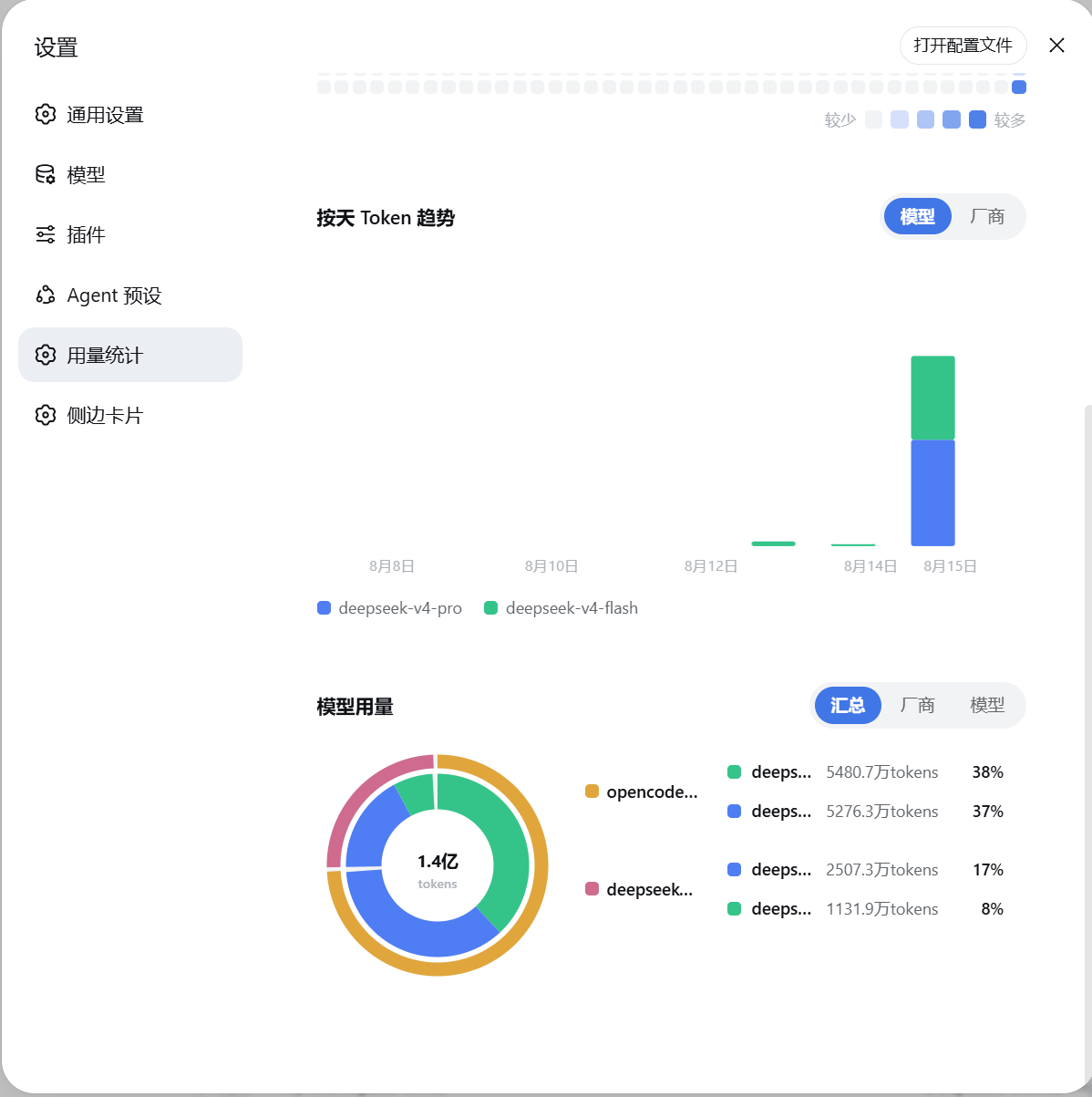
Ever wondered about your usage patterns in DeepSeek Harness? This plugin transforms your local session logs into an intuitive statistics dashboard, accessible right in the DSH settings. It tackles the need for clear visibility into token consumption, session frequency, and model preferences. Core capabilities include: overview cards for at-a-glance metrics, a 280-day activity heatmap to spot usage rhythms, daily trend charts with model/provider breakdowns, and donut charts for multi-angle analysis. All data stays local—no uploads—ensuring privacy, and the panel seamlessly follows DSH's light/dark theme. Ideal for any DSH user seeking to optimize habits, review history, or simply explore their usage data.
Screenshots
Use Cases
- Monitor daily token consumption trends
- Analyze most-used models and providers
- Review activity history via heatmap
Best For
- DSH users seeking to optimize usage efficiency
- Local-tool enthusiasts concerned with data privacy
- Developers wanting intuitive insight into usage habits
Related Plugins
A service-oriented sidebar framework for DSH, offering a full workbench with file explorer, embedded browser, real terminal, Git panel, and extensible plugin services.

A beautiful, practical Claude Code-style TUI plugin with pixel whale top bar, flowing glow title, real-time status line, streaming thought expansion, time rewind, context progress bar and TPS gauge — zero core changes.

The plugin market for DeepSeek Harness: browse/search/one-click install community plugins and themes, with updates, backup/restore, hot disable, diagnostics, and AI fix.

A persistent whale widget on the DSH web UI that shows DeepSeek balance, today's usage, and per-turn cost, with drag-and-snap and sound effects.