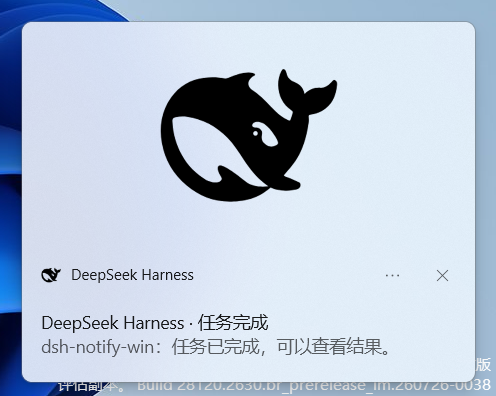
dsh-notify-win
Run the following command in DeepSeek Harness:
dsh plugin install Andyqwe44/dsh-notify-win
Paste the following prompt into your AI chat to install this plugin:
To install this plugin in DeepSeek Harness, use the command `dsh plugin install Andyqwe44/dsh-notify-win`, with the full source code address at https://github.com/Andyqwe44/dsh-notify-win.
About this plugin
When using DeepSeek Harness on Windows, notifications for task completion or user intervention can easily be missed, disrupting workflows. The dsh-notify-win plugin addresses this by leveraging system-level notifications to ensure users never overlook critical events.
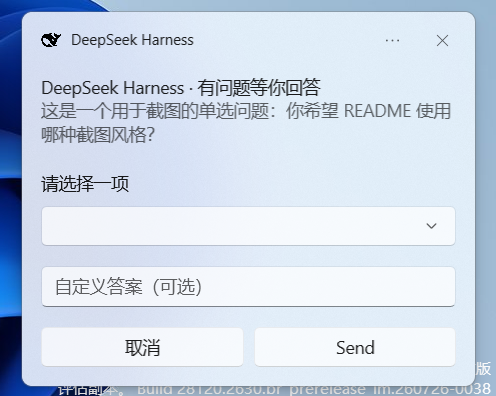
Its core capabilities include native toast notifications and taskbar flashes, triggered by task completion, context compaction, and interactive questions such as single-select prompts. Notably, interactive question toasts offer dropdown menus and custom answer inputs, allowing users to respond directly within the notification without switching windows, enhancing operational efficiency.
This plugin is ideal for all DeepSeek Harness users on Windows, particularly developers and tech enthusiasts who run automated tasks in the background and need timely responses. With a fire-and-forget approach, no additional services or settings are required, making it lightweight and secure for a seamless integrated experience.
Screenshots
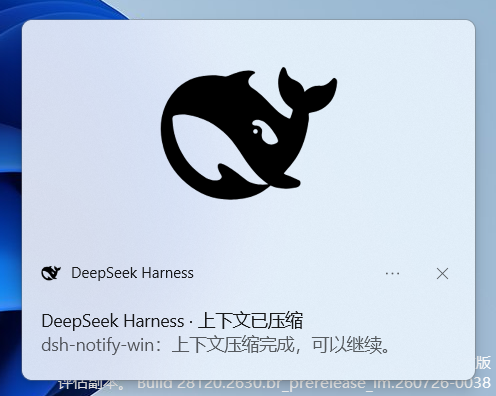

Use Cases
- Displays native toast notifications when a DeepSeek Harness task finishes.
- Pops up interactive question toast with dropdown selection when user input is needed.
- Flashes the taskbar to remind the user while tasks run in the background.
Best For
- Windows users of DeepSeek Harness.
- Developers and tech enthusiasts.
- Users who run automated tasks in the background and need timely responses.
Related Plugins
A service-oriented sidebar framework for DSH, offering a full workbench with file explorer, embedded browser, real terminal, Git panel, and extensible plugin services.

A beautiful, practical Claude Code-style TUI plugin with pixel whale top bar, flowing glow title, real-time status line, streaming thought expansion, time rewind, context progress bar and TPS gauge — zero core changes.

The plugin market for DeepSeek Harness: browse/search/one-click install community plugins and themes, with updates, backup/restore, hot disable, diagnostics, and AI fix.

A persistent whale widget on the DSH web UI that shows DeepSeek balance, today's usage, and per-turn cost, with drag-and-snap and sound effects.