dsh-arcaea-theme
Run the following command in DeepSeek Harness:
dsh plugin install a1swg1159-pixel/dsh-arcaea-theme
Paste the following prompt into your AI chat to install this plugin:
To install this plugin in DeepSeek Harness, run the command: dsh plugin install a1swg1159-pixel/dsh-arcaea-theme. The source code is available at: https://github.com/a1swg1159-pixel/dsh-arcaea-theme.
About this plugin
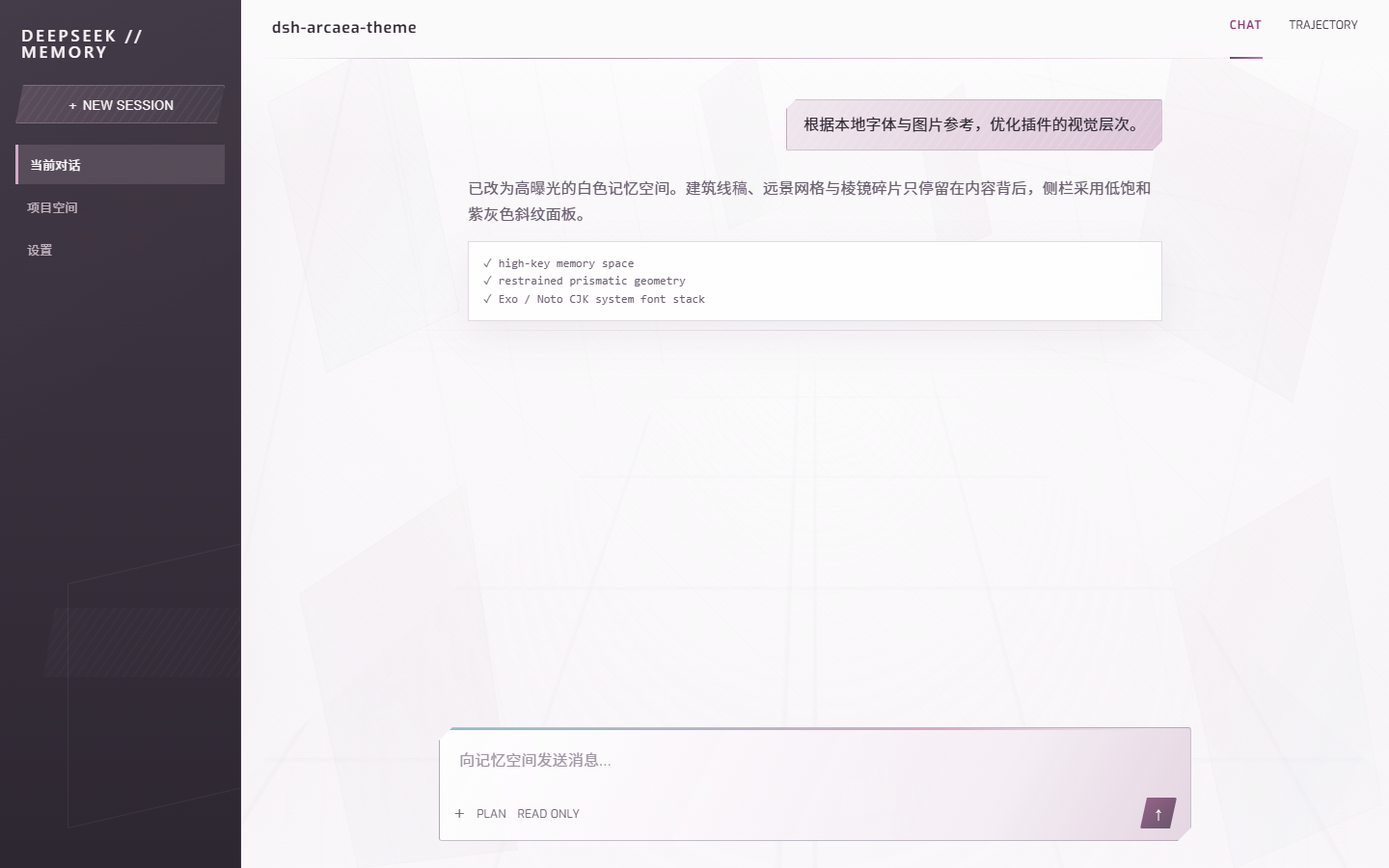
The dsh-arcaea-theme plugin addresses the need for visual customization in the DeepSeek Harness Web UI, offering an original high-key prismatic memory theme to enhance user experience without relying on game assets. It features a high-exposure ivory workspace with architectural linework, a desaturated aubergine sidebar, subtle prisms, and bundled fonts like Exo and Noto Sans CJK SC. The theme seamlessly switches to the arcaea-light palette when enabled and reverts on disable, ensuring no interference with chat components or session data. This plugin is ideal for DeepSeek Harness users seeking aesthetic improvements, including developers and casual users who prefer a visually appealing interface without complex setup.
Screenshots
Use Cases
- Enhancing interface visual experience during daily use of DeepSeek Harness.
- Applying personalized theme styles while developing or testing Web UI.
- Creative or demo scenarios requiring quick switching of interface appearance.
Best For
- Regular users or developers of DeepSeek Harness.
- Web designers or frontend engineers focused on interface aesthetics.
- Visual enthusiasts who enjoy customizing software appearances.
Related Plugins

whale-girl is a desktop pet in the DSH Web GUI (bottom-right for instant companionship) — draggable, feedable, playable; completed tasks, sessions and companionship time accrue into seniority levels, titles, and memories.

Renders your local Wallpaper Engine wallpapers as the DSH web background, supporting video, web, and scene wallpapers with a liquid-glass effect and rich customization.

A WebGPU ocean skin for DeepSeek Harness with five-wave Gerstner waves, translucent theme, day/night cycle, and quick controls, installable as plugin or extension.

A Galgame-style conversation view and visual scene editor for DSH web sessions, with a real-time editing mode.