
dsh-deepseek-monitor
Run the following command in DeepSeek Harness:
dsh plugin install moyuer233/dsh-deepseek-monitor
Paste the following prompt into your AI chat to install this plugin:
To install this plugin in DeepSeek Harness, run the command: dsh plugin install moyuer233/dsh-deepseek-monitor, or visit the full GitHub repository: https://github.com/moyuer233/dsh-deepseek-monitor.
About this plugin
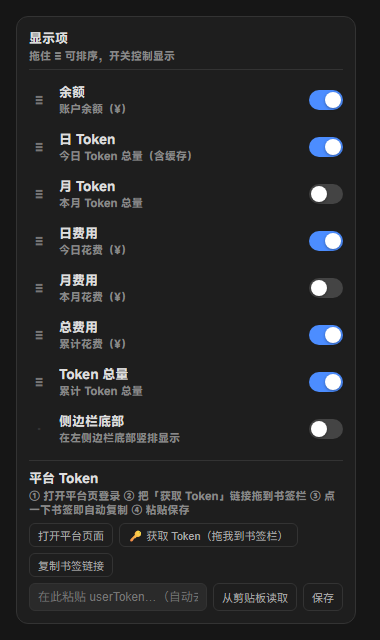
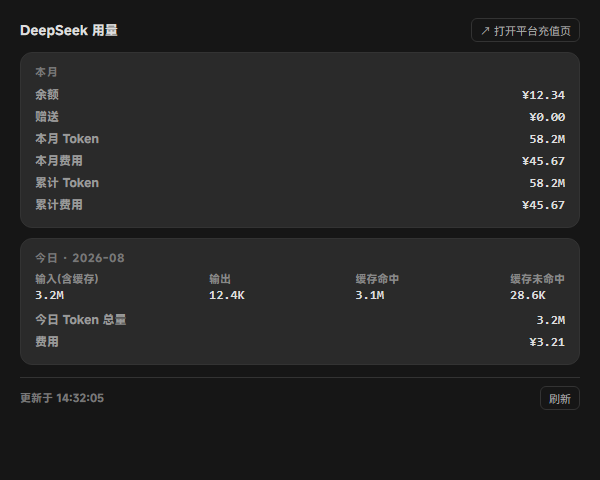
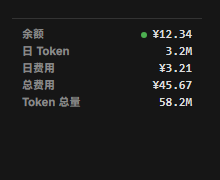
DeepSeek users often face challenges in tracking account balance, daily/monthly token consumption, and costs in real-time, especially when using multiple AI agents or sub-agents, which can lead to unexpected expenses or service interruptions. The dsh-deepseek-monitor plugin addresses this by providing real-time monitoring across the session header, sidebar, and usage tab, displaying balance, token totals, and costs dynamically. It offers core capabilities like configurable options, including toggle switches and drag-and-drop sorting for personalized monitoring interfaces, along with a local usage proxy that accurately logs usage for Anthropic-compatible sub-agents (e.g., Claude Code) to enable precise cost tracking. This plugin is ideal for all DeepSeek users, particularly developers, teams, or individuals who need to monitor API usage costs, manage budgets, or perform detailed billing in complex agent environments, enhancing efficiency and cost management for both everyday applications and large-scale projects.
Screenshots
Use Cases
- View balance, token, and cost data in real-time during DeepSeek sessions.
- Personalize the monitoring interface with toggle switches and drag-and-drop sorting via the configuration panel.
- Use the local proxy to accurately log usage for Anthropic-compatible sub-agents.
Best For
- Individual users needing to monitor DeepSeek API usage costs.
- Developers who want to track expenses for sub-agents.
- Organizations managing usage across multiple AI agent teams.
Related Plugins
A service-oriented sidebar framework for DSH, offering a full workbench with file explorer, embedded browser, real terminal, Git panel, and extensible plugin services.

A beautiful, practical Claude Code-style TUI plugin with pixel whale top bar, flowing glow title, real-time status line, streaming thought expansion, time rewind, context progress bar and TPS gauge — zero core changes.

The plugin market for DeepSeek Harness: browse/search/one-click install community plugins and themes, with updates, backup/restore, hot disable, diagnostics, and AI fix.

A persistent whale widget on the DSH web UI that shows DeepSeek balance, today's usage, and per-turn cost, with drag-and-snap and sound effects.